Participant
October 10, 2019
Answered

Robohelp inserting empty paragraphs, divs and characters on export

  • October 10, 2019
  • 7 replies
  • 778 views

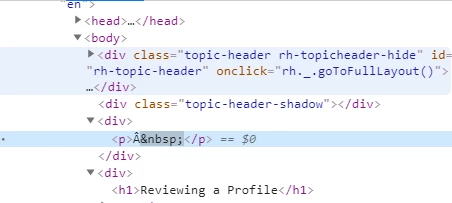
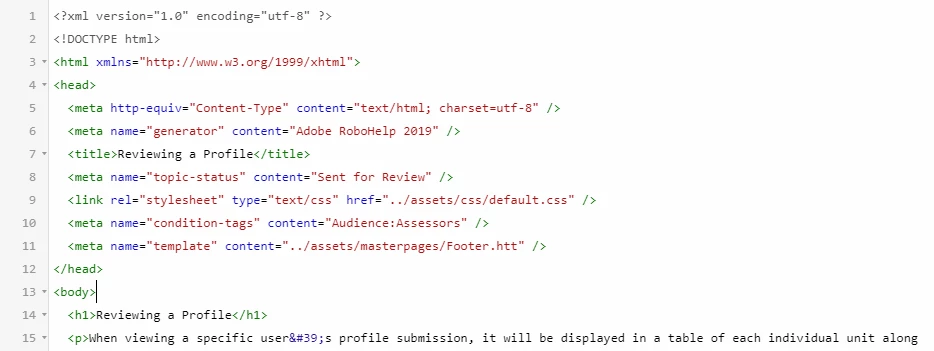
When I export my project from Robohelp to HTML5, it seems to be inserting either paragraphs with non-breaking spaces in them, or with this character as well: Â


The blank divs happen at the top of every page, only some of them contain that extra character above. I'm using the Azure skin with some minor CSS changes. 


This topic has been closed for replies.
Correct answer Peter Grainge

This is already covered in a recent thread.


See http://www.grainge.org/pages/authoring/rh2019/rh2019.htm  for a link to Adobe's fix for this issue.


7 replies

Adobe Employee
October 16, 2019

Hi,

We have fixed this issue and it will be part of Update 10 which is due in November.

Thaank you for your support.

Regards,
Surbhi Maheshwari

hugolafisAuthor
Participant
October 14, 2019

I've tried swapping between the Azure / Charcoal skins and temporarily removing all of the custom CSS files, neither made a difference to the problem unfortunately.


Edit:

I'm also still occasionally seeing these characters and inserted spaces in the search results.


Adobe Employee
October 14, 2019

We have been able to reproduce this issue and are investigating currently. We will get back to you asap.

Thanks and Regards,
Surbhi Maheshwari

Peter Grainge
Community Expert
Community Expert
October 14, 2019

I have reported to Adobe that you have the space above issue with the  character in it. The hotfix should have solved the problem but they are now aware.


What skin are you using? Have you tried taking a fresh copy of it just to test?


Use menu (bottom right) to mark as Best Answer or to Highlight particularly useful replies. Found the answer elsewhere? Share it here.
hugolafisAuthor
Participant
October 14, 2019

I've installed the hotfix and it has not solved the problem. My project still contains paragraphs being generated at the top of each page containing non-breaking spaces or the Â character above. 


New projects do not seem to have this issue, although it hasn't always been present in this project so I'm not sure what could be causing it.

hugolafisAuthor
Participant
October 10, 2019

Thanks for the link. I had updated inside the app the other day so I thought that would've covered everything. Will download the hotfix and test it out.

Peter Grainge
Community Expert
Peter GraingeCommunity ExpertCorrect answer
Community Expert
October 10, 2019

This is already covered in a recent thread.


See http://www.grainge.org/pages/authoring/rh2019/rh2019.htm  for a link to Adobe's fix for this issue.


Use menu (bottom right) to mark as Best Answer or to Highlight particularly useful replies. Found the answer elsewhere? Share it here.