
Participant
May 19, 2017
Answered

Robohelp Multiscreen Script Error

  • May 19, 2017
  • 1 reply
  • 552 views

Hi,

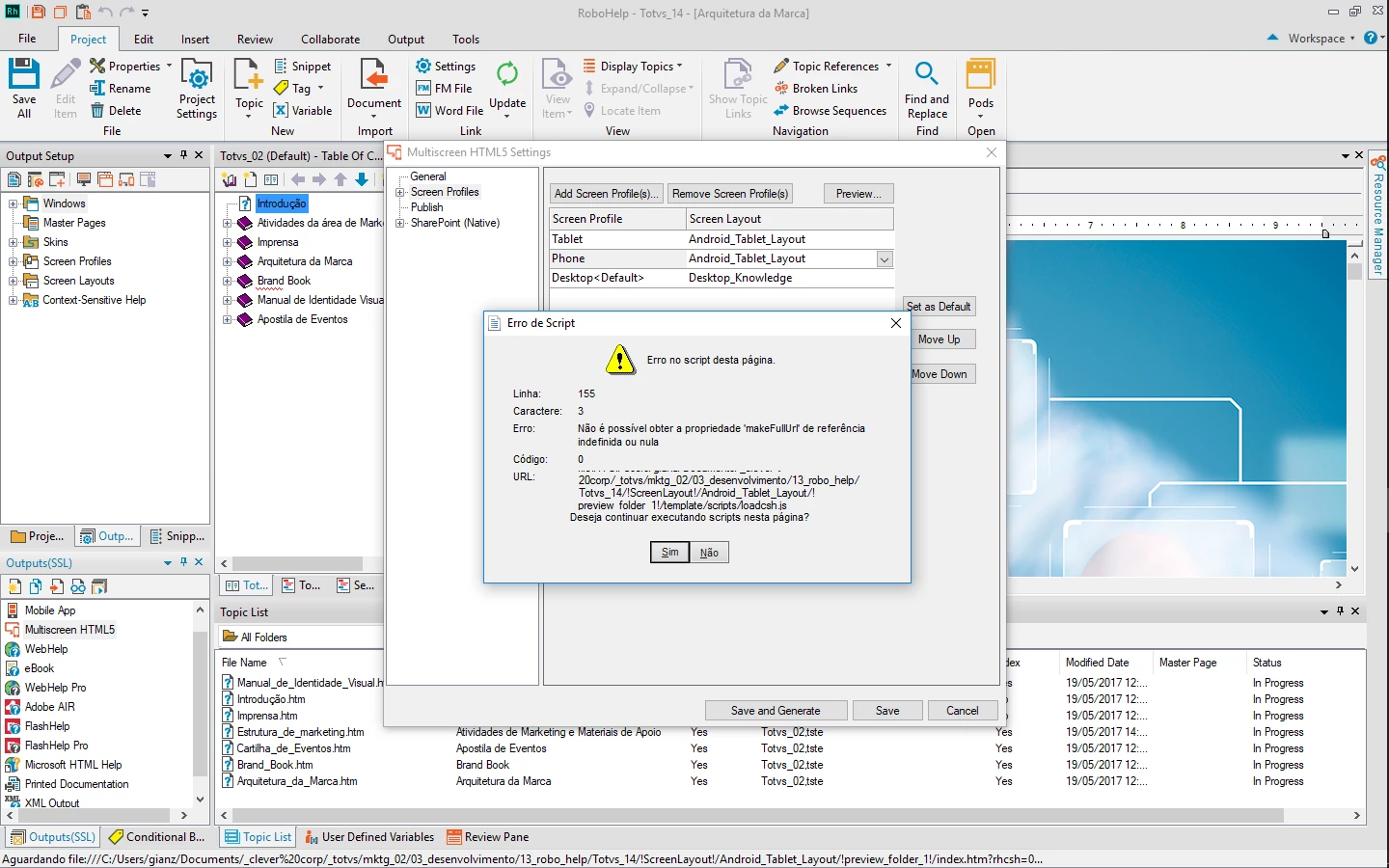
I just downloaded the latest version of Robohelp 2017 but a script error is occurring when I click the "preview" button of the Multiscreen HTML5 Settings window.

The translation of the error (see the image below) description is something like:

Error in script for this page

Line: 155

Character: 3

"Can not get 'makeFullUrl' property of undefined or null reference"

Code: 0

URL: file:///C:/Users/gianz/Documents/_clever%20corp/_totvs/mktg_02/03_desenvolvimento/13_robo_help/Totvs_14/!ScreenLayout!/Android_Tablet_Layout/!preview_folder_1!/template/scripts/loadcsh.js

Does anyone know the reason for the error, please? Thanks!
This topic has been closed for replies.
Correct answer Gian Zelada

Peter, thank you very much for the response.

I made the upgrade to the new version 13.0.1.279 and the problem disappeared.

1 reply

Peter Grainge
Community Expert
Community Expert
May 20, 2017

Is this a new project? I ask as that seems to be a very long path and that could be the problem. However, if it has worked before in the same location, that could rule that out. Also have you tried using one of the sample projects? Click Open on the RoboHelp Starter page and then click Samples in the ribbon on the left.

Also are you new to RoboHelp? I ask as whilst multiscreen is a supported option, responsive layouts are much easier to use.


See www.grainge.org for RoboHelp and Authoring information

@petergrainge

Use the menu (bottom right) to mark the Best Answer or Highlight particularly useful replies. Found the answer elsewhere? Share it here.
Gian ZeladaAuthorCorrect answer
Participant
May 21, 2017

Peter, thank you very much for the response.

I made the upgrade to the new version 13.0.1.279 and the problem disappeared.