Known Participant
October 30, 2020
Question

Robohelp search/find problems 2019

  • October 30, 2020
  • 3 replies
  • 308 views

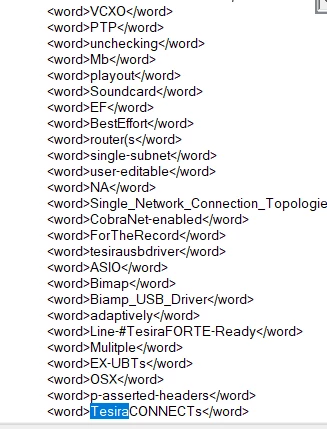
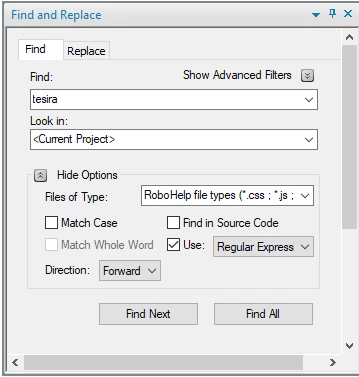
When trying to Find in Robohelp 2019 it goes straight to an xpj (code) page and finds my search. Then asks if I want to start from the begining. When  I click OK it either keeps staying on the xpj page or starts searching the TOC. Under 'Look in' I have Current Project chosen.


The searching of the TOC just started this morning. Find is very unpredictable and I need to use it but can't trust it at this point.


Any ideas?


    This topic has been closed for replies.

    3 replies

    Peter Grainge
    Community Expert
    Community Expert
    November 2, 2020

    Good catch Amber. That will definitely screw that search.


    Use the menu (bottom right) to mark the Best Answer or Highlight particularly useful replies. Found the answer elsewhere? Share it here.
    Known Participant
    November 2, 2020

    Thank you Ambre and Peter.

    It is searching properly now. 🙂

    Community Expert
    November 2, 2020

    Peter's suggestion should fix it.


    I'd also recommend unticking the "Use: " checkbox unless you are specifically doing a regular expression or wildcard search. Mostly it probably won't make a difference, but some characters like parentheses or . or / might give you unexpected results when the setting is on.

    Peter Grainge
    Community Expert
    Community Expert
    October 30, 2020

    Try changing what is in Files of Type.


    Use the menu (bottom right) to mark the Best Answer or Highlight particularly useful replies. Found the answer elsewhere? Share it here.