
Participating Frequently
October 3, 2022
Question

RoboHelp Search removes drop-down header

  • October 3, 2022
  • 6 replies
  • 390 views

On one page I have the following drop-down headers:
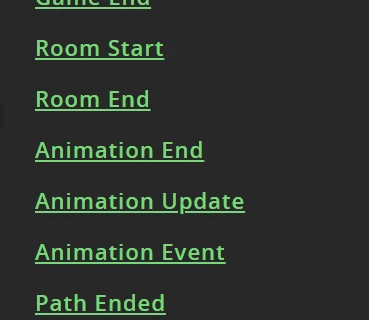
If I search "animation end", words from which are found in a few of the drop-down sections, the user sees this once they click on the search result:
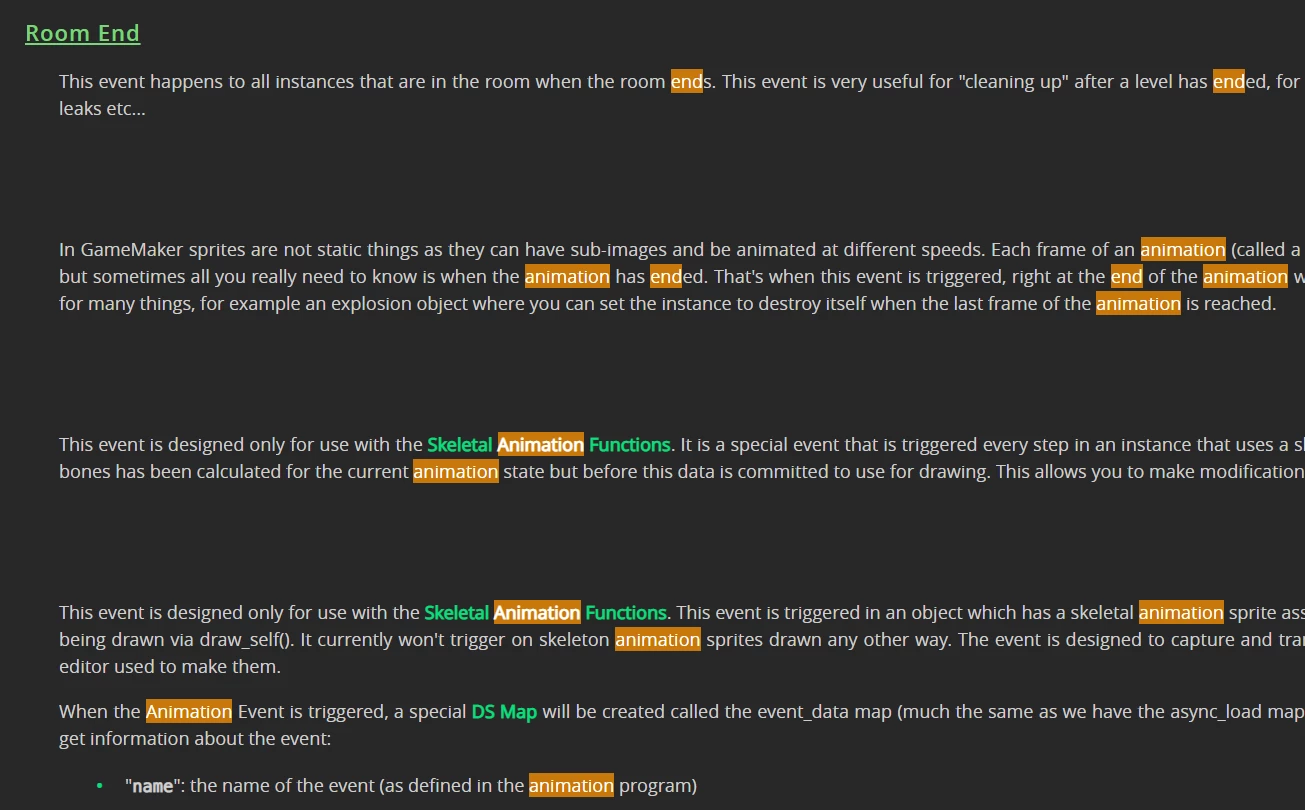
This happens with the Responsive HTML5 output that is hosted on a server.

Without the server, it works properly, showing all the drop-down headers:
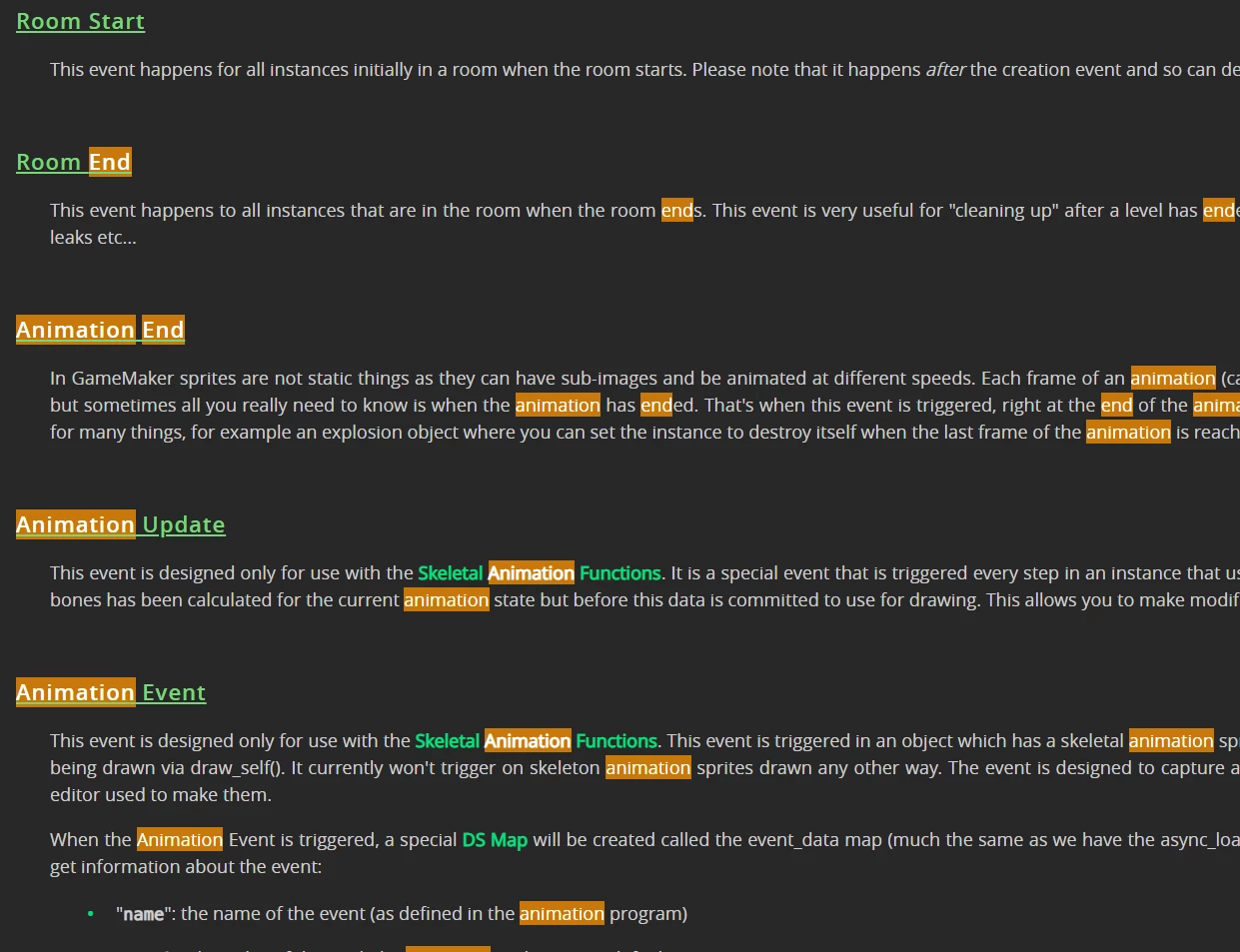
Why is this happening? How can this be investigated/fixed?

Thanks


    This topic has been closed for replies.

    6 replies

    Adobe Employee
    October 31, 2022

    Hi Gurpreet,

    This issue has already been fixed as part of Update 8 of RH 2020. If you are generating output from any previous version, you might face this issue.

    Can you please confirm your RoboHelp version which has been used to generate the output?

    If you are facing the issue with Update 8 as well, we can connect over a call to see it further. 

    Thanks and Regards,
    Surbhi Maheshwari

    Community Expert
    October 3, 2022

    Also, are you up to date with patches? 2020.8 was the last one for RH2020.

    Participating Frequently
    October 4, 2022

    I am, yes

    Participating Frequently
    October 4, 2022

    However I haven't checked if the version the server team uses to build the manual is up-to-date... I'll get that checked, thanks

    Jeff_Coatsworth
    Community Expert
    Community Expert
    October 3, 2022

    If you're saying that it fails when on the server, but works locally, that would indicate that you are missing some files on the server. Have you cleared off all the output files from the server & re-transferred the local files again?

    Participating Frequently
    October 4, 2022

    Thanks, will try that

    Peter Grainge
    Community Expert
    Community Expert
    October 3, 2022

    Why create a  bug report? My suggestion was to go to Support where you should get a reply. Bugs will get looked at but over a much longer timescale.

    ________________________________________________________

    My site www.grainge.org includes many free Authoring and RoboHelp resources that may be of help.


    Use the menu (bottom right) to mark the Best Answer or Highlight particularly useful replies. Found the answer elsewhere? Share it here.
    Participating Frequently
    October 3, 2022

    Ah okay, I didn't realise the difference of what you were proposing. Thanks!

    Participating Frequently
    October 3, 2022

    Submitted a bug report: https://tracker.adobe.com/#/view/RH-11124

    Replying as I can't find a way to edit my post.

    Peter Grainge
    Community Expert
    Community Expert
    October 3, 2022

    I think this is one you will need to take up with Adobe Support. See https://helpx.adobe.com/contact/enterprise-support.other.html#robohelp for your Adobe Support options. The email link tcssup@adobe.com is recommended as it reaches a team dedicated to Technical Communication Suite products including RoboHelp. 

    ________________________________________________________

    My site www.grainge.org includes many free Authoring and RoboHelp resources that may be of help.


    Use the menu (bottom right) to mark the Best Answer or Highlight particularly useful replies. Found the answer elsewhere? Share it here.
    Participating Frequently
    October 3, 2022

    I've submitted a bug report just now. Thanks Peter