


Robohelp Table Styles
Greetings and thank for reaching.
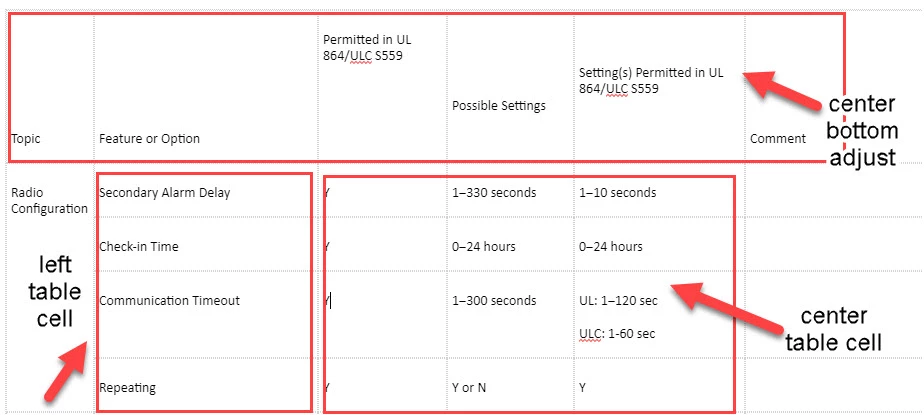
I'm curious to know whether it is possible to use "styles" so that the text in different cells within a table is formatted based on the properties in the style. I've created numerous styles for the table in the attached file, but all the cells take on the formatting of whichever style I used last. For example, I would like the table headers to be centered and bottom-adjusted, then the cells represented by the box at the left should be left-adjusted, and the cells in the last box should be centered. Several years ago, I created a nice template that enabled me to do this, but I've lost the template.
I would use paragraph styles to do this, but those style don't have "padding" as an option, so the text is close to the lines.
Thanks,
Robyn
 AdChoices