
Participant
January 16, 2020
Question

Running into Application Error when Uploading Word Files

  • January 16, 2020
  • 4 replies
  • 307 views

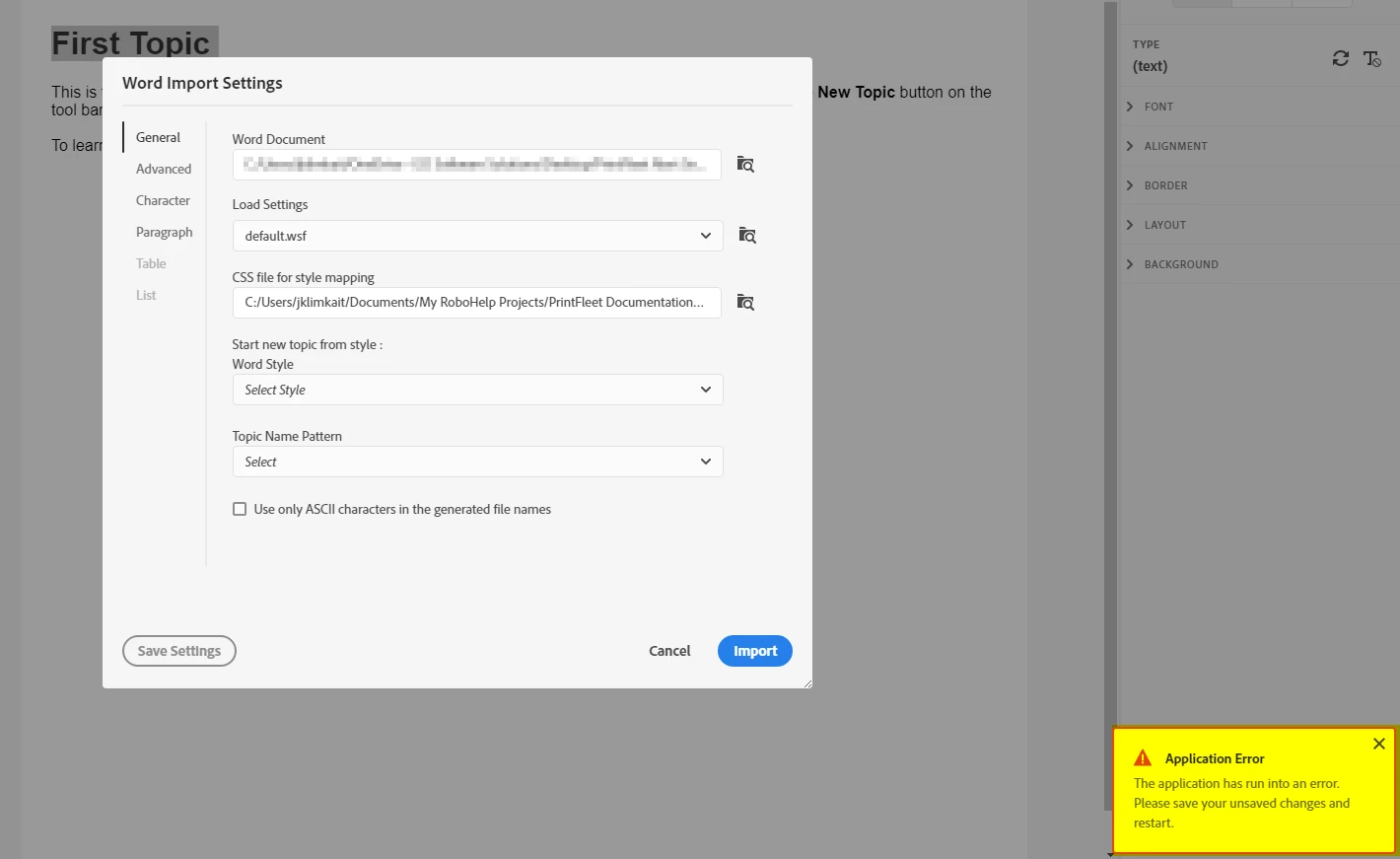
I work for a company where we are converting a grouping of documents from a siloed division into RoboHelp 2019. I am the Technical Writer and so are in charge of this process. I am running into an issue however where when I import Word Files into RH 2019, I get through the Word Import Settings and all seems okay, however when I go to press Import, it processes for approximately 10 seconds (15 page document only) and then throws this Application Error.


Has anyone else seen this beforehand, and if so, is there any suggested solutions?
This topic has been closed for replies.

4 replies

Peter Grainge
Community Expert
Community Expert
January 17, 2020

@Jklimkait I recommend you change your username from your email address, unless you are expecting to hear from some solicitors who have millions they can send you. 🙂


www.grainge.org

Use the menu (bottom right) to mark the Best Answer or Highlight particularly useful replies. Found the answer elsewhere? Share it here.
Jeff_Coatsworth
Community Expert
Community Expert
January 16, 2020

Yes, IIRC it's up to 10 patches now.

Participant
January 16, 2020

Yes, you're right, 2019.0.10, I will download and apply the patches as well, thanks! 

Jeff_Coatsworth
Community Expert
Community Expert
January 16, 2020

Also - keep your paths short - usually c:\projects\project_name\ is best practices.

Participant
January 16, 2020

Thanks for the tip here, I have done that and then created a blank RH 2019 Classic before converting to New UI and it works as it should now. As for the patch version, would this be the version number of 2019.0.0?

Jeff_Coatsworth
Community Expert
Community Expert
January 16, 2020

What patch version of RH2019 are you running? If all up to date, you may find it works better by creating a blank RH2019 Classic project and importing Word content into it first, then convert it to the New UI.