


angelae68007195
Known Participant
April 3, 2025
Question

Search text field in Frameless output doesn't display on-screen to use

  • April 3, 2025
  • 9 replies
  • 1085 views

I'm using RoboHelp 2022.5.28 to author my content, which is currently published to Responsive HTML5 output. I'd like to start using Microcontent and publish to a Frameless output. I've read the RoboHelp User Guide as well as finding many internet articles on both subjects. I've also watched several videos on both subjects. I cannot seem to get the Search text field in the Frameless output to even display on-screen to use to even know if my Microcontent is authored and published correctly. Note: In the screen shots provided, I had to blur certain information for security purposes, but I don't believe that should hinder understanding what is authored and what the issue is.


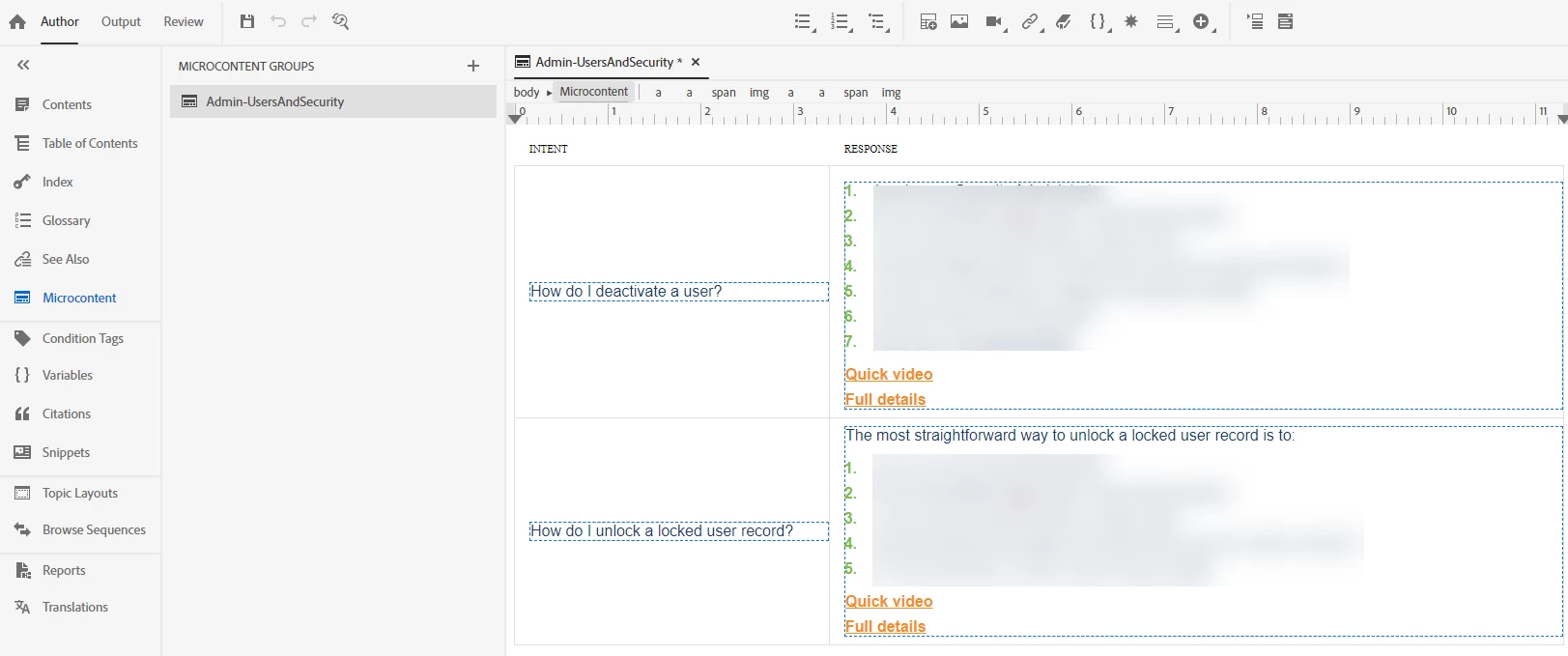
Here is my Microcontent. I have just one Microcontent Group that has two Intents/Responses (just to start small for testing).
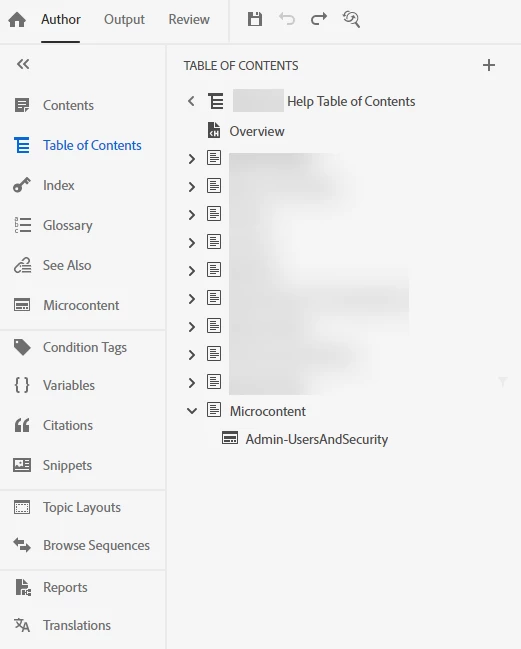
I've added the Microcontent into my Table of Contents but set the properties so it doesn't actually display in the published Table of Contents.
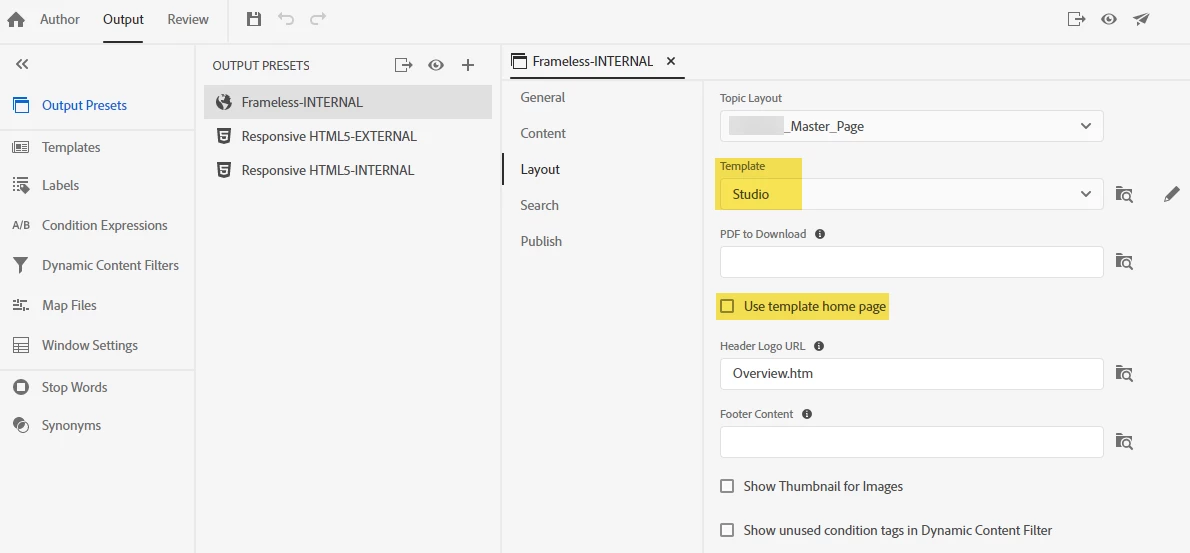
In my Frameless output preset, I've selected to use the "Studio" Template but not "Use template home page". (I've also tried the other Frameless Templates and have issues with all of them.)
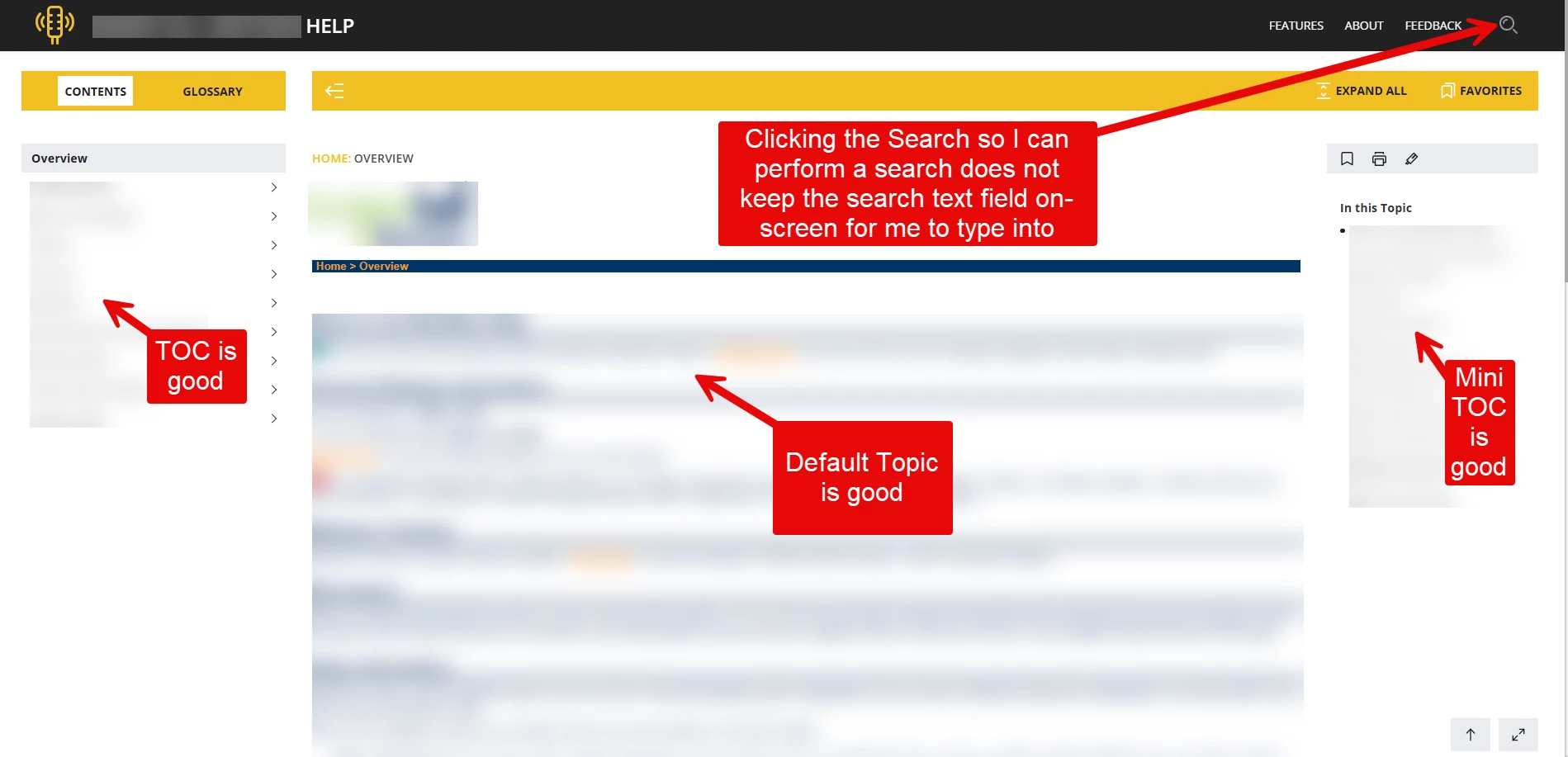
When I generate and publish the Frameless output, everything seems to work as expected with the exception of the Search. I see the Search icon in the upper, right corner of the page. I don't see the actual Search text field. When I click the Search icon, expecting for the Search text field to display on-screen, it briefly displays along the header of the page and then just as quickly disappears. 
 

What I need it to do is display the Search text field similar to my Responsive HTML5 output.
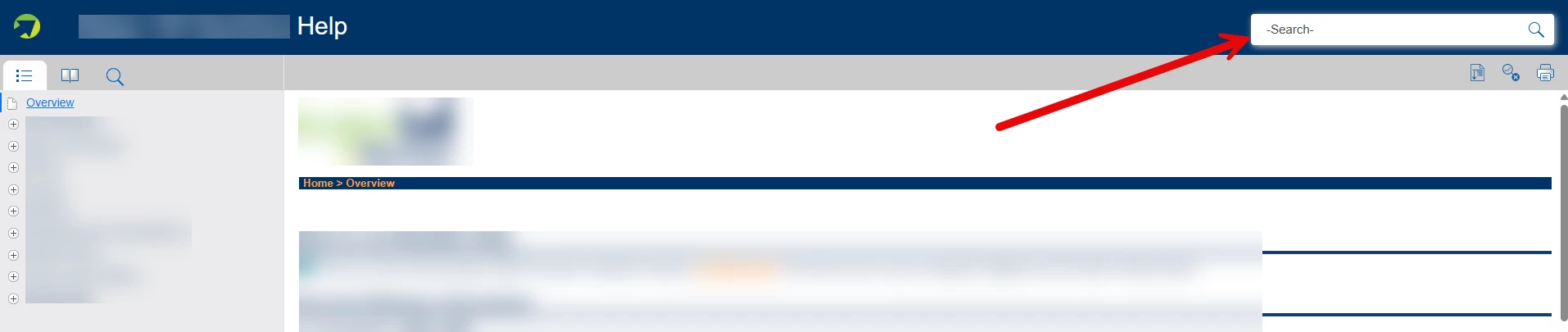
I have looked through all the configuration of the Studio Template and could not find any specific configuration that would make the Search text field display / not display. I have also searched the internet using multiple keywords and phrases to try finding what I need to do to correct this but have not had any luck. Any assistance or guidance anyone can provide is greatly appreciated.


9 replies

Peter Grainge
Community Expert
Community Expert
April 7, 2025

My last two posts were to ensure you could see what should happen. I had referred to that as "one last test" and said that after that to try Support. See https://helpx.adobe.com/contact/enterprise-support.other.html#robohelp for your Adobe Support options. The email link tcssup@adobe.com is recommended as it reaches a team dedicated to Technical Communication Suite products including RoboHelp.

________________________________________________________
My site www.grainge.org includes many free Authoring and RoboHelp resources that may be of help.


Use menu (bottom right) to mark as Best Answer or to Highlight particularly useful replies. Found the answer elsewhere? Share it here.
Peter Grainge
Community Expert
Community Expert
April 7, 2025

It works the same way when you press Enter after entering the search term


You can try it on my site. Enter something like Snippets.

________________________________________________________

My site www.grainge.org includes many free Authoring and RoboHelp resources that may be of help.


Use menu (bottom right) to mark as Best Answer or to Highlight particularly useful replies. Found the answer elsewhere? Share it here.
angelae68007195
Known Participant
April 7, 2025

I understand it should work the same way when you press Enter after entering the search term. The problem is, as I've stated before, the search text field does not display like in your screen shot. Only the Search icon displays. So there's no way for me to enter any search terms to then perform the search.

Jeff_Coatsworth
Community Expert
Community Expert
April 7, 2025

Yeah, something is messed up in your install - time to contact the RH folks.

Peter Grainge
Community Expert
Community Expert
April 7, 2025

Create a second topic with "Contents". When you see the list you have shown, press Enter and that topic will open. If you have more than one topic with the search word, then when you press Enter you should see a list as below.


________________________________________________________

My site www.grainge.org includes many free Authoring and RoboHelp resources that may be of help.


Use menu (bottom right) to mark as Best Answer or to Highlight particularly useful replies. Found the answer elsewhere? Share it here.
angelae68007195
Known Participant
April 7, 2025

Understood. But I don't want to "Use template home page". I need the Search icon in the upper, right to work properly (i.e., just like the Search text field that displays when "Use template home page" is used).

Peter Grainge
Community Expert
Community Expert
April 3, 2025

OK but frameless search should not be a problem. as it works for everyone else and you can see it working on my site. You didn't answer the question about how it was installed but I think because it worked with responsive, that is not the issue.


One last test before I think you will need to go to Support. Create a new project with just the default topic using the default CSS. Generate a frameless output and let us know what happens. 

________________________________________________________

My site www.grainge.org includes many free Authoring and RoboHelp resources that may be of help.


Use menu (bottom right) to mark as Best Answer or to Highlight particularly useful replies. Found the answer elsewhere? Share it here.
angelae68007195
Known Participant
April 7, 2025

The same type of thing occurs with a new project using default topic and default CSS.


When Frameless output is configured with "Use template home page" as false:

Then only the Search icon displays; the Search text field does not display.

The Search text field only displays for an instant when clicking the Search icon, which does not allow you to type in anything to search.

When "Use template home page" is configured as true:


The Search text field displays on the page.


You are able to type in a search text string.


However, no results display even though the word "contents" is found in search results because it's a word used in the one topic in the project and table of contents.


Peter Grainge
Community Expert
Community Expert
April 3, 2025

Is this a new problem and you have previously generated without any problems or is this a new installation?


If the latter, was RoboHelp installed with admin rights?

________________________________________________________

My site www.grainge.org includes many free Authoring and RoboHelp resources that may be of help.


Use menu (bottom right) to mark as Best Answer or to Highlight particularly useful replies. Found the answer elsewhere? Share it here.
angelae68007195
Known Participant
April 3, 2025

This is a new problem for a new Frameless output because I've never used Frameless output until now. (For the past eight years, I've always output to Responsive HTML5; no issues here. I want to move to Frameless output if I can get it to work. This is my first attempt at using a Frameless output.)

Peter Grainge
Community Expert
Community Expert
April 3, 2025

OK so this is definitely a general issue.


Is your project on your C drive and are you generating to your C drive?

________________________________________________________

My site www.grainge.org includes many free Authoring and RoboHelp resources that may be of help.


Use menu (bottom right) to mark as Best Answer or to Highlight particularly useful replies. Found the answer elsewhere? Share it here.
angelae68007195
Known Participant
April 3, 2025

Browser settings are "Sites can use JavaScript":


Yes, my project (and the Sample Project) are on my C drive. Yes, I am generating to my C drive and then viewing from there. Only once I can get this Search to display and work will I publish to the "File System" Server Type so others can view the Help system.


Peter Grainge
Community Expert
Community Expert
April 3, 2025

So really the question is just about the search bar.


Open the About RoboHelp sample project and generate an output. Do you see the search bar then?

________________________________________________________

My site www.grainge.org includes many free Authoring and RoboHelp resources that may be of help.


Use menu (bottom right) to mark as Best Answer or to Highlight particularly useful replies. Found the answer elsewhere? Share it here.
angelae68007195
Known Participant
April 3, 2025

Same thing happens using the About RoboHelp sample project. The Search icon displays in upper, right corner of the page; however, the Search text field itself is not there. When I click on the Search icon, the Search text field briefly displays on the page and then immediately disappears. So there's no way to actually perform a search.


angelae68007195
Known Participant
April 3, 2025

Here's a short video that shows me clicking on the Search icon, the Search text field displaying and then immediately going away.

Peter Grainge
Community Expert
Community Expert
April 3, 2025

As @Jeff_Coatsworth a search brings this up.


If you then click on Questions and Answers, you go to the topic. The word "ill" is highlighted.


You can see that at https://www.grainge.org/demos/answerbox1/Topics/Instructions.htm

________________________________________________________

My site www.grainge.org includes many free Authoring and RoboHelp resources that may be of help.


Use menu (bottom right) to mark as Best Answer or to Highlight particularly useful replies. Found the answer elsewhere? Share it here.
angelae68007195
Known Participant
April 3, 2025

I'm sorry but that doesn't answer my question/resolve my issue: I see the Search icon in the upper, right corner of the page. I don't see the actual Search text field. When I click the Search icon, expecting for the Search text field to display on-screen, it briefly displays along the header of the page and then just as quickly disappears. So I have no way to actually perform a search because the Search text field never displays.

Jeff_Coatsworth
Community Expert
Community Expert
April 3, 2025

Looking at Peter's site (which I think uses Studio frameless) the search icon creates a text box in place of the "Welcome to my site" header - which you then have to press Esc to make go away.