

Spectrum Writing
Inspiring
March 4, 2020
Answered

Sizing a popup

  • March 4, 2020
  • 15 replies
  • 1418 views

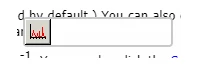
Hi have many, many graphics of toolbar icons set to 26 x 26 px. In my text, I want to link the text that identifies each icon so that a popup opens and the user sees the icon in the popup. When I add a hyperlink  to the text and then select custom-sized popup, I set the height and width of the popup to 30px, BUT, this works only for the height - the width refuses to budge below some pre-defined value that I cannot figure out for the life of me what it is even though my code view shows 30 px. I have attached a picture to demonstrate this. This is driving me buggy because (1) it shows the popup borders, which I don't and (2) it looks like crap in the output. I just want the icon to be displayed in what appears to the user's eye to be just the icon - i.e., not in any container that shows borders. Any thoughts of how to deal w/ this?


Moderator: Image added to body.
This topic has been closed for replies.
Correct answer Peter Grainge

A solution was found to this problem thanks to some CSS3 definitions from Adobe.


See Item 12 on my site at http://www.grainge.org/pages/authoring/rh2019/using_rh2019.htm


15 replies

Peter Grainge
Community Expert
Peter GraingeCommunity ExpertCorrect answer
Community Expert
April 2, 2020

A solution was found to this problem thanks to some CSS3 definitions from Adobe.


See Item 12 on my site at http://www.grainge.org/pages/authoring/rh2019/using_rh2019.htm


Use the menu (bottom right) to mark the Best Answer or Highlight particularly useful replies. Found the answer elsewhere? Share it here.
Peter Grainge
Community Expert
Community Expert
March 9, 2020

Adobe are looking at the code again and will fix it in the next update.


Use the menu (bottom right) to mark the Best Answer or Highlight particularly useful replies. Found the answer elsewhere? Share it here.
Spectrum Writing
Inspiring
March 7, 2020

Just emailed you and thank you!!!!!!!!!!!!!!!!!!!!!

Peter Grainge
Community Expert
Community Expert
March 7, 2020

Correction. The small image popup is not working in a generated output. I thought I had tested that. Maybe I have messed it up by trying the second CSS file idea. I will have to leave this for today but I will take another look tomorrow.


Use the menu (bottom right) to mark the Best Answer or Highlight particularly useful replies. Found the answer elsewhere? Share it here.
Peter Grainge
Community Expert
Community Expert
March 7, 2020

If you email me quickly via the Contact page on my site. I can send you the mini project where I have got this all working.


Use the menu (bottom right) to mark the Best Answer or Highlight particularly useful replies. Found the answer elsewhere? Share it here.
Peter Grainge
Community Expert
Community Expert
March 7, 2020

I do have a Skype account but I am not able to do that today. Without detail, which bit are you bogged down on? The popups within popups or getting the image popup the right size?


I might not be able to reply so quickly but I will when I can.


Use the menu (bottom right) to mark the Best Answer or Highlight particularly useful replies. Found the answer elsewhere? Share it here.
Spectrum Writing
Inspiring
March 7, 2020

Hi Peter it's very early morning in my time in the United States right now 9:30 a.m. I know you're in England I'm just wondering do you have a Skype account would it be possible to actually call you on Skype or could we actually do a Webe  in a little bit of time let me know because rather than make us go back-and-forth with all these emails a quick 10 minute phone call might resolve this otherwise all right you a detailed message please let me know what works for you and I really really appreciate your dedication to this

Peter Grainge
Community Expert
Community Expert
March 7, 2020

Double click whichever CSS you want to edit.


You will see something like this.


Click the second icon and you will see the CSS in source view. Hover over the icon and it will say Source.


Scroll to the bottom and paste in the code changing the width as I said before. When you save you will see this warning. Ignore it.


You will not be able to edit the CSS again in the first view (second image) as RoboHelp only shows that when it is happy with the CSS and for some reason it doesn't like this. Perhaps it is not standards compliant, I don't know and will take that up with Adobe. For now though live with it.


The other way you can do this in 2019 is create a CSS with just that code in it and attach it as a second CSS to the topics. Add say code.css to assets and then select it from the Style Sheets dropdown. Make sure it is the second css. Those dots to the left allow you to drag it into position.

If there are lots of files, go to Reports > Topic List and select all or just the relevant topics. Then right click and select Properties. There you can add the second css.


Use the menu (bottom right) to mark the Best Answer or Highlight particularly useful replies. Found the answer elsewhere? Share it here.
Peter Grainge
Community Expert
Community Expert
March 7, 2020

First topic has a link to a popup that show Second Topic. Second Topic has text, an image (the Rh logo) and another link to a popup, Third Topic.


That is a popup within a popup.


What am I not getting? Which of my three topics is not what you want?


Use the menu (bottom right) to mark the Best Answer or Highlight particularly useful replies. Found the answer elsewhere? Share it here.
Peter Grainge
Community Expert
Community Expert
March 7, 2020

I added the code that Adobe gave you to the CSS adjusting the width to what was required for the image. 

{code:java}

.rh-popover

{ min-width: 48 !important;

}{code}

I did that by opening the CSS in source view. You will get a warning that the css cannot be parsed so you will not be able to return to the edit view for that css.


The height I set in the link Properties.


That is what you are trying to achieve?


If it is, then I will report the issues to Adobe but at least it looks like what you want can be achieved.


Use the menu (bottom right) to mark the Best Answer or Highlight particularly useful replies. Found the answer elsewhere? Share it here.
Spectrum Writing
Inspiring
March 7, 2020

That is exactly what I'm trying to achieve can you please tell me what you mean by opening the CSS in the source view?