

Question
small part of Frameless background will not change to the set color
I'm using RH 2022.3.93, and the Studio skin. I've customized the skin to capture the look-and-feel of our platform software, except for one small part of the background screen, behind the left/TOC panel, as below:
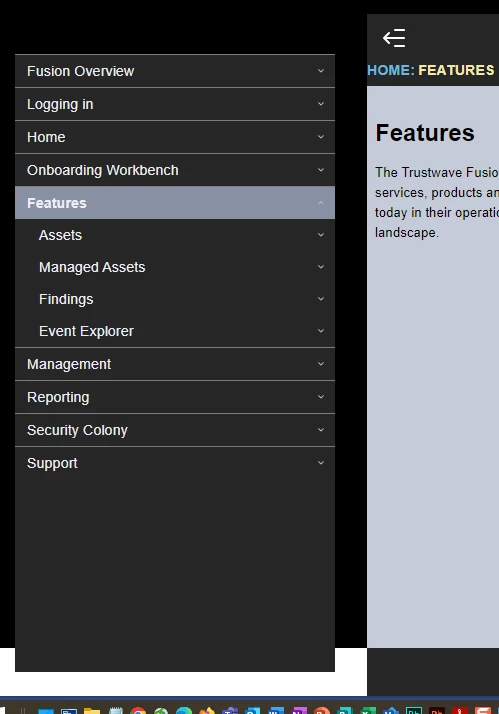
The white space is visible only when you scroll down the page.
I cannot seem to find the correct element in the skin editor, or even when I look through the topicpage.ejs and the frameless.skn files. None of the elements I've tried to modify have had any effect on this space.
Can someone tell me if they've seen this when customizing a skin to use dark backgrounds?
Thanks,
Mai-Ann


 AdChoices