


Known Participant
April 14, 2022
質問

SnagIt images in .jpg or .png render fuzzy in RH2020

  • April 14, 2022
  • 返信数 5.
  • 287 ビュー

Hello, community. I am creating some help documentation for a software product that requires me to do screen grabs. I insert the images into my RH project, render the output, and upload it to my server only to have quality images look blurry/fuzzy. I've tried to scour the threads for help, but I can't seem to find anything addressing my issue. The output I'm using is Frameless HTML.


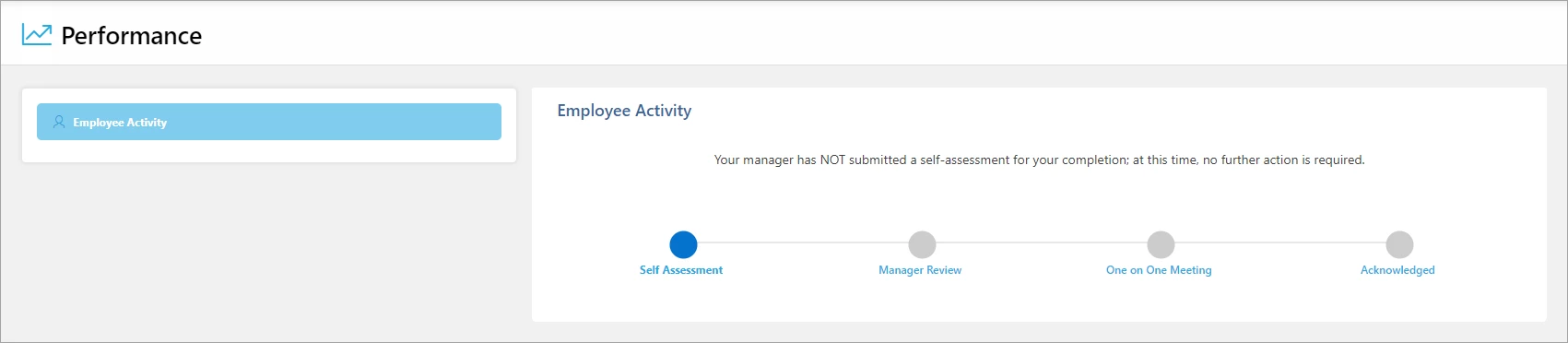
Below is the screengrab from my monitor for my software app. 
 

Here's the same image grabbed from my server after being inserted into my RH project and rendered using Frameless HTML.
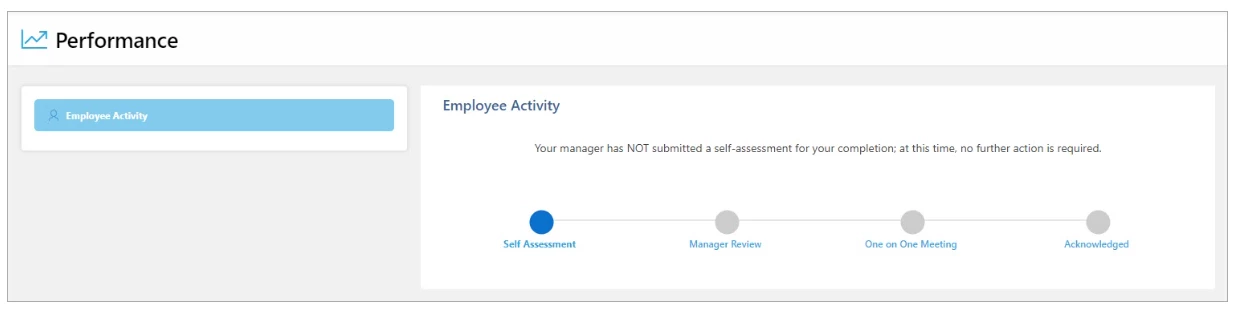
Hopefully, you can see the blurred text in the 2nd image as I do. If you see no differences, please let me know. 


Thank you!


    このトピックへの返信は締め切られました。

    返信数 5

    Community Expert
    April 19, 2022

    I suppose it could be to do with the responsive part of frameless output. Because it's responsive by default, the browser could be stretching or compressing the image to fit the available width.

    Peter Grainge
    Community Expert
    Community Expert
    April 19, 2022

    Your original two images show at different sizes when expanded. Are you sure some size settings are not getting applied.


    Also unless you are hoping some lawyer will tell you about the millions a long forgotten relative has left you, I would change your screen name from being your email address. That's a pretty good way of getting spammed on any forum.

    ________________________________________________________

    My site www.grainge.org includes many free Authoring and RoboHelp resources that may be of help.


    Use the menu (bottom right) to mark the Best Answer or Highlight particularly useful replies. Found the answer elsewhere? Share it here.
    Inspiring
    April 14, 2022

    Hi, I suggest to add the -ms-interpolation-mode property in your CSS. Try by adding this:

    img {
    -ms-interpolation-mode: bicubic;
    }

    JDRobison作成者
    Known Participant
    April 14, 2022

    You'll need to click on one of the images above to see the differences in resolution. Thanks.


    Jeff_Coatsworth
    Community Expert
    Community Expert
    April 14, 2022

    Check your settings in SnagIt - there may be a different number of dpi that it's set to - you could also try comparing the images captured using the default Windows Snipping Tool too.

    JDRobison作成者
    Known Participant
    April 14, 2022

    Jeff, 


    The res in SnagIt is set to capture at 96 dpi. Thanks.

    Jeff_Coatsworth
    Community Expert
    Community Expert
    April 14, 2022

    They don't look that different to me - what resolution are you capturing at? Are you resizing at all inside RH?

    JDRobison作成者
    Known Participant
    April 14, 2022

    If click on either image from this page, doesn't the top image look crisper than the lower image? Also, I'm not scaling down the image. I'm just capturing images at the res of my monitor. I'll have to see what the res output for the monitor is. Thanks.