JoeJitsu
Known Participant
Jun 14, 2023 5:07 PM UTC
Answered

Source Control: How to Pick the SharePoint Online Folder

Hi all,

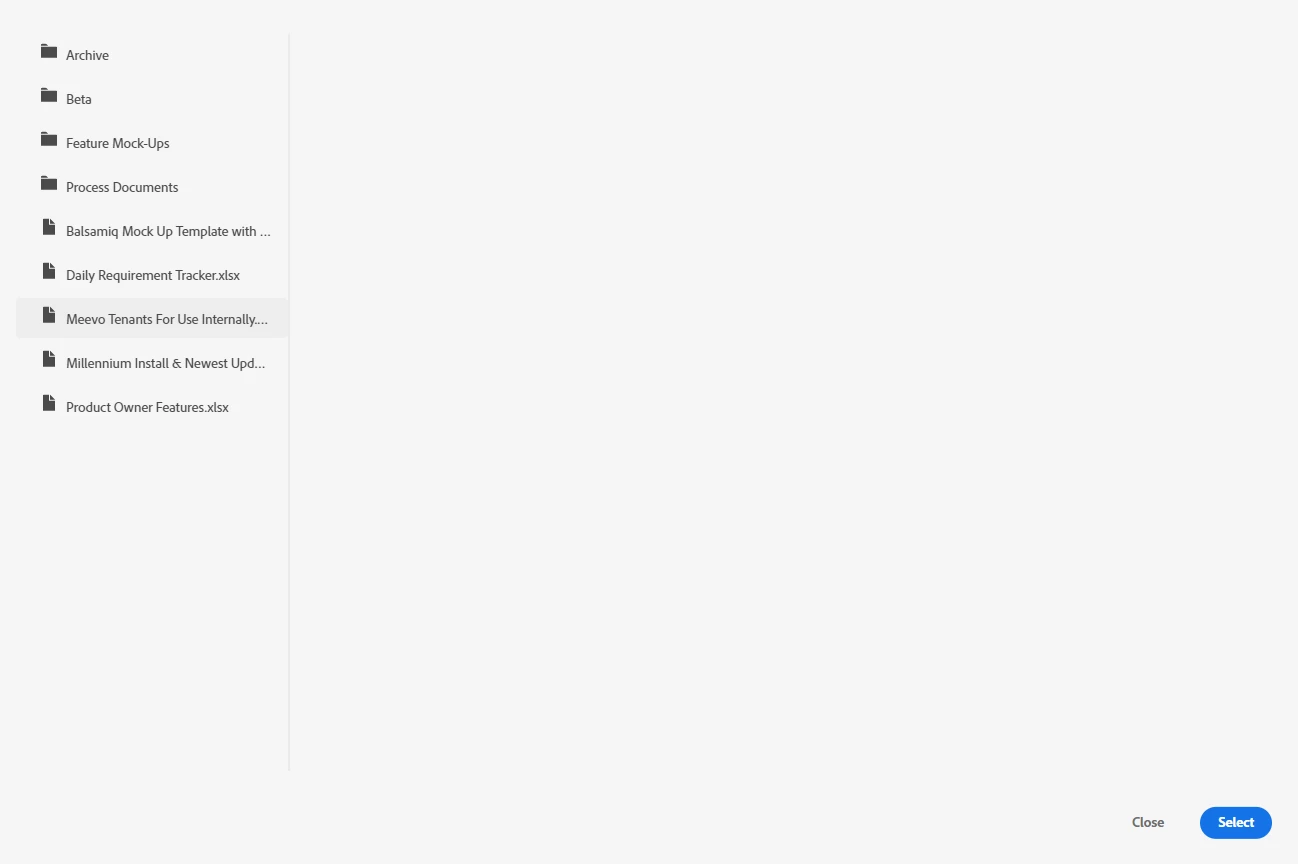
I am on RoboHelp 2020 and successfully set up a connection to our SharePoint Online site. However, when attempting to add the project to a folder, it only looks at the Document library, so the only folders I can choose from are in that library. I do not see a file browser in the RoboHelp dialog for choosing another library. Am I missing something here?  


This topic is closed to new replies. Start a new post to keep the conversation going.
Jeff_Coatsworth
Jeff_CoatsworthCorrect answer
Community Expert
Jun 16, 2023 11:56 AM UTC

I'd ping the RH folks - see https://helpx.adobe.com/contact/enterprise-support.other.html#robohelp for your Adobe Support options. I'd recommend using the tcssup@adobe.com e-mail address as it reaches a team dedicated to Technical Communication Suite products including RoboHelp.
Not a lot of SP users here on the forums.

6 replies

Jeff_Coatsworth
Community Expert
Jeff_CoatsworthCommunity ExpertCorrect answer
Community Expert
Jun 16, 2023 11:56 AM UTC

I'd ping the RH folks - see https://helpx.adobe.com/contact/enterprise-support.other.html#robohelp for your Adobe Support options. I'd recommend using the tcssup@adobe.com e-mail address as it reaches a team dedicated to Technical Communication Suite products including RoboHelp.
Not a lot of SP users here on the forums.

Translate
JoeJitsu
JoeJitsuAuthor
Known Participant
Jun 16, 2023 5:42 PM UTC

Will do Jeff; thank you! 

Translate
Jeff_Coatsworth
Community Expert
Community Expert
Jun 14, 2023 7:48 PM UTC

What point version of RH2020 are you running? Are you trying to use SP for source control or output?

Translate
JoeJitsu
JoeJitsuAuthor
Known Participant
Jun 14, 2023 9:21 PM UTC

Hi Jeff!  I am running RH 2020.8.34 and it tells me I am up to date.

Intent is for source control (though I am interested in hearing how I can use it for output as well...)

Translate