Known Participant
March 2, 2020
Answered

Spacing after Headings

  • March 2, 2020
  • 6 replies
  • 452 views

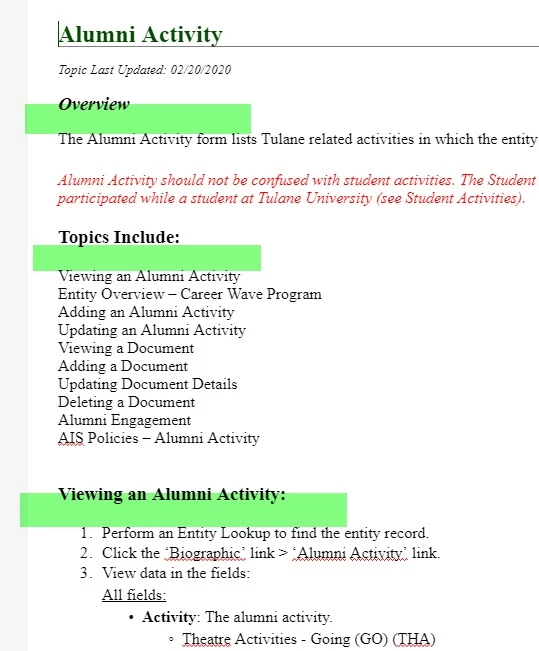
Does anyone know how to edit the spacing after the headings?
This topic has been closed for replies.
Correct answer Peter Grainge

Click the icon above the single field.


6 replies

Known Participant
May 7, 2020

I really feel silly for not knowing that's what the icon does.  It looks like a link icon to me.  Thanks.  I may have more questions in the future, but that has solved the big one for now!

Peter Grainge
Community Expert
Peter GraingeCommunity ExpertCorrect answer
Community Expert
May 7, 2020

Click the icon above the single field.


Use the menu (bottom right) to mark the Best Answer or Highlight particularly useful replies. Found the answer elsewhere? Share it here.
Known Participant
May 7, 2020

Hi Peter, I don't have the same margin fields as you do.


Peter Grainge
Community Expert
Community Expert
April 28, 2020

We should be able to sort this out here.


You haven't said what you have tried so it's difficult to put you on the right track.


It should just be a case of opening the CSS file you are using in the CSS editor. To do that you go to Assets > CSS and double click the CSS file you are using.


Then in Layout make sure the margin shows all four settings and adjust the bottom margin to what you want.


Let us know if that solves it for you. 


Use the menu (bottom right) to mark the Best Answer or Highlight particularly useful replies. Found the answer elsewhere? Share it here.
Known Participant
April 28, 2020

I'm still not able to get it working.  Is there a support team (an actual person) who I can get ahold of to take a look at my RoboHelp?

Peter Grainge
Community Expert
Community Expert
March 2, 2020

You need to look in the CSS applied to the topics and check the space before and after styles. The two are added together to give the total space between. You may need to tweak a few times to get different combinations of styles working as you want.


Use the menu (bottom right) to mark the Best Answer or Highlight particularly useful replies. Found the answer elsewhere? Share it here.
