
Step numbers displaying large, help requested
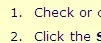
I'm running the 30-day trial of RoboHelp9. I opened a copy of a project that looks fine in RoboHelp7 and Robohelp9 put it through a conversion process. I'll attach pix of how steps looked before (normal size numbers) and how they looked now (big numbers).
Looking at the style sheet, there's no instruction that says "make the number before the step enormous." Redefining the style works, but not automatically across the board; you have to repply the style to each instance where it occurs in order to get the new look on the output.
Any suggestions?
Also will attach old RoboHelp7 style sheet and style sheet as reinterpreted by RoboHelp9, if I can find anything on this page that looks like an attachment button. Maybe the Insert Image button works for that too.... Nope, not seeing how that happens.
Thanks.


 AdChoices