Auntie_Em-Pam
Known Participant
February 20, 2014
Question

Styles not applying in RH11

  • February 20, 2014
  • 1 reply
  • 637 views

Feb 21, 2014

Hi,

I recently downloaded the RoboHelp 11 trial version at work, so I'm really new to this app. I am the only one using it, and if I can figure it out during the trial period, the company will purchase it.

My biggest problem right now is styles. I am creating online help to attach to another application. I started from scratch - I tried importing from Word, but that created a whole lot of style nightmares. I used an existing RH template, created books and pages, put my content into design editor, but can't change a style so that the change is incorporated into my content. What's the trick?

I've read so many help topics, but still can't figure it out. I tried changing the default.css, then highlighted the content and selected the changed style from Styles and Formatting. Nothing. I tried creating new styles in Styles and Formatting, highlighted the text, double clicked on the new style to apply it...and Nothing.

What am I missing here? How do I create and/or change styles so they will be applied to my content? I'm under tight deadline to get this online help completed, so if someone could please help a newbie, I would really appreciate it. I see a RoboHelp class in my future.

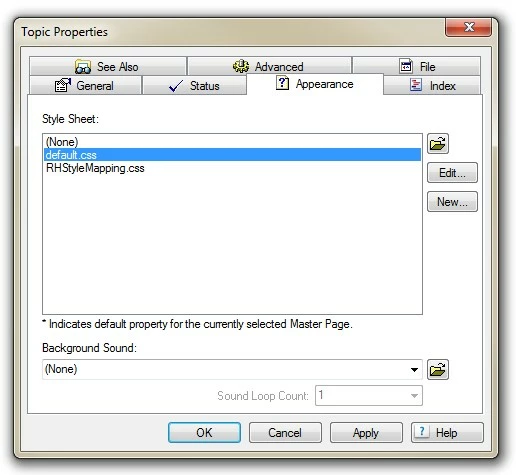
  • Also, if I right click on a topic from Project Mgr and go to Properties, the Properties window displays two style sheets. What is RHStyleMapping.css? Is that from my template?
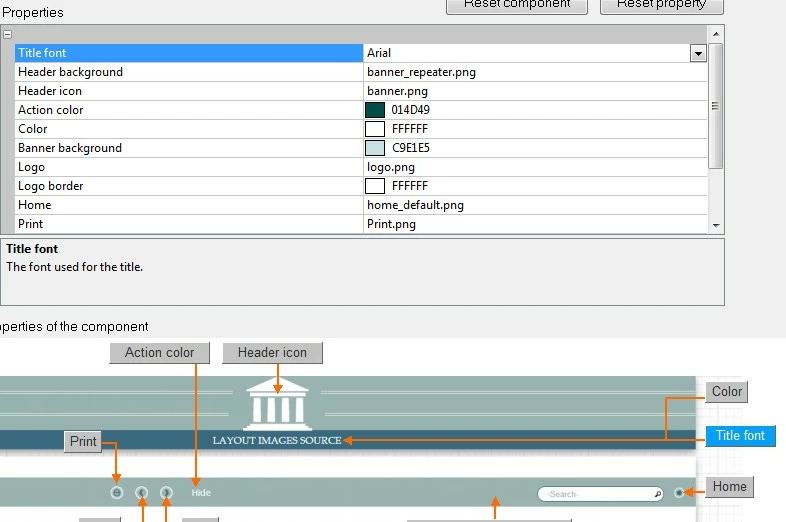
  • One more question - how do I turn off the repeater on the Header Background of the template?
  • Sorry, I just thought of one more. I'm using the Theme2_Government template, but I have incorporated my own graphics and banner. How do I remove the Title font on the Header of the template, or at least change the colour so it is hidden in my banner? It only allows me to change the font. (see image below)

Thanks,

Pam
    

This topic has been closed for replies.

1 reply

RoboColum_n_
Legend
February 21, 2014

Check out Peter Grainge's excellent tutorial at http://www.grainge.org/pages/authoring/importing/importing_rh9.htm

Peter Grainge
Community Expert
Community Expert
February 23, 2014

In case the file name is misleading, the page has been updated for later versions.


See www.grainge.org for RoboHelp and Authoring tips

@petergrainge

Use the menu (bottom right) to mark the Best Answer or Highlight particularly useful replies. Found the answer elsewhere? Share it here.
Auntie_Em-Pam
Known Participant
February 23, 2014

Thanks for the help. I've read many of Peter's tutorials this morning, and I will definitely import Word docs the correct way the next time I do this. I'm starting to think that RoboHelp is very complicated, but I will continue to learn with the trial version to see if it's the tool I want to use.

But for now, I have decided not to attempt importing again at this time, but rather, since I have all my content and images saved in various folders, I am just going to input my online help manually and import the images - time is of the essence here and I can't afford any more errors on my part as a novice.

I would just like to know if you can provide me information on these questions:

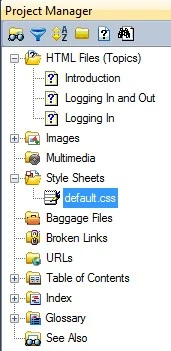
  1. With only one css in my online help (default.css), how come I can't change/add a style in the css and have it apply to the content? Is there an intermediary step? I have, for ex, created a new style in the css called bodytext with 12pt Arial, double line spacing. I then highlight the text in the content I want to have that style, then double click on bodytext in the Style and Formatting pane. It does not work. What I have to do is manually change the style of the text in the Design Editor every time.
  2. When inserting my png files, why does RoboHelp display them at a much smaller size in the browser (IE10)?

Thanks again gentlemen. Sorry to be so new at this, but I am trying to learn as quickly as I can.

Cheers!