Participating Frequently
January 3, 2026
Question

Styles not working in Robohelp 2022.6.34

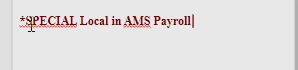
I am trying to setup Styles in Robohelp 2022.  When I edit them ans try to apply to text, the text does not update with the style settings. For example:  I changed the h1 style to   
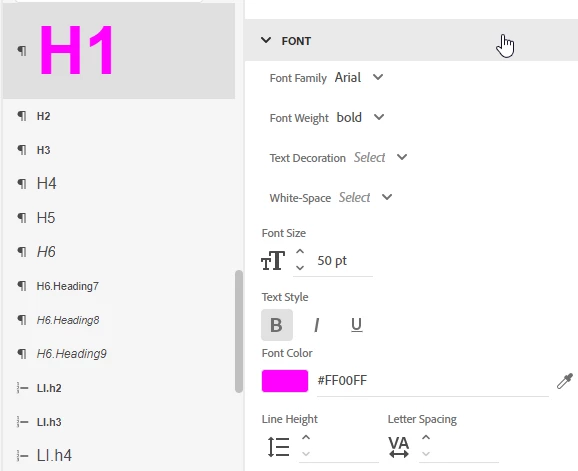
 

denise1099_0-1767476280102.png


I highlight the text aand hit the h1 style and nothing changes.  
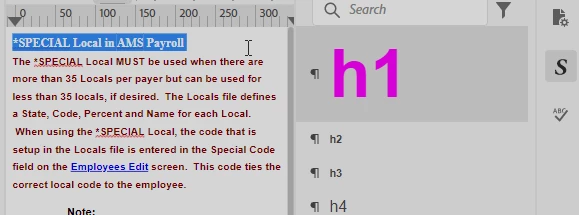
denise1099_1-1767476337084.png


Nothing changes:


denise1099_2-1767476479155.png

What am I doing wrong?


    4 commentaires

    Peter Grainge
    Community Expert
    Community Expert
    January 5, 2026

    Check that the CSS you have edited is the one specified in Topic Properties > Style Sheets and that it is the only CSS selected there.

    ________________________________________________________

    My site www.grainge.org includes many free Authoring and RoboHelp resources that may be of help.


    Use the menu (bottom right) to mark the Best Answer or Highlight particularly useful replies. Found the answer elsewhere? Share it here.
    Participating Frequently
    January 5, 2026

    I copied the stylesheet that worked into my project and changed the topic to use that css.  Did not work in my project when I clicked in the paragraph.


    Peter Grainge
    Community Expert
    Community Expert
    January 5, 2026

    What shows in topic properties? It's likely two CSS files are showing.

    ________________________________________________________

    My site www.grainge.org includes many free Authoring and RoboHelp resources that may be of help.


    Use the menu (bottom right) to mark the Best Answer or Highlight particularly useful replies. Found the answer elsewhere? Share it here.
    Peter Grainge
    Community Expert
    Community Expert
    January 4, 2026

    You are moving the cursor to the beginning of the paragraph and then holding the mouse key down to drag across so that the paragraph is highlighted. Just press the mouse down in the paragraph so that the cursor is flashing but nothing is selected, that is clicking the mouse in the paragraph.


    If you are saying that is what you have done, then we need to look at other things.


    First go to the menu, click View and then Starter Screen. Bottom left you will see Sample Projects. Open About RoboHelp  and see if you have the same problem there.


    Post back.

    ________________________________________________________

    My site www.grainge.org includes many free Authoring and RoboHelp resources that may be of help.


    Use the menu (bottom right) to mark the Best Answer or Highlight particularly useful replies. Found the answer elsewhere? Share it here.
    Participating Frequently
    January 5, 2026

    IN the About Robohelp project.  I can successfully change the style and it gets applied.  

    Jeff_Coatsworth
    Community Expert
    Community Expert
    January 5, 2026

    By highlighting or by placing the insertion point at the beginning of the paragraph?

    Participating Frequently
    January 3, 2026

    i am not sure what you mean by "click in the paragraph".  I clicked in that field but again nothing happened.


    Peter Grainge
    Community Expert
    Community Expert
    January 3, 2026

    Highlighting it. Just click in the paragraph rather than selecting.

    ________________________________________________________

    My site www.grainge.org includes many free Authoring and RoboHelp resources that may be of help.


    Use the menu (bottom right) to mark the Best Answer or Highlight particularly useful replies. Found the answer elsewhere? Share it here.