


Question
Styling breadcrumbs not working on topic level
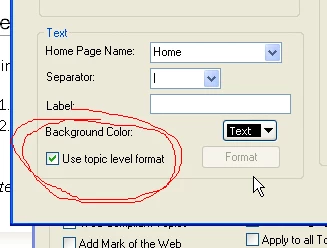 I see that when generating for WebHelp Pro you are able to decide if you style the breadcrumbs there or through the topic level. When i select to have it through the topic level it doesn't seem to to add the class="breadcrumbs" on the p tag for the breadcrumbs and as a result they are not being styled on the topic level.
I do see that in the whutils.js file i could easily add the class name through the function in there, but I don't think that would be wise since im assuming it would be overriden all the time.

Thanks for any explanation or workaround to this issue. I would like to have them all through a stylesheet and not through the js file.
 AdChoices