Known Participant
August 5, 2015
Answered

Suddenly Can’t Link to Topics in Other Child Projects

  • August 5, 2015
  • 2 replies
  • 771 views

I’m using RoboHelp 10 HTML to publish WebHelp onto a network server.

I have 11 merged projects consisting of about 3100 topics.

After several years of using this method, all of a sudden, I am unable to link to topics within other projects merged under the same parent. I can create external links outside the merged help as usual. This occurs regardless of the project I’m working on.

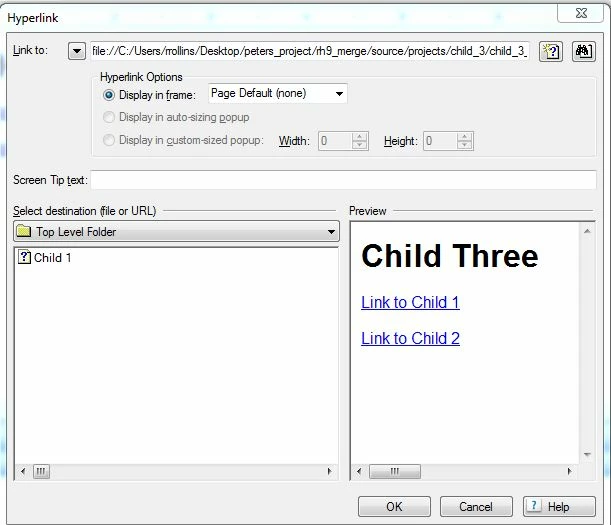
When I use the Hyperlink dialog, I select Link to: ‘File’ and browse to the desired topic. I click the ‘Open’ button to return to the Hyperlink dialog. When I click the ‘OK’ button, nothing happens, except a change of color indicating I am making contact with the button.

I have searched the forums and none of the scenarios/solutions seem to match my dilemma. I reinstalled RoboHelp on my PC.  I tried deleting the old CPD file. None have resulted in a solution.
This topic has been closed for replies.
Correct answer Peter Grainge

Thanks, Peter.

Yes, I have the same problem when linking to topics created in RoboHelp. In my original example, the topic I’m linking to was created in RoboHelp. I have the same problem when linking to a topic in your download.

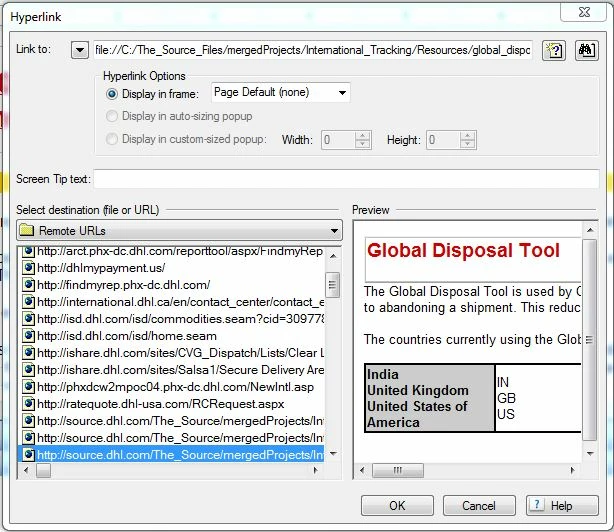
The highlighted URL in my original screen shot is a Remote URL because when I created the original link in the original document, the document was created in MS Outlook and linked to that URL. After importing the file, I’m trying to modify that link to make it relative. This is the original email:


Sorry but I really don't know what could cause this. I have never seen it reported before or encountered it.

Are you able to test the same projects on another machine?


See www.grainge.org for RoboHelp and Authoring tips

@petergrainge

2 replies

RoboDummyAuthor
Known Participant
August 6, 2015

A point of clarification here. I am able to link to an MS Word document in a child project while I am unable to link to a topic in the same child project that contains the MS Word document.

Peter Grainge
Community Expert
Community Expert
August 6, 2015

Bizarre!

Download on the sample merged project setups from my site or set up one yourself. Does the same problem occur there?


See www.grainge.org for RoboHelp and Authoring tips

@petergrainge

Use the menu (bottom right) to mark the Best Answer or Highlight particularly useful replies. Found the answer elsewhere? Share it here.
RoboDummyAuthor
Known Participant
August 6, 2015

Hi Peter. I downloaded your project to my desktop and the same problem occurs there.Yes. Very bizarre.

Jeff_Coatsworth
Community Expert
Community Expert
August 5, 2015

Any version control at play?

RoboDummyAuthor
Known Participant
August 5, 2015

No.