

Question
System hangs before displaying Open Connection dialog box
I am using RoboHelp 2015 (12.0.4.460) with Perforce version P4V/NTX64/2019.1/1815056.
I cannot open new projects from version control within RH.
- In RH, I click File > Open Project > Version Control.
- In the Select Version Control Provider dialog box, I click Perforce SCM and then click OK.
The system hangs and doesn't go on to display the Open Connection dialog box.
- I close RH using Task Manager.
- Someone else on our documentation team opens the project from version control within RH so that it appears in the Perforce Depot.
- I copy the P4.scc file to the project folder in my workspace and then open the RH project. The Get Latest Version dialog box appears.
- I click Yes and the project opens without issue.
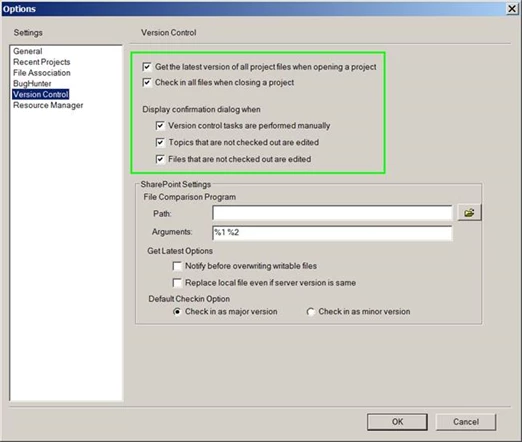
Following are my RH settings.
Anyone know how to fix this issue?


 AdChoices