

Tab not working to move list to 2nd level - Robohelp 2022
I have a question. I have asked this in prior posts, but will try again bc it is a big problem for me. I've created ordered and unordered list styles for 3 levels. I have cleared formatting in the lists that I'm having trouble with and I have clicked the "none" option in the bullets and numbering toolbar buttons at the top of RH. Level 1 applies fine. But, when I try to Tab to move in to level 2 it doesn't work. I've looked through CSS code and I feel like it's right, but I'm obviously missing something. I will add some screenshots and attach an example of what is happening.
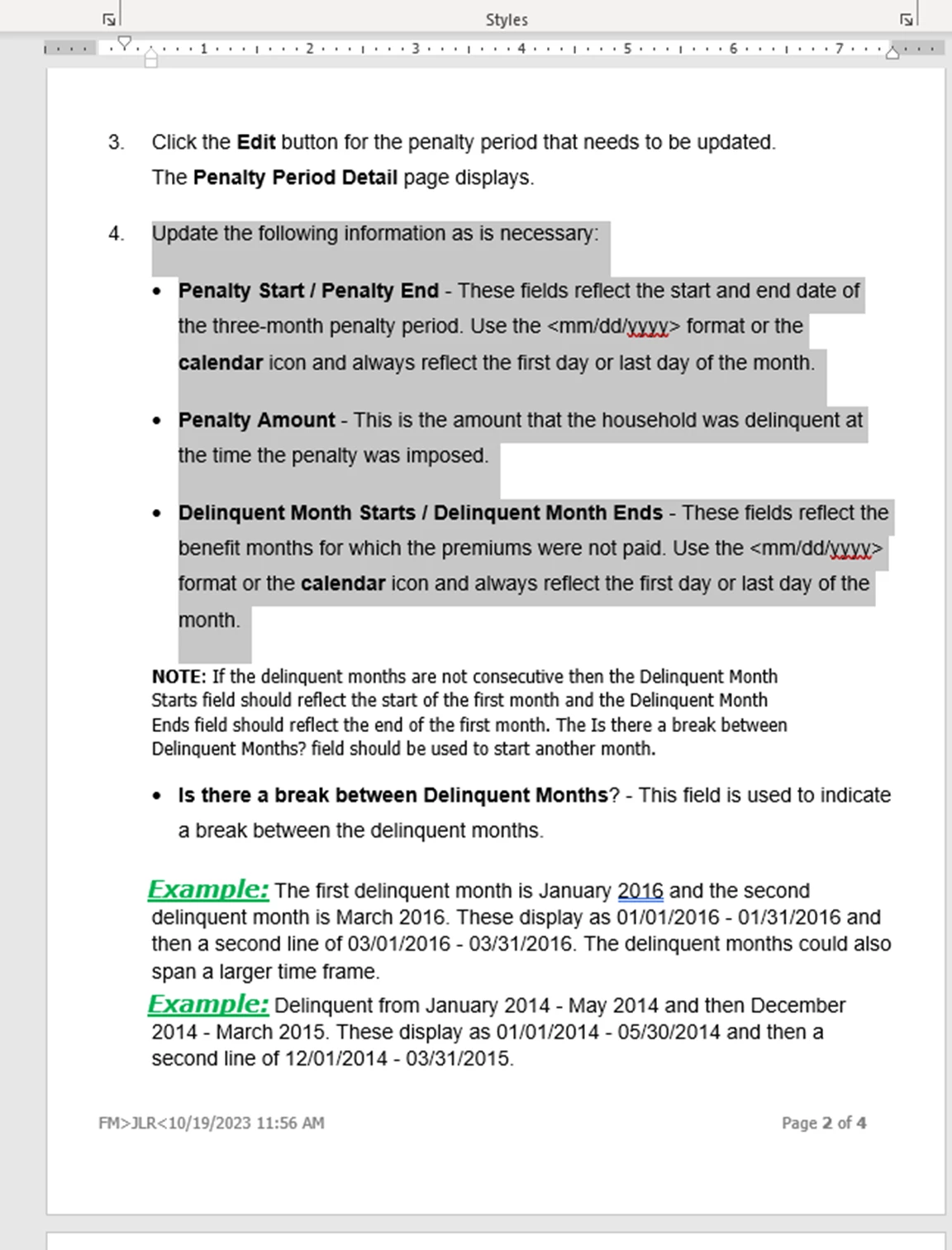
This first screenshot is the desired outcome. This is the document in Word that we imported into RH. The highlighted text is where the problem is (one area I'm haivng the problem, althought it's happening in most all of the files we are importing. ) I'm needing to change the existing bullets to lower-alpha numbers. I cleaer the formatting on the existing lines and then apply my NumList style that I created in RH. Level 1 looks great, but when I press tab, nothing happens.
Here is a screenshot of the highlighted code right in the same area of where this problem is happening.
I'll attach my entire CSS file in Notepad. I'm applying the NumList style (which i created) and then using my tab key (or trying to, anyway)and the Word file that we are using to import. The specific location of the problem in the Word doc is page 2 bulleted items (I'm trying to change them to 2nd level style <ol> If anyone knows why this is doing this, please let me know. I'm on a tight deadline (3:00pm) and don't have time to mess with this. Thanks.


 AdChoices