


Question
TFS errors when trying to set up RH source control
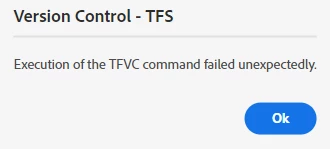
We are trying to set up source control using Azure Dev Ops with RH 2022.5.28. We are encountering two errors.
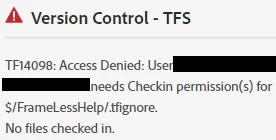
Regarding the first error, the user is set up as an administrative user with full permission as far as we can tell.
It looks as if we are getting the files to sync, but if we try to check them in, we get the second error after clicking the Check In button.
We may switch to trying to use SharePoint Online for source control, but, before we do, I wanted to see if anyone else has encountered the above two errors and, if yes, knows how to resolve them. Thanks!
 AdChoices