
Inspiring
January 16, 2021
Answered

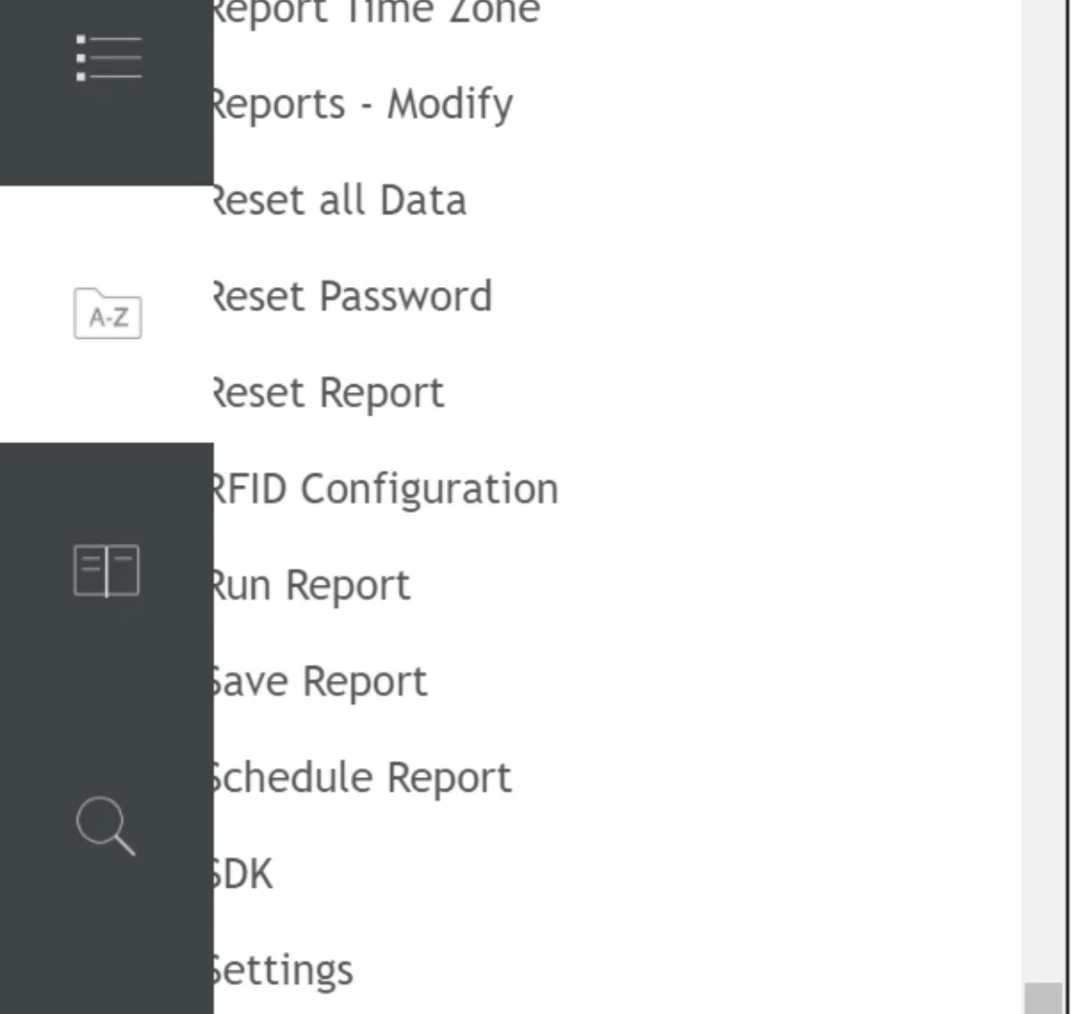
The A-Z section in the bookmark covers the text when opened in the internet explorer

  • January 16, 2021
  • 4 replies
  • 474 views

Using Robohelp 2019 classic.  Output - Responsive HTML5. Browser - Internet explorer . Issue - The A-Z section in the bookmark covers the text when opened in the internet explorer. Could anyone please let me know how to fix this issue.


This topic has been closed for replies.
Correct answer Peter Grainge

If you want it fixed in IE you could try 11. It's an IE issue and Microsoft won't be fixing that. They will just say use Edge.


I'm not sure even 11 will help but I think it's your only option here.

________________________________________________________
See www.grainge.org for free Authoring and RoboHelp Information

4 replies

Peter Grainge
Community Expert
Community Expert
January 18, 2021

Try taking a fresh copy of Charcoal Grey with a slightly different name. Maybe you have changed a setting that has caused this problem.

________________________________________________________
See www.grainge.org for free Authoring and RoboHelp Information

Use the menu (bottom right) to mark the Best Answer or Highlight particularly useful replies. Found the answer elsewhere? Share it here.
Peter Grainge
Community Expert
Community Expert
January 16, 2021

By marking the answer Correct are you saying that has fixed it or simply that you accept that's the situation?

________________________________________________________
See www.grainge.org for free Authoring and RoboHelp Information

Use the menu (bottom right) to mark the Best Answer or Highlight particularly useful replies. Found the answer elsewhere? Share it here.
Lija.NAuthor
Inspiring
January 18, 2021

The A-Z section does not display the content properly in IE when we use the Charcoal Grey layout in Robohelp 2019. But it displays the A-Z section properly if I use the Azure Blue layout.


Peter Grainge
Community Expert
Peter GraingeCommunity ExpertCorrect answer
Community Expert
January 16, 2021

If you want it fixed in IE you could try 11. It's an IE issue and Microsoft won't be fixing that. They will just say use Edge.


I'm not sure even 11 will help but I think it's your only option here.

________________________________________________________
See www.grainge.org for free Authoring and RoboHelp Information

Use the menu (bottom right) to mark the Best Answer or Highlight particularly useful replies. Found the answer elsewhere? Share it here.
Lija.NAuthor
Inspiring
January 16, 2021

Thank you Peter. 


Regards

Lija

Peter Grainge
Community Expert
Community Expert
January 16, 2021

Does this occur with other browsers such as Firefox and Edge?


Which version of IE are you using? Older versions in particular do not work well with IE as it does not support HTML5 and CSS3 well. Microsoft themselves are recommending Edge over IE.

________________________________________________________
See www.grainge.org for free Authoring and RoboHelp Information

Use the menu (bottom right) to mark the Best Answer or Highlight particularly useful replies. Found the answer elsewhere? Share it here.
Lija.NAuthor
Inspiring
January 16, 2021

No, it works well chrome and firefox. Internet explorer 10. 

How to fix that issue please. I just want to fix that hidden text?