
The gaps in text
Hi,
In my last discussion, I mentioned that gaps appeared in the text after I pressed the "Update type" button. I also mentioned that, on the right of the gap, part of the word would be underlined with dots. To remove the gaps, you right click the dotted part of the word and select "Ignore".
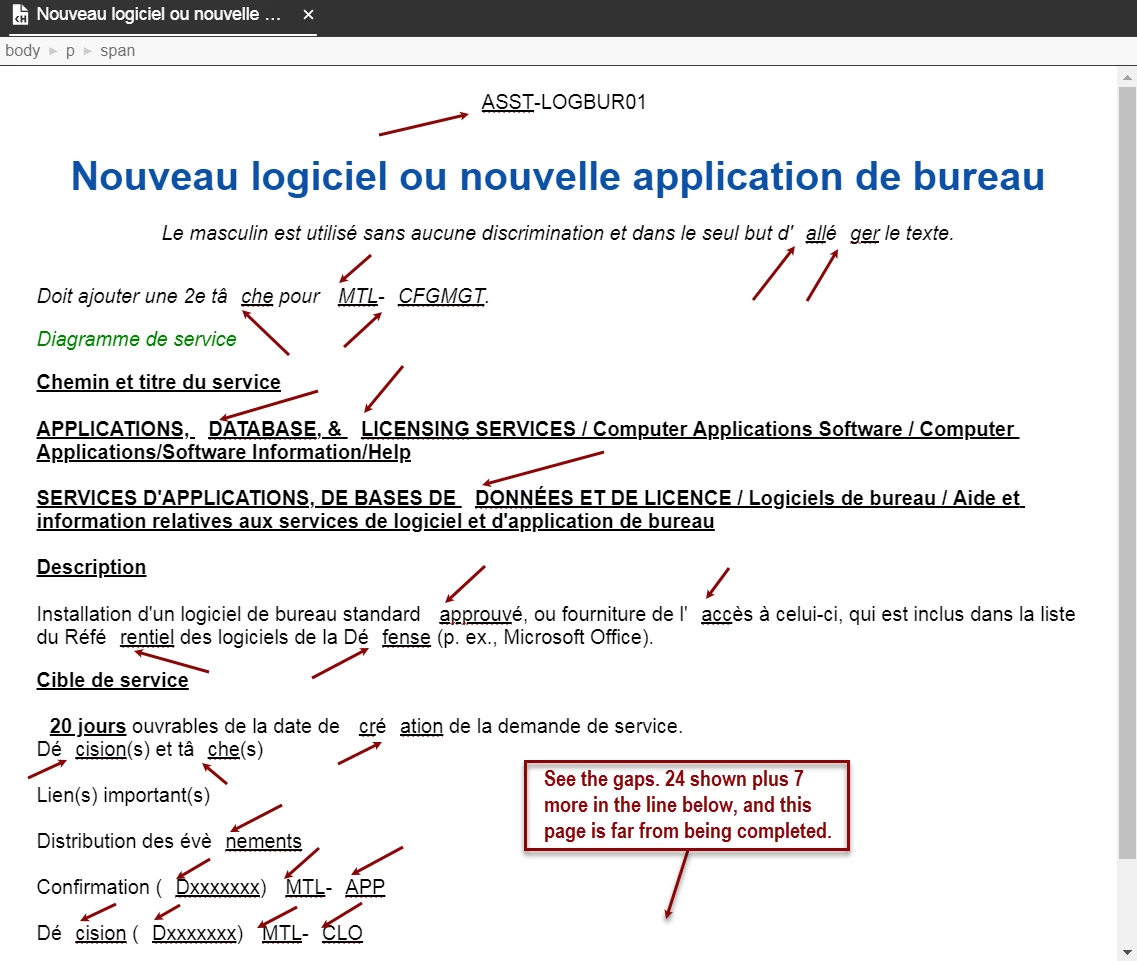
Last friday, I created a new Topic, saved it and closed RoboHelp. This morning, I opened the project and that Topic.
As you can see in the image above, ALL THE GAPS ARE BACK...
I’ve just corrected the Topic, by doing the action of selecting "Igonre". I noticed that the Save changes asterisk (*) was not present on the Topics tab. I guess that ignoring the gaps is not considered a change.
I saved the Topic, close it and RoboHelp to see what would happen…
When I reopenned the Topic, the exact same gaps, as the image above, reappeared.
Question 1 : Does this mean that I will have to completely REWRITE THIS TOPIC… AGAIN???
Question 2 : Does this mean that I will have those Gaps in all my new Topics?
Pierre


 AdChoices