



The table is too wide and does not respond to settings
The table is 600 px width, the second column is 500 px width. Every width is specified in the fields. And when the table is empty it is really 600 px width. But after I added some very long text in the cells, it expanded and went far beyond the page. The table does not respond to settings in the right panel. When you view this table in a browser, a scroll bar appears. When you view this table in PDF, the table is simply truncated to the right.
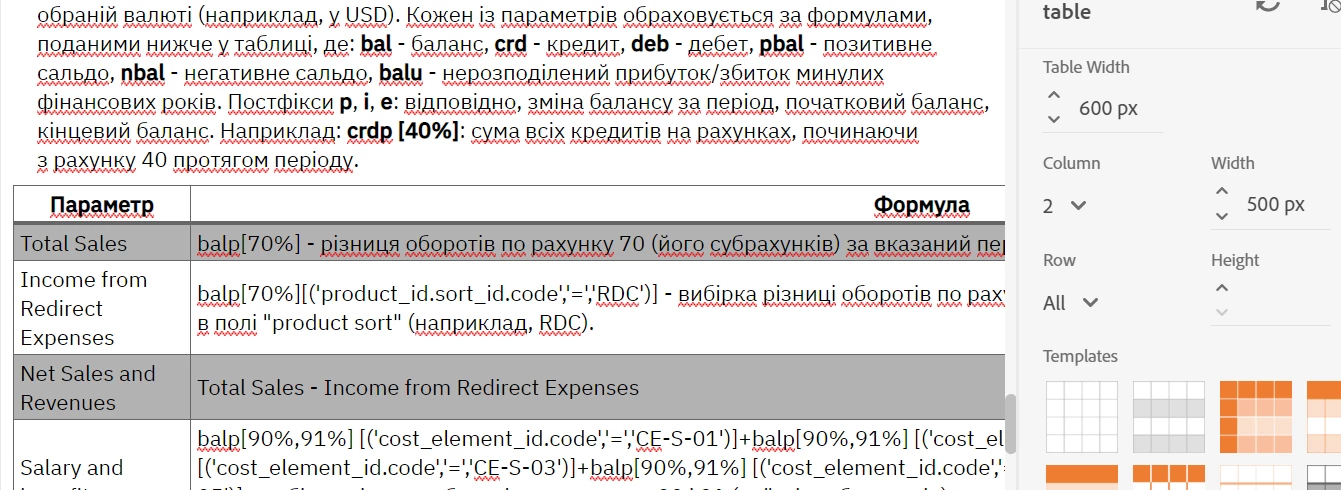
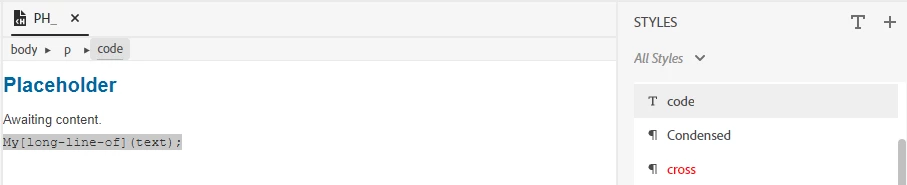
I tried splitting the long text by moving the long line to a new line. But this led to a violation of formatting (the font has changed and the line spacing has increased).

The width of the table manually (with a special handle that appears when you hover the mouse over the edge of the table) is also not adjustable. How to reduce the width of the table to acceptable, so that it does not go beyond the page and does not spoil the formatting of the text?
 AdChoices