


Participant
October 16, 2013
Question

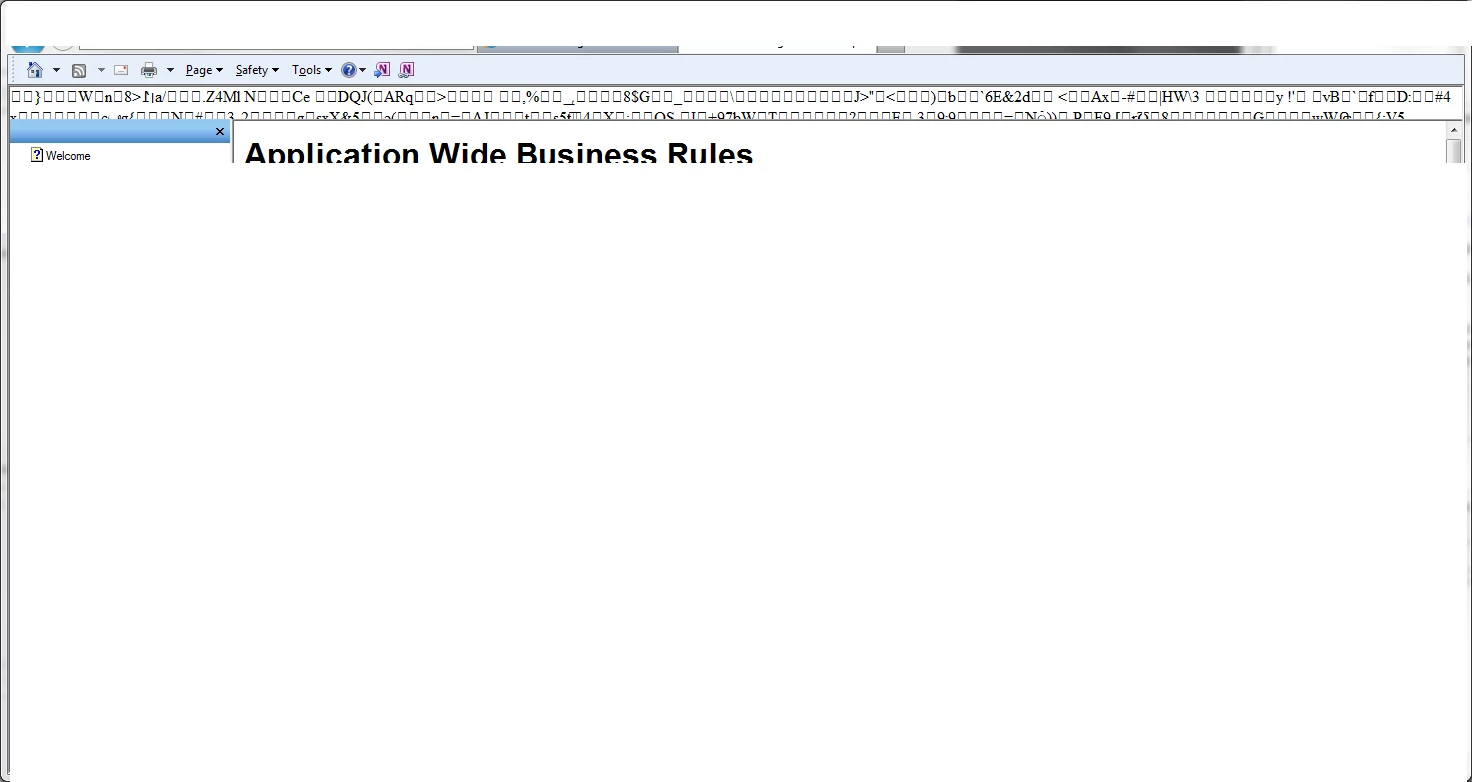
Toolbar does not display correctly

  • October 16, 2013
  • 2 replies
  • 912 views

I am experiencing a problem with the toolbar displaying correctly on my help screen.  When I click on help from the web application, it displays correctly.  When I maximize the IE window, I get garbage charaters in the toolbar section of the help screen.  How do I resolve this issue?  Thanks!
This topic has been closed for replies.

2 replies

Willam van Weelden
Inspiring
October 16, 2013

I had this issue with the sidebar. After manually deleting the folder from windows explorer and purging the CPD file, it went away.

Greet,

Willam

DKMAuthor
Participant
October 16, 2013

I continued to research the issue and I believe I found the solution.  I unchecked the "Enable Static Content Compression" checkbox under "Compression" for the web application in IIS.

Thanks for your responses!

Jeff_Coatsworth
Community Expert
Community Expert
October 16, 2013

What version of IE is this appearing in? Is it happening in any other browsers?

DKMAuthor
Participant
October 16, 2013

Running in IE 9

Jeff_Coatsworth
Community Expert
Community Expert
October 16, 2013

How’s it appear in FF ?