Participating Frequently
September 21, 2021
Question

Topic content deleted

  • September 21, 2021
  • 5 replies
  • 182 views
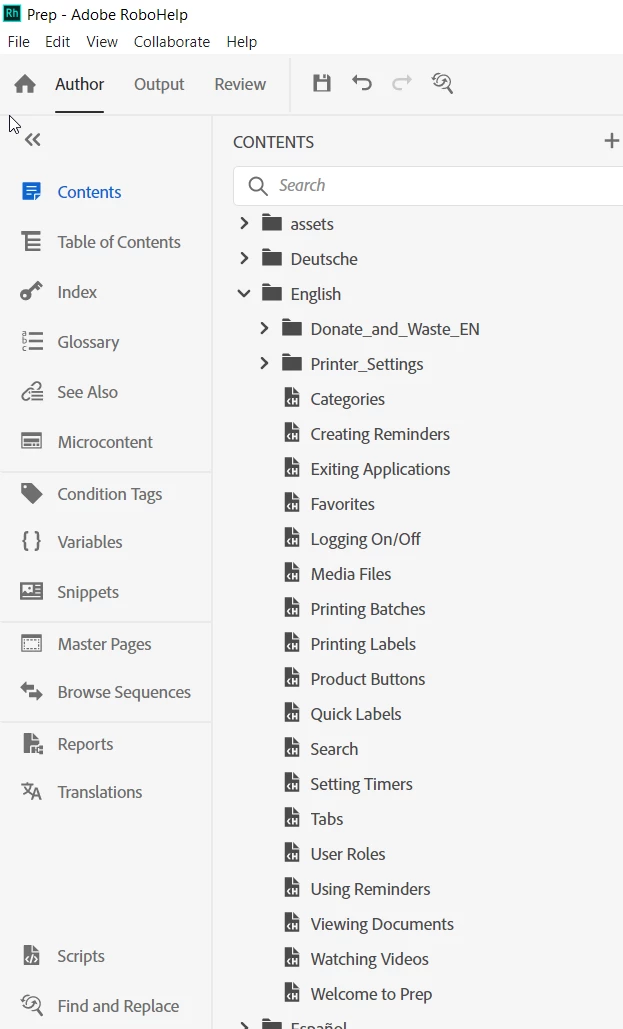
I'm using RH2020 V2020.5.0.71 on a Windows 10Pro laptop.  My project is housed on a shared network drive, we do not use versioning software.  It has about 430 topics, 15 different languages, and is around 15MB.  Each language is a folder.  I completed a few minor updates to one topic. Saved. Compiled to HTML5. Closed the project.  My compiled project had about 10 topics in Russian that were empty. The topic existed but the content was gone.  I reopened the .rhpj then opened the topics that were blank.  Now they are blank in my source.
I added the content back into the source topics. Saved, Compiled to HTML5, exited RH.
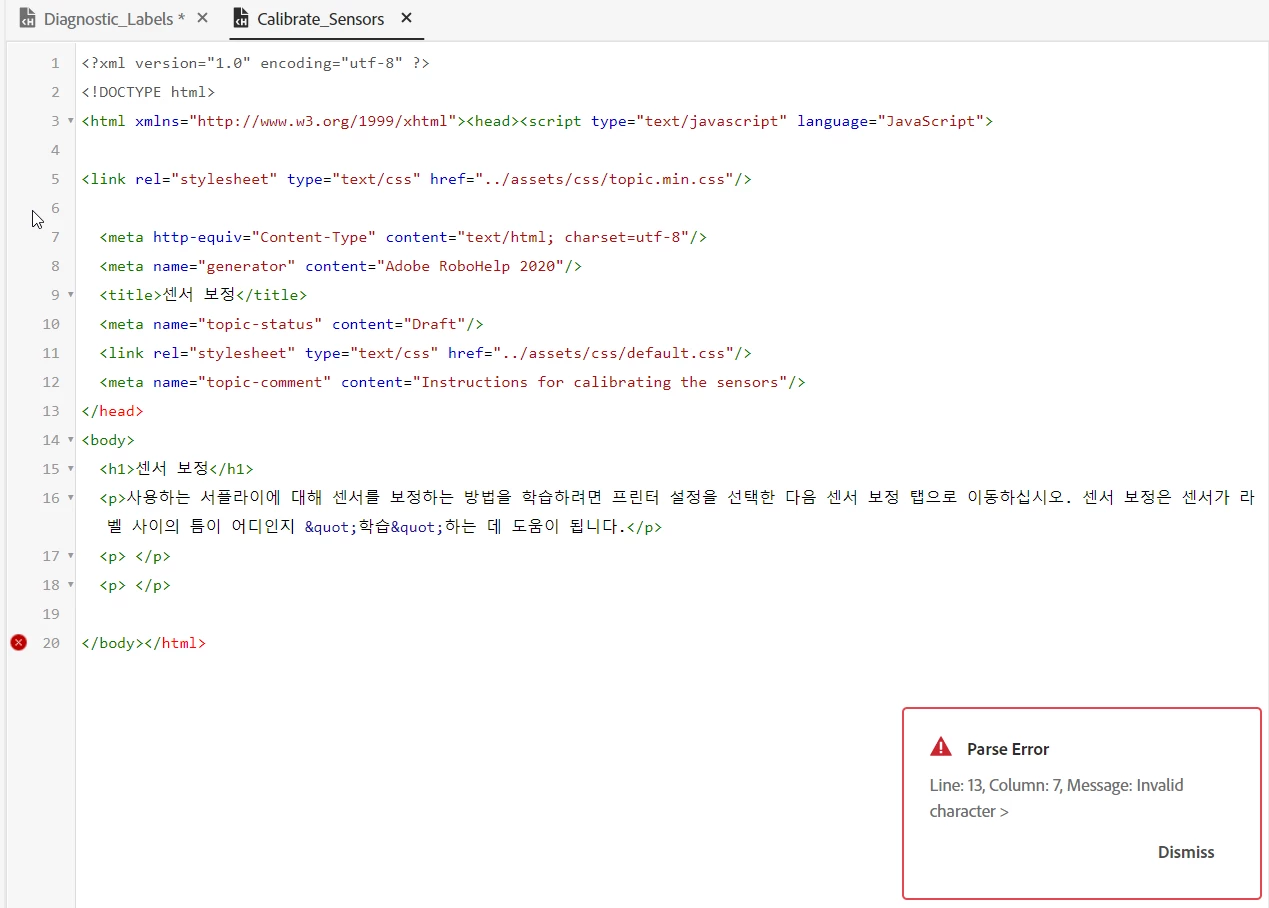
I reopened my .rhpj file.  The previously wiped Russian topics held their content and appear to be fine.  I spot checked topics in other languages and found several in Chinese that will now only open in code view because they are reporting tag errors (missing close tags, that don't appear to be missing at all). These topics were fine (no errors) in the previous instance of my project.
It appears saving? compiling? closing? is causing weird things to happen?
I found some old support threads from people using RH8 and RH9 that were experiencing blank compiled topics (but their source files had the content).  It was mentioned that working in "large" projects on a network drive could be problematic (the word "roulette" was used to describe it).  Is this still the case with RH2020? 
I'm hoping to figure out what caused my topic's content to be wiped out and why other topics now are reporting html errors. 
    This topic has been closed for replies.

    5 replies

    Peter Grainge
    Community Expert
    Community Expert
    September 30, 2021

    I'm a bit confused as to where we are now with this thread. At the beginning you said the project was on a shared network drive. Did you later copy that locally as you are now saying it is local with a backup on the network?


    In line 4 you are missing an opening <head> tag. Try adding that back in source view and then tell us where things are.

    ________________________________________________________
    See www.grainge.org for free Authoring and RoboHelp Information

    Use the menu (bottom right) to mark the Best Answer or Highlight particularly useful replies. Found the answer elsewhere? Share it here.
    Participating Frequently
    September 30, 2021

    I was originally working on a network drive.  Someone suggested that might be causing some of my problems.  I made a local copy, corrected the html errors and made other updates to my topics as needed.  As I modify my local copy, I'm placing it on my network drive to ensure it is backed up regularly.  Everything appears to be working as it should be.

    Community Expert
    September 30, 2021

    If your project was on a network drive for corporate backup reasons, because you've moved it locally it won't typically be backed up automatically. I recommend zipping up your project each day and storing that on the network, so you minimise the risk of losing your work.

    Participating Frequently
    September 30, 2021

    Thank you, yes I'm placing a copy of my project on the backed up network drive.  I'm using my local copy as my working copy.

    Peter Grainge
    Community Expert
    Community Expert
    September 29, 2021

    Whatever works. 🙂


    Could the user not choose just one language when installing so that they have an even lighter output?

    ________________________________________________________
    See www.grainge.org for free Authoring and RoboHelp Information

    Use the menu (bottom right) to mark the Best Answer or Highlight particularly useful replies. Found the answer elsewhere? Share it here.
    Peter Grainge
    Community Expert
    Community Expert
    September 22, 2021

    You are housing all your languages in one project. Why not use the Translations (grainge.org) feature which is designed for what you are doing.


    It creates a separate project for each language. You will be able to see which topics in any language are then out of sync. Translation can be machine based or manual.

    ________________________________________________________
    See www.grainge.org for free Authoring and RoboHelp Information

    Use the menu (bottom right) to mark the Best Answer or Highlight particularly useful replies. Found the answer elsewhere? Share it here.
    Participating Frequently
    September 29, 2021

    Thanks for the replies.  I have since moved the project to my hard drive and haven't noticed anymore issues.


    @Peter Grainge the reason everything is combined into one project is due to the device on which the help will be installed.  The device has limited memory so installing the help on the device as seperate projects inflated the size because all of the assets, style sheets, etc. have to be repeated for each of the 15 languages.  We had it set up that way originally and it was causing storage issues on device, so we had to combine.  I apprecieate your reply.  I think the root of my problems are as @Amebr suggested, network related.

    Community Expert
    September 22, 2021

    I personally don't recommend working on a network drive, because any glitch in the network connection can cause problems writing to the files.  If you're working remotely, or on a cloud drive, your internet connection will add another layer of potential glitches.


    To rule out a project problem, I would recommend moving the project to your C drive (not in the Documents folder, which is ofter mapped by corporate IT departments to be on a network/cloud drive - I usually create a fresh folder directly under C:). Work on the project for a while and see if you can replicate the problem. If not, it's likely a network glitch causing the problems.


    Regarding the example error, it's the opening <head> tag that is missing. You'll need to add in on line 4. When you look at the errors, if there's nothing obvious at the specific line, try locating the corresponding opening tag, as likely it will be missing or incorrect somehow.