

Topics ignoring master page after upgrade to RH2019
Good afternoon guys,
So A LOT has happened in the past few months on RH2019 and one of the biggest changes in the new layout was that custom TOC icons wasn't possible anymore on Indigo due to the new layout. However, I created a feature request to have it put back and after a few months of waiting, it was included in Update 8.
I ran the update and because there was now no more reason to avoid the new layout, I backed up and upgraded my project to the new RH 2019 (from the RH 2019 Classic project). A LOT to learn, a lot of stuff I have to get used to, but I'll get there. Most of the little niggles I've sorted out by now, but one seems to bug the crap out of me and I can't figure out why it's not working.
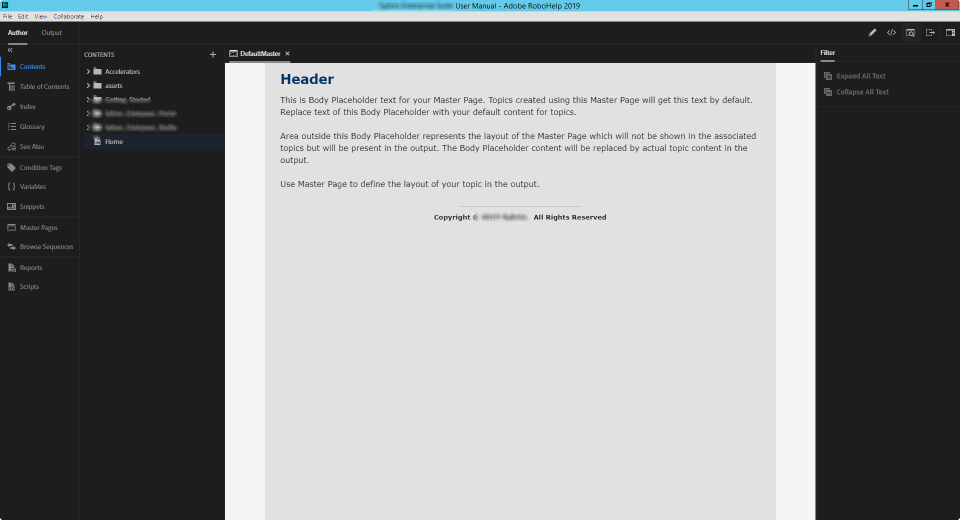
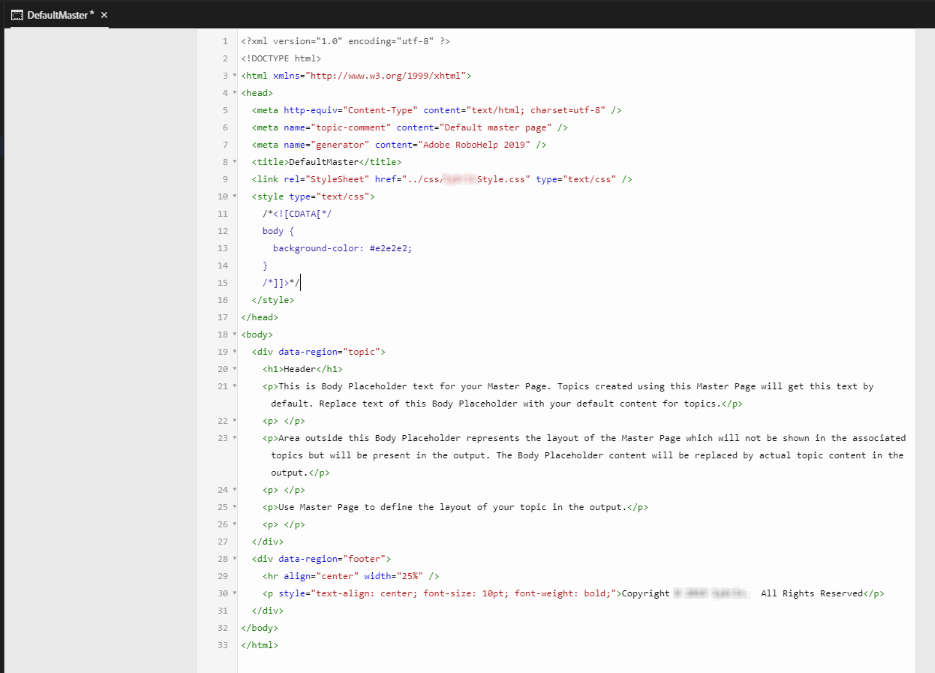
The topics are ignoring the background colour on my master page. I have just one master page, containing only a Footer that I use (a copyright notice) on all the topics. That's it. In addition to that, the master page also sets the font and the font size. All that is fine (and seems to work fine), however the background colour is just flat-out ignored. On the Classic version it worked fine, but for some reason during the upgrade the #E2E2E2 colour I used is gone. I've checked and the command is there. The colour is there. I've re-declared it and even made sure the topic are using the correct master page. If I preview the master page, the colour is displayed correctly.
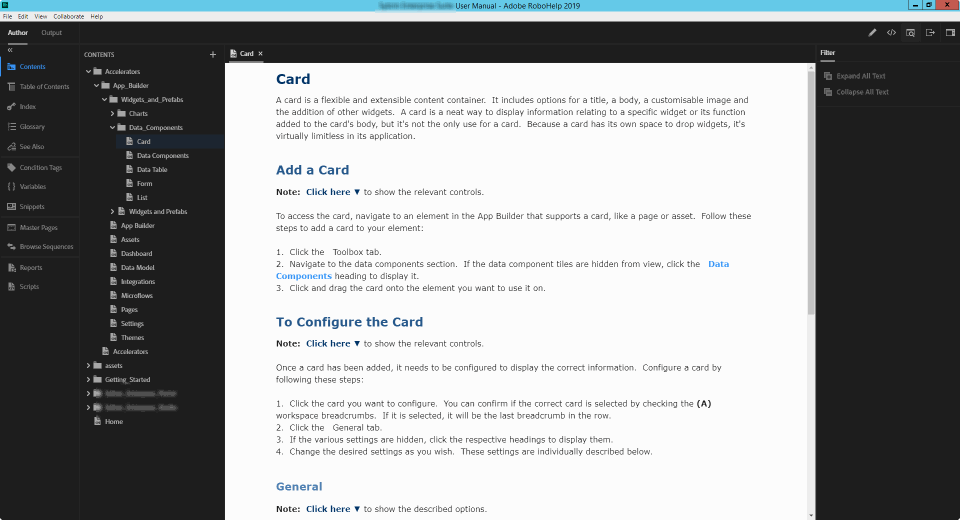
However, once I generate and view the output (HTML5), the background colour on the topic is white.
Can anyone assist, or maybe point me in the direction to take a look? I really don't want to go and force the background colour on every single topic - there's over 200 of them...
To show what I mean, here's my master page:
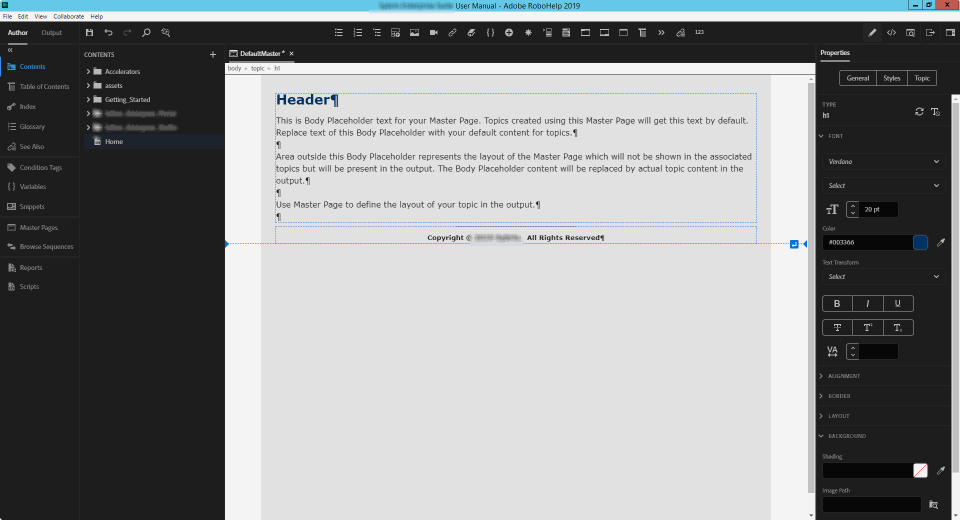
And here's my master page's source code:
But here you can see the topic ignore the background colour:
I checked on the Classic version and the same project, and the section that deals with the background colour looks the same, and there it works fine.
Any ideas/tips/tricks I can try?


 AdChoices