Inspiring
May 30, 2013
Answered

Topics not displaying in index

  • May 30, 2013
  • 1 reply
  • 769 views

I am using RH10, HTML version to generate PDF.  I have topics that use a white font on a dark background:

When I generate the Index, the topics using the white font do not show up.  However, topics that use a black font do show up:

The index entries are structured using Topic properties:
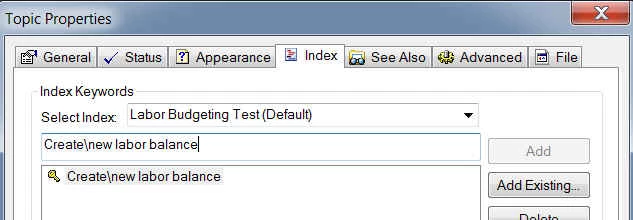
How can I get the topics using the white fonts to show up in the Index?

This topic has been closed for replies.
Correct answer Peter Grainge

In fact just selecting the index would confirm the theory. The text would show against the selection colour.


See www.grainge.org for RoboHelp and Authoring tips

@petergrainge

1 reply

Peter Grainge
Community Expert
Community Expert
May 31, 2013

Try printing on coloured paper.

I am not being facetious. My first reaction is that somehow the font colour is surviving the trip to printed documentation.

If you select the text in the index and press CTRL + Spacebar, does that fix it? In Word that removes character formatting.


See www.grainge.org for RoboHelp and Authoring tips

@petergrainge

Use the menu (bottom right) to mark the Best Answer or Highlight particularly useful replies. Found the answer elsewhere? Share it here.
Peter Grainge
Community Expert
Peter GraingeCommunity ExpertCorrect answer
Community Expert
May 31, 2013

In fact just selecting the index would confirm the theory. The text would show against the selection colour.


See www.grainge.org for RoboHelp and Authoring tips

@petergrainge

Use the menu (bottom right) to mark the Best Answer or Highlight particularly useful replies. Found the answer elsewhere? Share it here.
Tina_Z-BAuthor
Inspiring
May 31, 2013

Hi Peter -

Selecting the text in Word using the CTRL + spacebar does the trick - thanks so much!