


Participant
October 4, 2024
Question

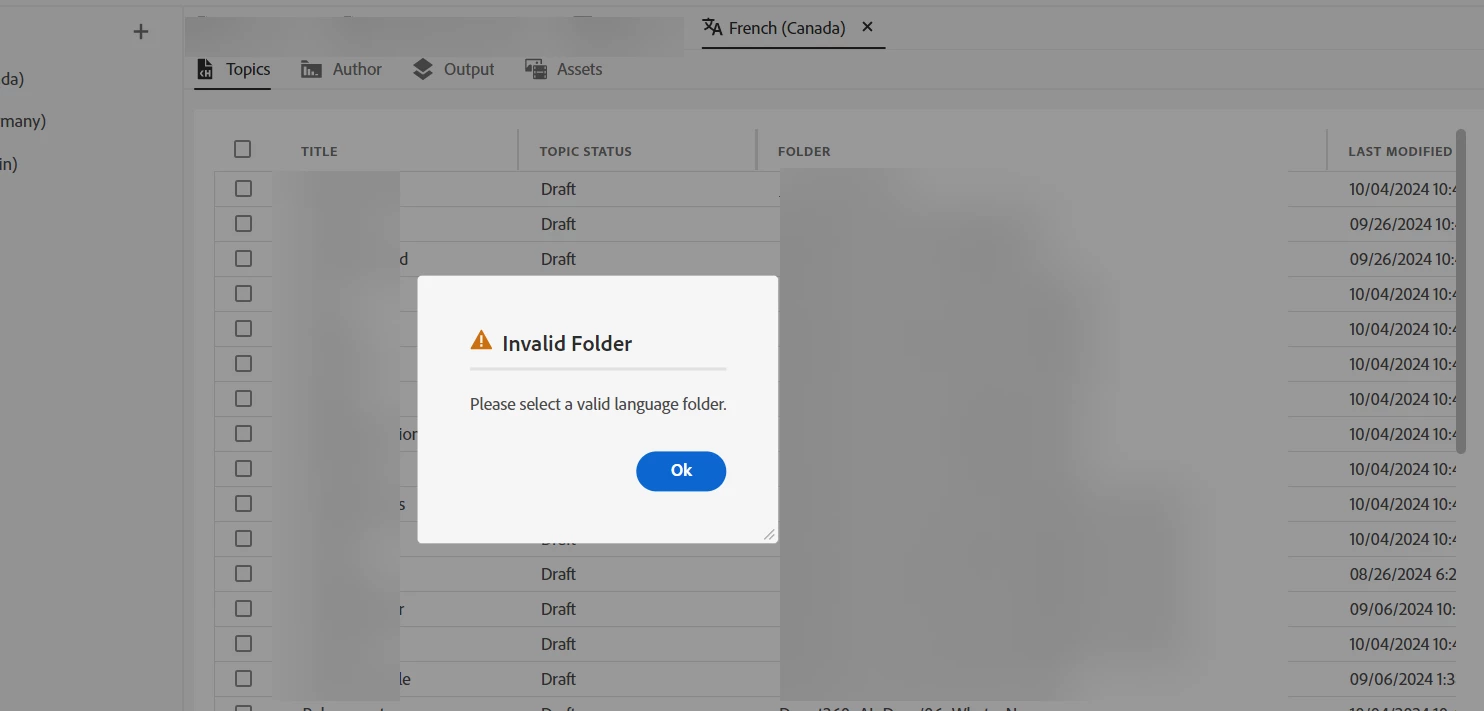
Translation Files Problem

  • October 4, 2024
  • 2 replies
  • 245 views

I have this problem where I cannot import the translated files from my translation vendor back into the project.
I dont know if this is important but they did not give me a mapper file back in the translation so I just put the original mapper file (that I sent them) in the translated folder. Could that be the problem?
Is there something I am missing? It would be very nice if someone could help me here.
 

    This topic has been closed for replies.

    2 replies

    Participant
    October 5, 2024

    Not on my main account, but this error basically pop ups whenever something goes wrong. The XLIFF export is a very, very fragile process.

    The issue should not lie with the mapperfile, as that does not get changed during translation.


    On the top of my head, I can think of the following problems:


    BASIC PROBLEMS


    1) Wrong folder

    RH only accepts the folder where the XLIFFs and mapper file are directly stored. So you cannot select "XXX/translations", but you have to select "XXX/translations/{language_code}".


    2) Wrong mapperfile

    A mapperfile is created with each export, so make sure you select the correct mapperfile.


    3) foreign files

    The translation folder should only contain your translated .xlf files and the mapperfile, nothing else.


    4) Xlf files are incorrect

    Make sure the .xlf files are indeed translated .xlf files. You can take a sneak peek in an .xlf file to see if, for a given <trans-unit> tag, it has a <source> and <target> tag. If no target tags are found, then the .xlf files weren't translated.


    FURTHER TROUBLESHOOTING


    A mapper file is fundamentally just a dictionary with two keys, encryptedFiles and decryptedFiles. Basically, for each file listed in encryptedFiles/decryptedFiles, there should be a corresponding .xlf file in your translation folder. If that is not the case, this error will appear.


    From a technical POV, I have no idea why a mapperfile is even needed as the information is also stored in each XLIFF file itself.

    Jeff_Coatsworth
    Community Expert
    Community Expert
    October 4, 2024
    Participant
    October 4, 2024

    Thank you so much for getting back. Unfortunately, the solution stated in this thread doesnt fix the problem for me. I have copied the exact mapper file from the exported folder and pasted it into the folder I want to import from. Still, it says that the folder is invalid. Do you think there could be a something else wrong here?

    Jeff_Coatsworth
    Community Expert
    Community Expert
    October 4, 2024

    Sorry, don't know - not a lot of translation folk here. I suggest contacting the RH folks - see https://helpx.adobe.com/contact/enterprise-support.other.html#robohelp for your Adobe Support options. I'd recommend using the tcssup@adobe.com e-mail address as it reaches a team dedicated to Technical Communication Suite products including RoboHelp.