
Answered
Trouble understanding RH customization when linking FM files
Is there a video that will help with this, particularly creating and customizing a single CSS for use with my work? I also would like to have an idea of the best workflow.
Here is what I am doing and some issues:
- Open RH.
- Click File > New > Project.
- What I really want is a bunch of HTML files with known filenames. I know FM 12 can do this without RH, but I want to work this out now so I can take this in a better direction. Anyway, I click Application Help in Project Type.
- Click the Import tab in the New Project dialog box.
- Select FrameMaker Documents as the Import Type, and click OK.
- Select my FrameMaker .book file, and click Open.
- Enter a title for the project, file name for the project (left default), and location for the project.
- Click Finish.
At this point, my multi-FM-file .book project hangs and never finishes. If I am using a single-FM-file .book project, though, the following happens:
The Import dialog box opens.
- In the FrameMaker Document area, click Edit. Some scanning happens, and the Conversion Settings dialog box opens.
- Edit paragraph settings.
- Find those paragraphs I don't want output for and select the Exclude from output check box, such as Footer.
- Set each of my four Bulletn styles to Multilevel list. Bullet1, Bullet2, Bullet3, and Bullet4 styles represent decreasing levels of subbulleted lists.
- Set my eight Stepsn styles to Multilevel list. Steps1, Steps2, Steps3, and Steps4 styles represent decreasing levels of subnumbered lists (1, a, I, i). Each of these styles has a corresponding First style that sets the numbering to 1, such as Steps1First.
- Set up cross reference settings to remove page numbers.
- Set the default format for Image to .png.
- Leave Character, and Other settings alone.
- Click OK and Next.
- Leave the Table of Contents, Index, and Glossary Settings turned off.
- Click Finish. Some scanning happens and a result is created.
Some issues.
- While Mutilevel Numbering creates 4 appropriate levels of bullets based on my styles, it only creates 3 of 4 levels of numbered lists. Levels 3 and 4 are presented identically by RH. How did this happen and how do I fix it.
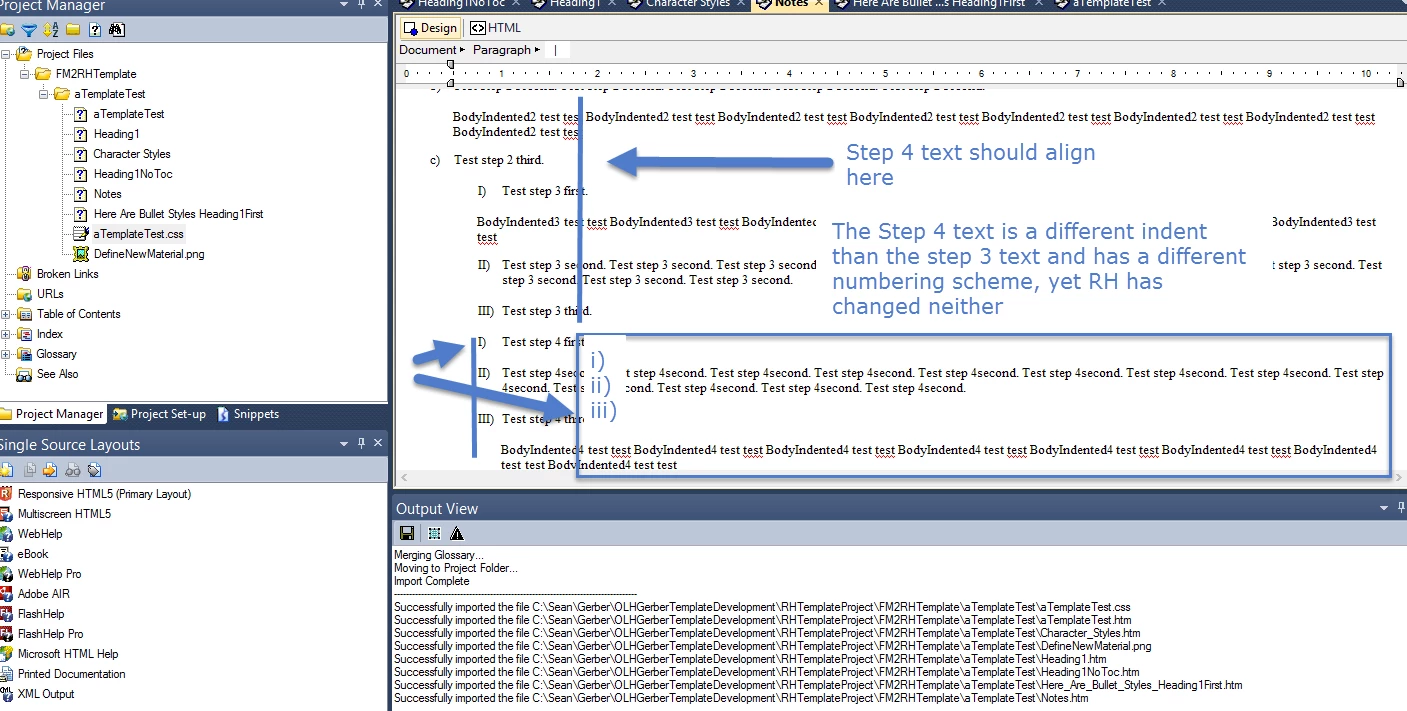
- Indented body tags are not correct. I can fix this in the CSS. But, then, how do I create and make sure my project uses a new CSS?
- How do I create a delivery package for this? I see what I have in project manager, and want to create a folder that contains my output, that is, HTML, PNG, and CSS files that support my project so I can move these to the target CD or delivery mechanism?
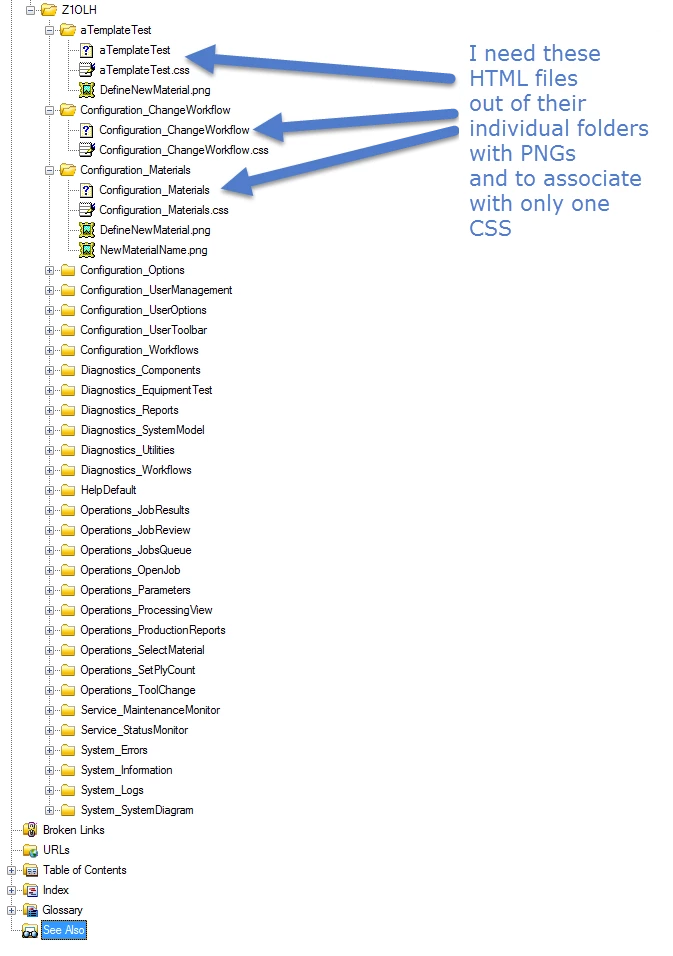
- I have HTML and CSS buried within individual folders with the respective FM source. How do I get these HTML files and images out, and mate them to one and only one CSS for delivery?
Thoughts?
Sean


 AdChoices