

Trouble with bullets
Often I find that bullets need to be the last thing I do in formatting content in my projects. It seems that if you bullet items before your done adding links or drop downs, those links and drop downs have a tendency not to work. Remove the bullets and then all those bells and whistles work again. Adding the bullets back at that point seems to be a standard practice for me now or a troubleshooting tactic when content misbehaves. If I am getting really frustrated because I can't add some DHTML drop down or make an image map that pops at a specific size and location... I take out the bullets.
Is this a bug? I never had to do this with other programs that format text and that can add bullets.
EXAMPLE:
Because of the bullets in the content below I could not image map the menu bar in the attached image and have a picture appear in a sized pop-up box showing the underneath contents should the operator pick it. Like the first menu item SETTINGS should show this but doesn't till I remove the bullets:
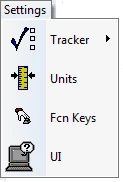
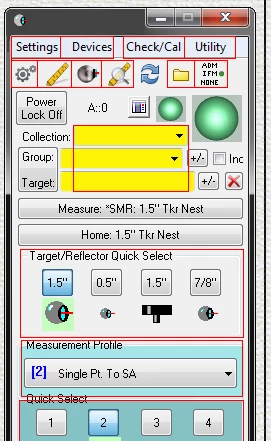 The red squares are where I put the image maps for the user to further explore the software without having the software.
INSTRUMENT INTERFACE -
The Instrument Interface is where the user directs the Tracker to measure. 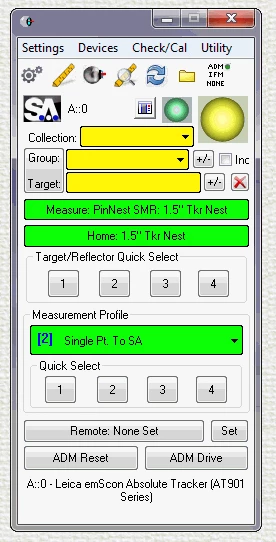
The user wishing to bring in an instrument to a job file uses Instrument>Add on the menu bar. The operator has a few options available when adding the instrument:
Automated - SA automatically chooses the correct instrument and it's parameter settings to add from previous times opened,
Manual - The user is directed to select the proper instrument from a list and then run the Instrument Interface.
Simulated - In order to get some screen shot images or run an accuracy test without a real instrument connected, the user can operate the software, simulating a connected instrument
 AdChoices