

Jared Hess
Legend
September 25, 2017
Question

Twisties Triangle Image Color on Hover?

  • September 25, 2017
  • 1 reply
  • 550 views

RH 2017 (13.0.279)

Primary Output: Html Help (CHM)

Hi Folks,

We use twisties in our help project. These are the little triangle images that point downwards and to the right when you expand or collapse dropdown text.

Is there a way to get the output to show a different triangle image on a mouse-over? You can see in these dropspot links that we use a gray mouse-over color for the hover text. But the collapsed triangle and the expanded triangle for the twisties don't ever change on a hover.
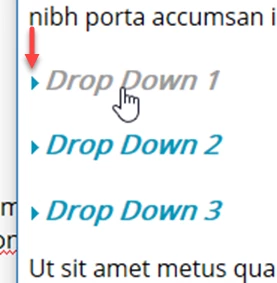
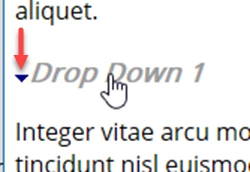
I know it's a minor thing, and if it's not too much work, we would like to implement a third triangle color whenever we hover over the text so that it matches the text's hover color.

Here's part of our style sheet code. Yellow highlight deals with the current images we use in the twisties. The red arrow points to where we're defining the hover color:
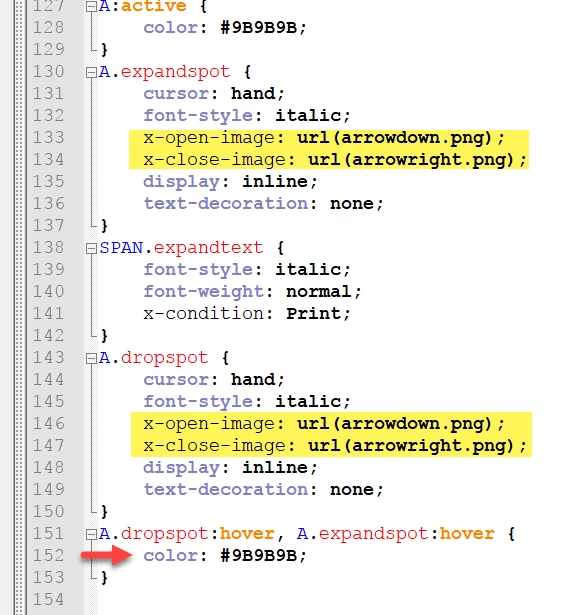
However, I suspect the issue is more javascript related than CSS related, especially so for a .chm output. Has anyone ever done this with their twisties?

This topic has been closed for replies.

1 reply

Peter Grainge
Community Expert
Community Expert
September 26, 2017

You are using the twisty method that ships with RoboHelp. On my site there is a method that uses javascript and you might be able to modify that.

I haven't seen anyone post a method of doing via CSS.


See www.grainge.org for RoboHelp and Authoring information

@petergrainge

Use the menu (bottom right) to mark the Best Answer or Highlight particularly useful replies. Found the answer elsewhere? Share it here.
Jared Hess
Legend
September 26, 2017

Thanks Peter. If I remember right, we're actually using a variation from your site that Willam van Weelden tweaked for us. We do use javascript. There's a twisty.js file that we call. Was hoping someone had already figured this out. But I'll try and take a look.

Jared Hess
Legend
September 26, 2017

I spent some time in the script. From what I can tell, It doesn't write the images at all.

The twisties functionality appears to rely on the style sheet for that.

I believe following the model of the CSS in the image in my initial post that something like this should work:

But it does nothing.

What are the x-open-image and x-close-image statements? I understand that they're loading the triangle images used by the twisty when the content is open or closed, but those don't look like regular CSS. A search on the internet doesn't return anything either.

Are these RH-specific conventions? Or some odd subset of CSS? My guess is RH-specific. But if so, what's converting it to actual usable CSS to displays the image?