

Two Rhcl.exe files (one from each version). How do I make the latest version's rhcl.exe a recognized command?
Hello all,
I have two versions installed:
RoboHELP 9
RoboHELP 2015
We are slowly transitioning our projects from RoboHELP 9. At the moment, I cannot uninstall RoboHELP 9, because I need it for some of my projects still.
The problem I'm running into is this:
The RoboHELP command line compiler, rhcl.exe, is not compiling all the topics.
Our main help, when I compile it from within the RoboHELP application, is usually about 25 MB large. When I compile the same help using the RoboHELP command line compiler, it is only 4 MB large. That is a lot of missing content.
Here's a smaller output showing the same problem:
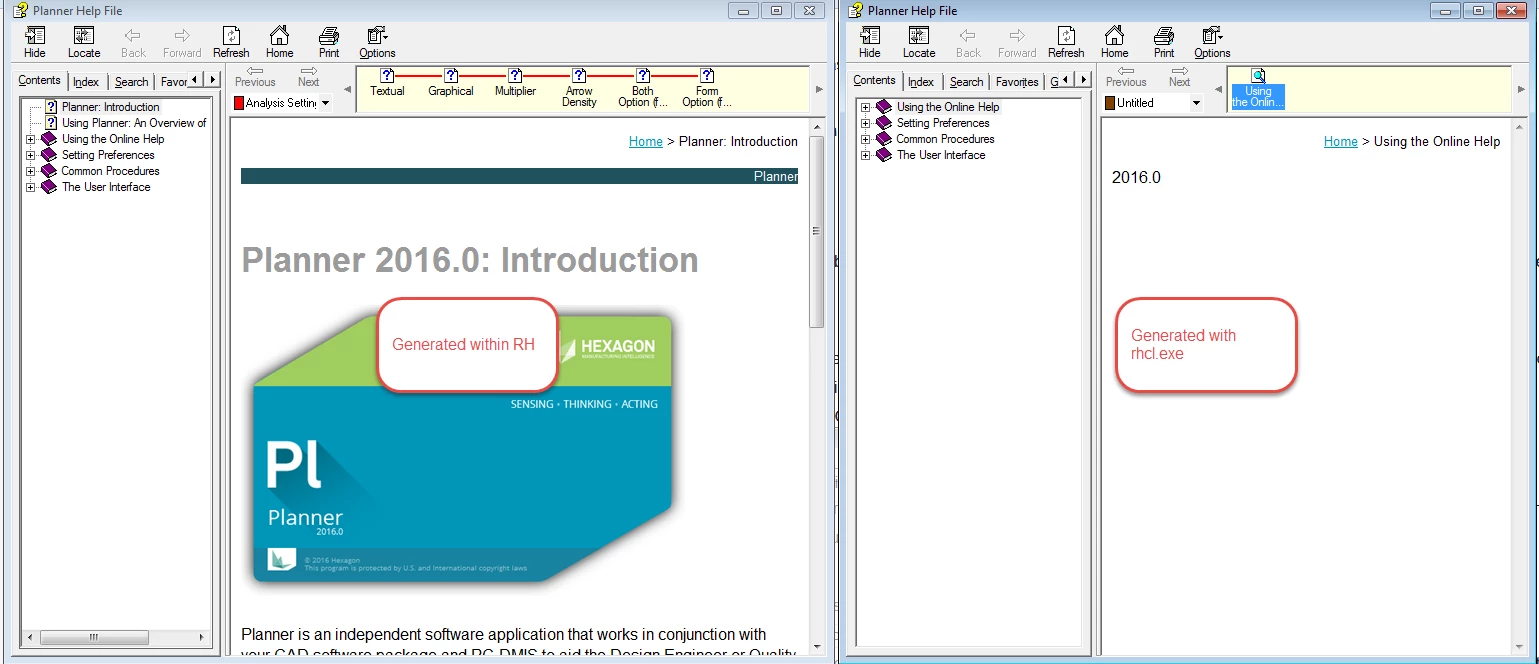
The compile log shows a bunch of these:
HHC5003: Error:
Compilation failed while compiling planner\Planner__Introduction.htm.
I think the problem is that with the two versions that I have installed, it's trying to compile a RoboHELP 2015 project with a RoboHELP 9 compiler.
I've verified that each version has its own rhcl.exe.
I renamed the RoboHELP 9 one to "rhcl.exebak" so that it doesn't get used, and now my batch file says:
" 'rhcl.exe' is not recognized as an internal or external command."
This tells me it was using the RoboHELP 9 compiler.
How can I get it to recognize the rhcl.exe that comes with RH 2015?
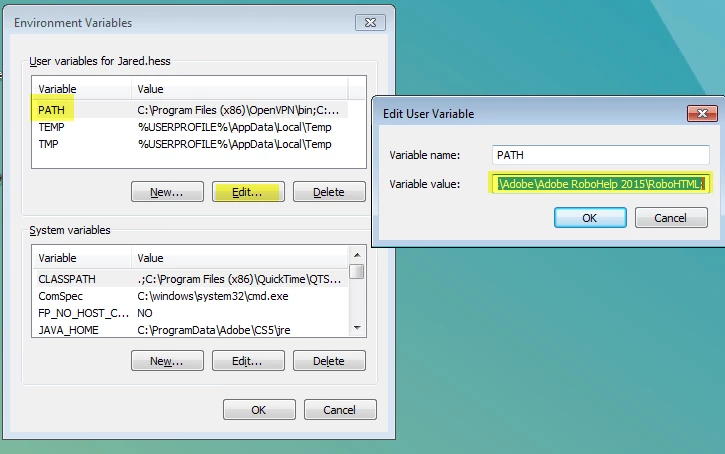
I tried adding my own system environment variable pointing to the RH2015 rhcl.exe, but that doesn't work either.


 AdChoices