


mjjhhc
Known Participant
September 1, 2023
Question

Unable to login / activation issue RH2019 Classic

  • September 1, 2023
  • 3 replies
  • 332 views

Hello,

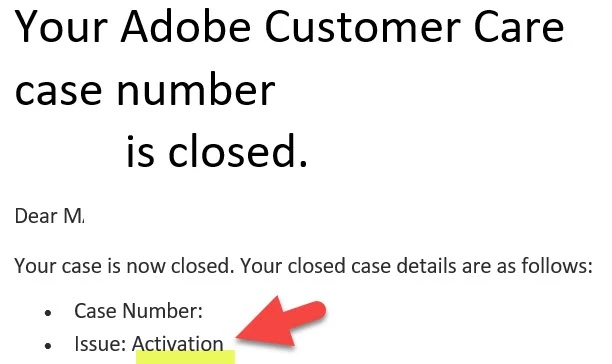
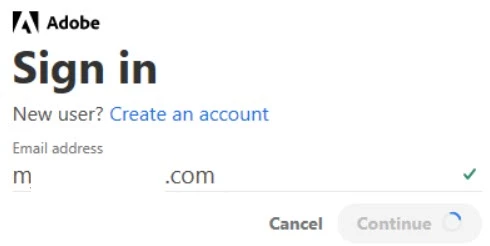
I contacted Customer Care. They indicated an activation issue RoboHelp fails to stay activated. Even though my Creative Cloud and other indicators recognize my status/installation, I am unable to login >> the system accepts my email address but doesn’t proceed to the password window. How can I stay activated? Thanks very much!


    This topic has been closed for replies.

    3 replies

    Peter Grainge
    Community Expert
    Community Expert
    September 1, 2023

    According to the dialog they fixed it. Where's the dialogue saying there is an issue that Adobe have to fix?

    ________________________________________________________
    My site www.grainge.org includes many free Authoring and RoboHelp resources that may be of help.


    Use menu (bottom right) to mark as Best Answer or to Highlight particularly useful replies. Found the answer elsewhere? Share it here.
    Jeff_Coatsworth
    Community Expert
    Community Expert
    September 1, 2023

    This is happening when you launch RH2019 Classic? Are you in some corporate scenario where the Internet is restricted?

    mjjhhc
    mjjhhcAuthor
    Known Participant
    September 1, 2023

    yes, unfortunately there are some restrictions; apparently the google auth would work, but I am curently unable to use it because of corporate restrictions

    Peter Grainge
    Community Expert
    Community Expert
    September 1, 2023

    Did they have a written or oral dialogue with you? How did you get the response you have posted? 


    This is something I think only Adobe can resolve so let me know the above and the case number along with some info on how your contact went. I can then raise this with an Adobe contact.


    I have assumed RoboHelp is installed to the default location and you or whoever installed it had admin right. If that's not the case, I would try an uninstall, reboot and reinstall. Also you are on Windows 10 or 11.

    ________________________________________________________
    My site www.grainge.org includes many free Authoring and RoboHelp resources that may be of help.

    Use menu (bottom right) to mark as Best Answer or to Highlight particularly useful replies. Found the answer elsewhere? Share it here.
    mjjhhc
    mjjhhcAuthor
    Known Participant
    September 1, 2023

    Thanks Peter! 
    I interacted with Adobe Customer Care using witten dialogue via chat (chat attached).
    Yes, it would be great if you can raise this issue with Adobe >> it seems they have to fix the RH activation protocol. 
    case number is ADB-30795760-P8F0. 
    I won't be surprised if I have to reinstall.
    Thanks again! 


    thanks again.