


March 15, 2011
Question

Unable to select a different template

  • March 15, 2011
  • 1 reply
  • 807 views

I'm using Robohelp X5 for Word with Office 2003

When I generate printed documentation and go through the wizard, I am unable to select a template for the output. The screen displays blank and my mouse is an hourglass.
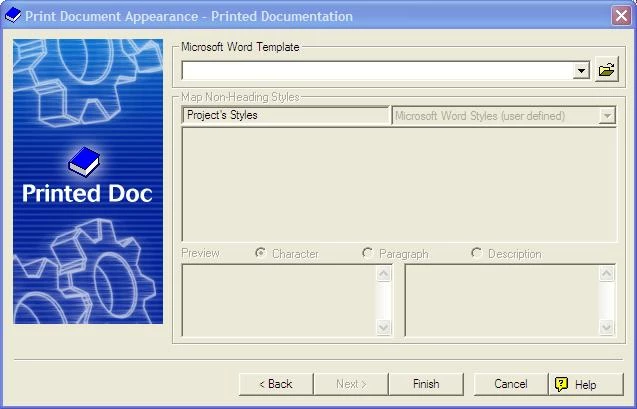
I can click Finish and I do get output which I can then format, but I would love to be able to select my preferred template rather than reformat it everytime.

Has this happened to anyone else, and if so, is there a fix?

Thanks,

Brenda

This topic has been closed for replies.

1 reply

Peter Grainge
Community Expert
Community Expert
March 18, 2011

You say you cannot select but do you mean from the dropdown or the folder icon does not work?


See www.grainge.org for RoboHelp and Authoring tips

@petergrainge

Use the menu (bottom right) to mark the Best Answer or Highlight particularly useful replies. Found the answer elsewhere? Share it here.
March 18, 2011

Neither - the upper portion of the window is completely disabled and my mouse is an hourglass. I can only click on Back, Finish or Cancel. This happens everytime I attempt to create printed materials.

Peter Grainge
Community Expert
Community Expert
March 18, 2011

How much time do you allow before clicking Finish?


See www.grainge.org for RoboHelp and Authoring tips

@petergrainge

Use the menu (bottom right) to mark the Best Answer or Highlight particularly useful replies. Found the answer elsewhere? Share it here.