


Known Participant
October 13, 2021
Answered

Unwanted empty table cell after html5 output

  • October 13, 2021
  • 14 replies
  • 609 views

Hi,

I am using the new interface (not classic) for Robohelp 2019. After generating an html5 output, there is an extra empty cell at the end of the table. I couldn't find any clues in the code. Does anyone know why this is happening? Please see this URL: https://tesira-webhelp.biamp.com/#t=ForteX_Supported_Platforms.htm.


Below is a screenshot of how it looks in Robohelp:
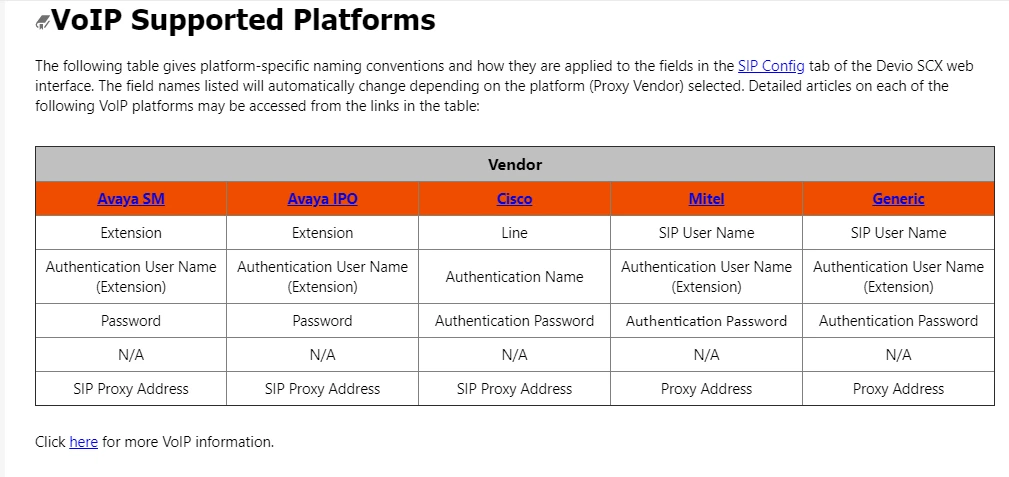
 

Thank you,


Julianna

This topic has been closed for replies.
Correct answer Peter Grainge

The topic you have sent is from the output. Maybe that is just a slip up creating this test project but if not you need to fix that in your main project.


Amber has identified that on your site there are seven columns defined. Delete the last two so that just these are shown.


<table border="1" cellpadding="1" cellspacing="1" style="border-collapse:collapse; width:100%" width="100%">
<colgroup>
<col style="width:14.29%" />
<col style="width: 187px;" />
<col style="width: 191px;" />
<col style="width: 231px;" />
<col style="width: 175px;" />
</colgroup>


You may want to set the widths to the same unit as well.

________________________________________________________
See www.grainge.org for free Authoring and RoboHelp Information

14 replies

Known Participant
October 13, 2021

I sent it over to you Peter. Thank you!

Peter Grainge
Community Expert
Community Expert
October 13, 2021

Can you share the project? If you can, then see the Contact page on my site and send the project as instructed there. Do make sure you include a link to this thread and please do not email the project direct.


If you can't, could you import that topic and your CSS into a new project and share that?

________________________________________________________
See www.grainge.org for free Authoring and RoboHelp Information

Use the menu (bottom right) to mark the Best Answer or Highlight particularly useful replies. Found the answer elsewhere? Share it here.
Known Participant
October 13, 2021

Hi Peter,


The screenshot is what the author and preview look like. Quick generate shows the empty cell (this is currently online on our company website as well :(.


Thanks,


Julianna 

Peter Grainge
Community Expert
Community Expert
October 13, 2021

It's not a known issue.


I assume the screenshot is from author view. Same in Preview and same in the local generation?

________________________________________________________
See www.grainge.org for free Authoring and RoboHelp Information


Use the menu (bottom right) to mark the Best Answer or Highlight particularly useful replies. Found the answer elsewhere? Share it here.