


Update to RoboHelp Dropping all Files/Content
Hi,
My colleague has now encountered the same problem as I described here:
http://forums.adobe.com/message/5300528#5300528
Here is the content of her report:
"A similar problem that happened earlier to Derek is now happening to me. I was generating the WebHelp output for our merged project (the merged project is a container for all the sub-projects and we generate them all one by one to create the online help output). When I opened the last sub-project on the list (we have 15 sub-projects at the moment), I suddenly had two instances of the RoboHelp project running – one looked like the normal project and the other one had no content, it was just a template project with some default files. And then RoboHelp crashed. All I could see was an error message saying that RH has encountered a problem and is closing.
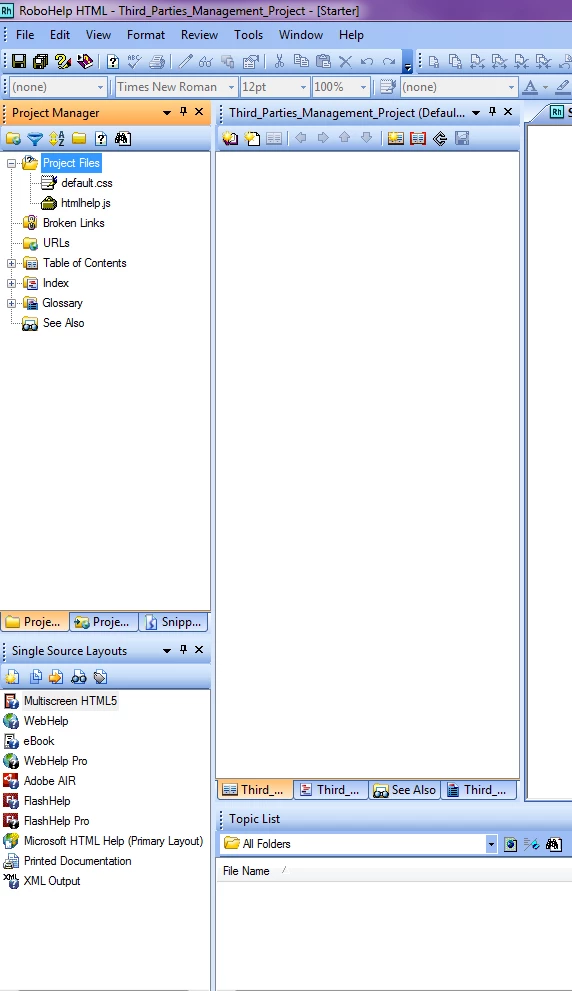
When I opened the project again, all the project files were missing. See the attachment for an example of the empty project.
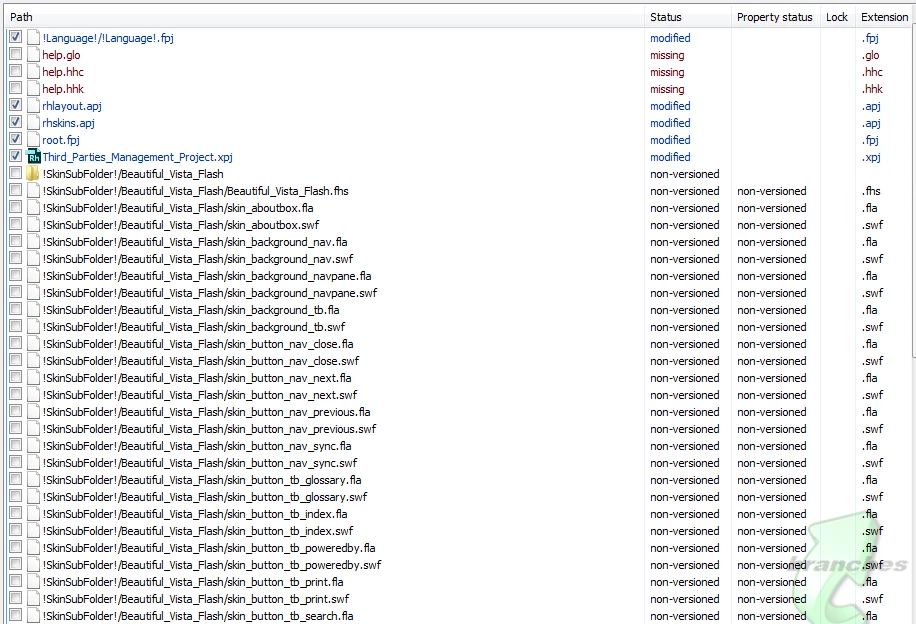
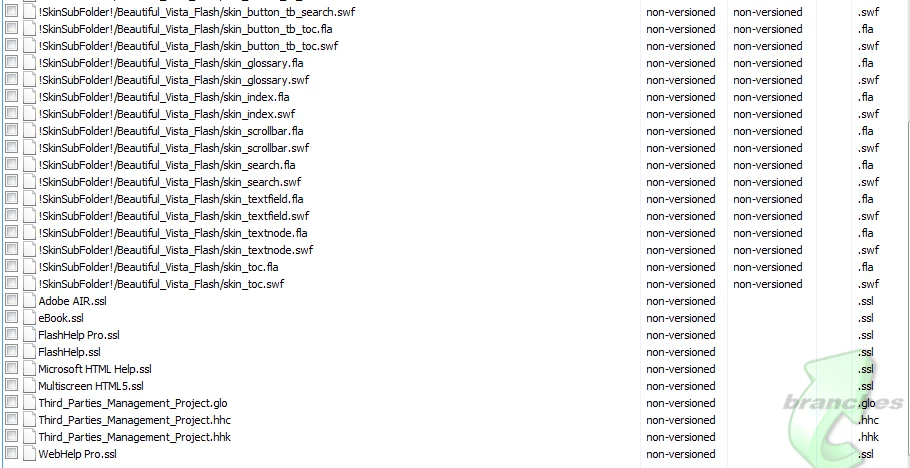
All the correct project files were still in the project folder in SVN but now there were also all these additional files which were not there before. When I did an SVN commit on the project folder, I got a long list of files that were added and also a few of the real project files were marked as updated. See a list of these files in the attached screenshots.
To solve this problem I had to do a fresh checkout of the Documentation folder in SVN. After the fresh checkout, the problem project opened normally with all the files in it and I was able to generate a Web Help output normally.
We are wondering if this could be a network issue (connection to SVN) rather than a problem with RoboHelp? RoboHelp works fine 99% of the time, and then suddenly, with a random project, this issue occurs. Could RoboHelp lose the connection to the files in SVN for some reason and this is why it crashes and loses all the project files?
We are using RoboHelp 10 with SVN (TortoiseSVN 1.7.7, Build 22907 - 64 Bit) and the operating system is Windows 7."
Addendum: I switched machines + new RH install, in an effort to rule out a HW issue. However it occurred again on the new machine.
/Derek
 AdChoices