

Updated: (Added more Visuals) Mapping Rh Table Styles to Word Styles - Expected Results Not Seen
My System
- Win 7
- Rh11
- Word 2013
History
Due to Company practices, I am unable to utilize "Rick's Method" Preformatted Tables because of the file location stored on my local drive (e.g., C:\Program Files\RoboHelp Office\RoboHTML\Gallery\Tables using the format yourfilename.htmtable). That said, I am now dependant on using Rh Styles mapped to using Word Table Styles.
BEFORE POSTING HERE: I did some research (attempting to find new ways/tips on Styles to match between Rh and Word) accessing the following sites:
- Peter's awesome site

- iconlogic Blogs
- This site
- asadesigner
- Other Google searches
I still need some help...
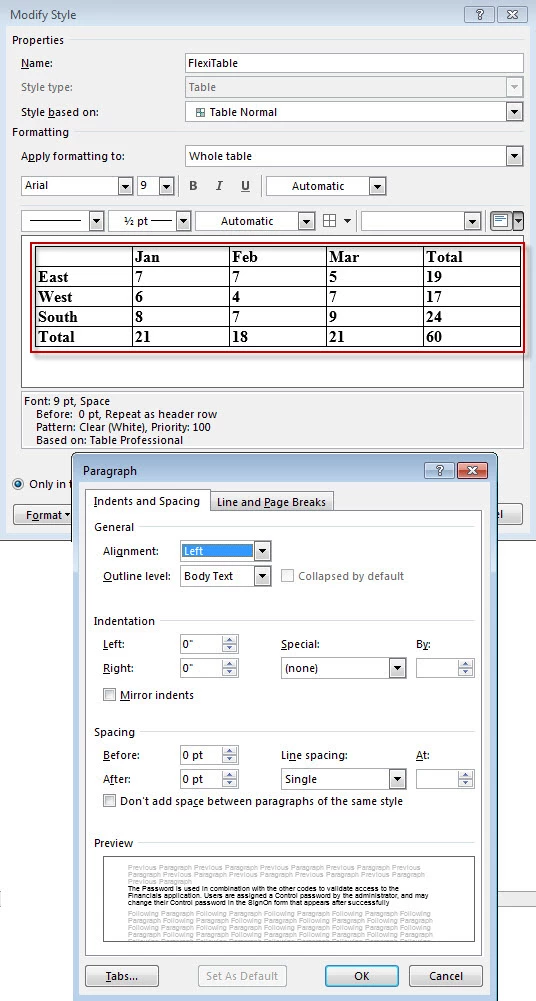
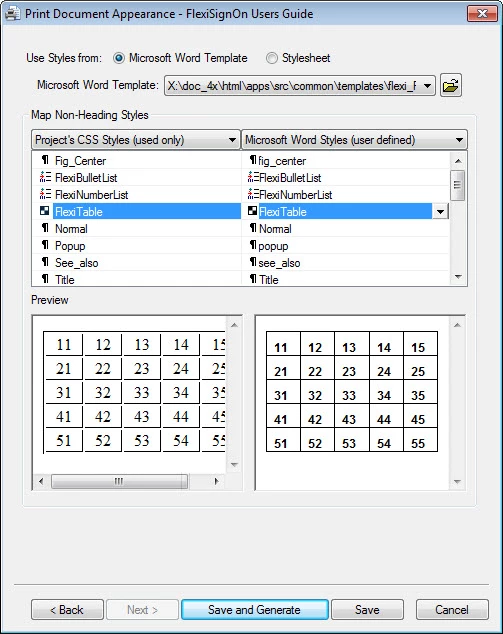
My Problem: After print generation, the text in the tables is not top-left aligned (Ref. Word - FlexiTable Styles Image on bottom of page) in my Word template/doc. (See table output Image below).
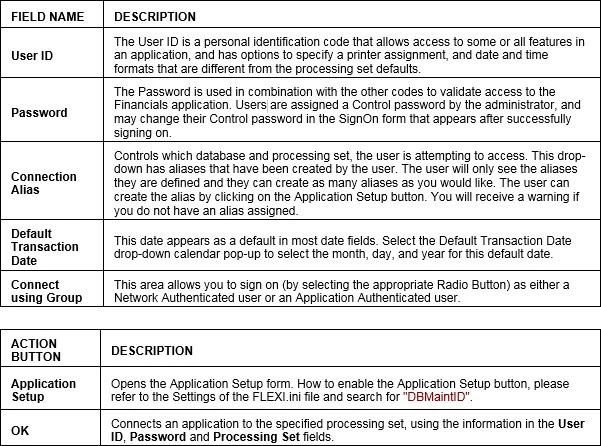
Table Output shown above in Word
THE TEXT SHOULD BE TIGHT AS THE EXAMPLE BELOW:
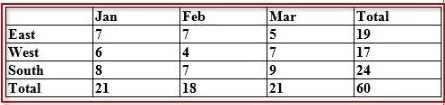
Table in RoboHelp
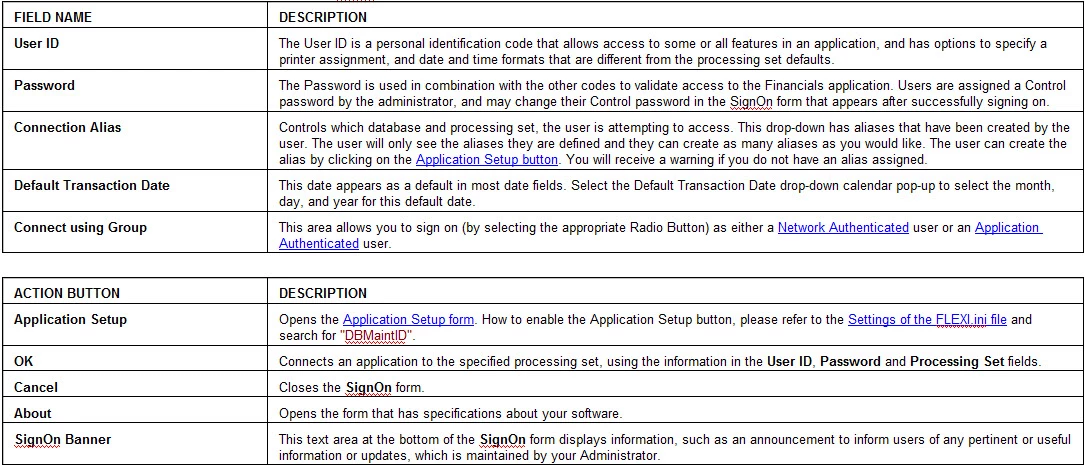
My Questions:
- Is there another way/tip to achieve my expected results?
- What Table Styles in Word (2013) Works Best with RoboHelp (v11) Table Styles
In closing, I want my table format to reflect my Word Table Styles. Please refer to all my settings below (Images).
Thank You,
~PM
My Table Settings in Rh
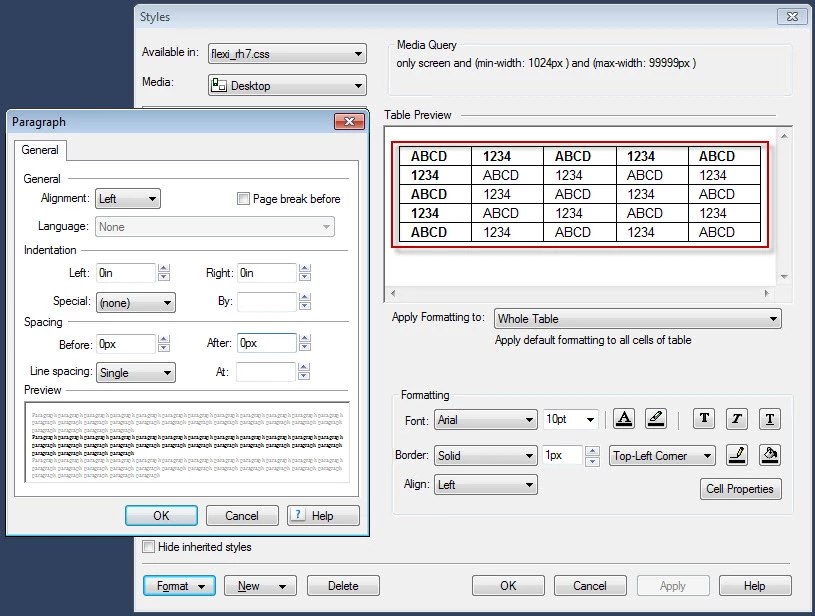
My Table Settings in Word 2013
Rh Mapping to Word Template


 AdChoices