
Known Participant
February 2, 2018
Question

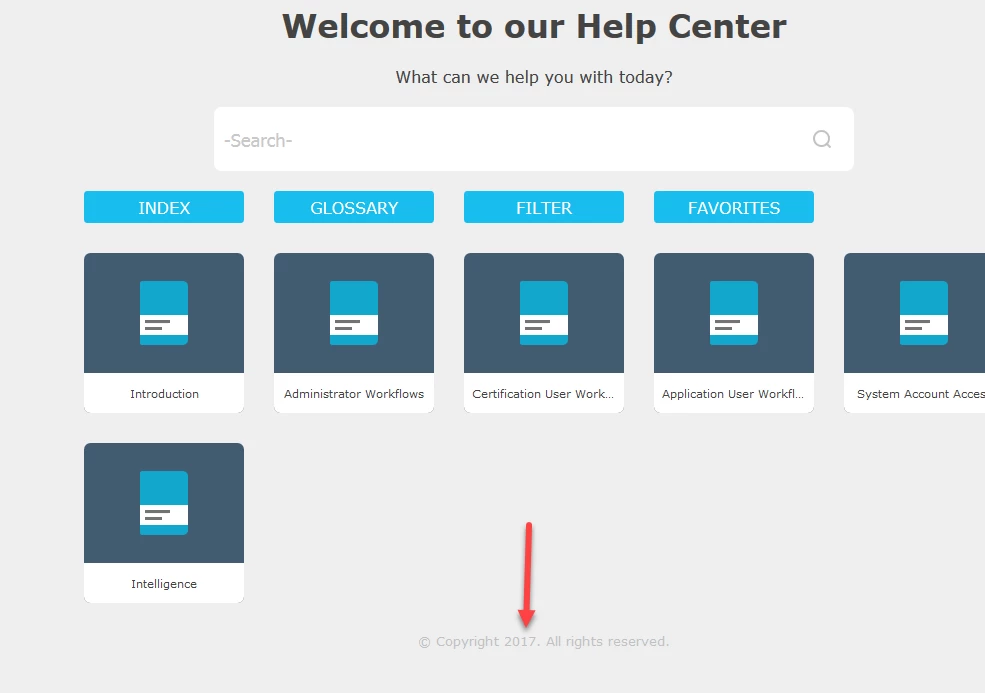
Updating the copyright date footer in Indigo layout

  • February 2, 2018
  • 1 reply
  • 527 views

Does anyone know how to edit the copyright footer at the bottom of each page? I have found the line of "code" using the browser's (F12 - decoder) function. But I can't tell which CSS file contains the code so I can edit the copyright date?  Thanks for anybody's insight.
This topic has been closed for replies.

1 reply

Captiv8r
Legend
February 2, 2018

Hi there

You might try the following.

Press Ctrl+Shift+? and the Project Settings should open.

From Project Settings, ensure the General tab is active, then click the Advanced button.

The Advanced Settings For Localization dialog should open.

Click the Labels tab, then scroll the long list to the Responsive Help section. In that section should be an option labeled: Copyright= followed by the copyright info.

Click on that to select it, then click the Edit button and you should be able to change it.

Dismiss the dialogs, re-generate and see if that changes it to what you want.

Cheers... Rick