


Participant
June 22, 2022
Question

Upgrade from .hpj to .rhpj

  • June 22, 2022
  • 2 replies
  • 344 views

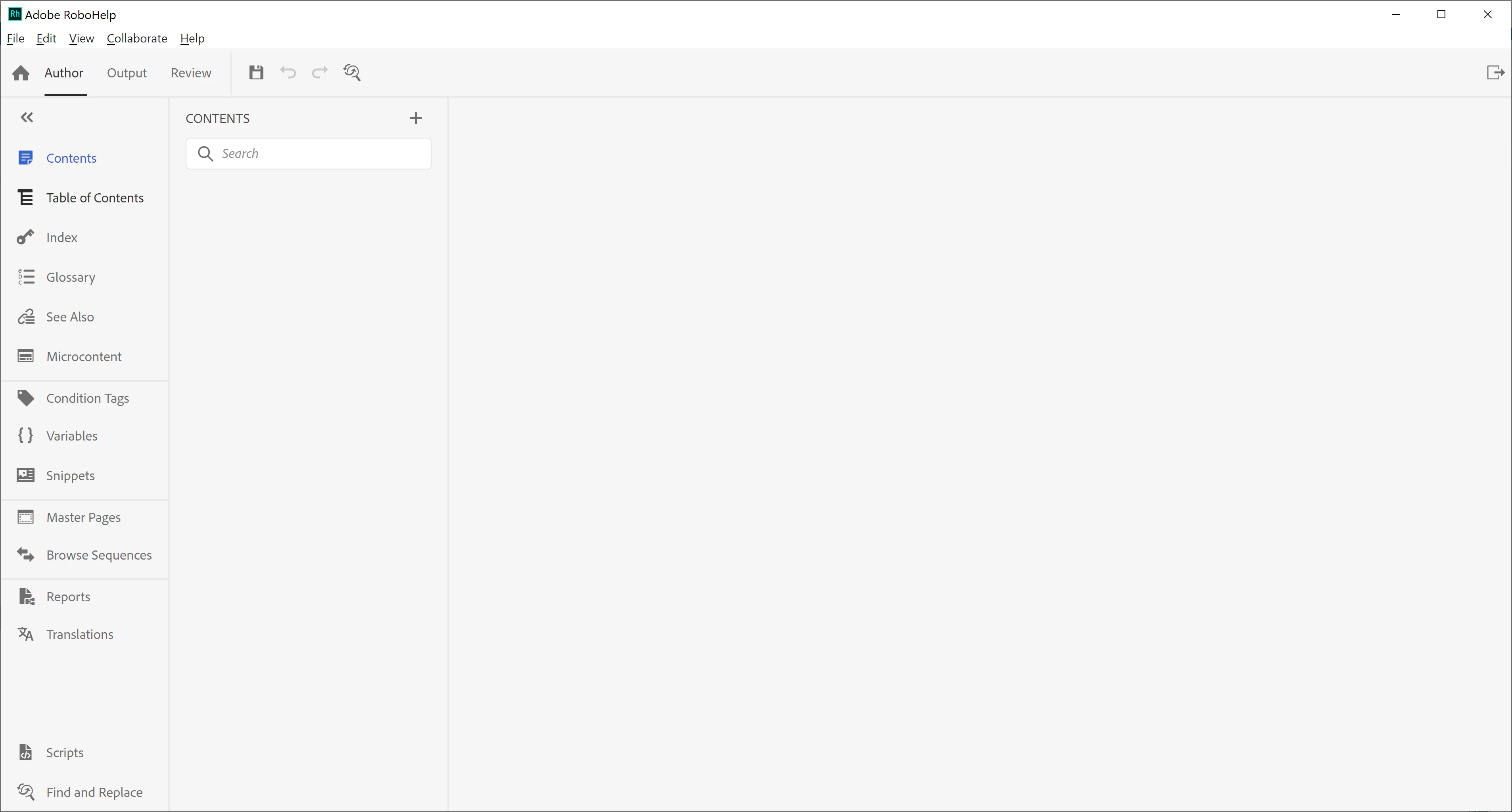
I am trying to upgrade my classic RoboHelp project with .HPJ project file to RH2020. Had one through couple of help topics(links below) but everywhere it was mentioned to select main project file .XPJ to upgrade, which I am not finding in my project. I tried the same upgrade process by selecting .HPJ file, he upgrade was successful but when I open .rhpj file,  CONTENTS and all other tabs are empty(Image below)

RH2020 Upgrading from Classic Versions (grainge.org)

Solved: How to upgrade a Robohelp Classic project (.xpj) w... - Adobe Support Community - 12042710
 

This topic has been closed for replies.

2 replies

Peter Grainge
Community Expert
Community Expert
June 23, 2022

Source files would have an XPJ file and that is what you should upgrade. If you are looking at an output there will be WH files/folders.

________________________________________________________

My site www.grainge.org includes many free Authoring and RoboHelp resources that may be of help.


Use the menu (bottom right) to mark the Best Answer or Highlight particularly useful replies. Found the answer elsewhere? Share it here.
Jeff_Coatsworth
Community Expert
Community Expert
June 22, 2022

First, are you all patched up in RH2020? Last patch released (as of June 2022) was Patch 7 (8 is due out soon). Next, what version of RH Classic are you upgrading the project from? Are you sure that you have the source RH files and not the output?

Participant
June 23, 2022

Thank you, Jeff, for your response. I don't have much knowledge on RH2020 patches, the version i installed is Summer 2020 release update 7. If installing Patch7 resolves my issue, will install. Upgrading from RH10 to RH2020. Regarding source files, by folder name looks like I have output files not the source files. How to confirm that I have output files? I am completely new to RoboHelp.