gabrielap80392066
Participating Frequently
May 2, 2015
Question

URGENT - Robohelp Decompile with KeyTools Issue

  • May 2, 2015
  • 1 reply
  • 496 views

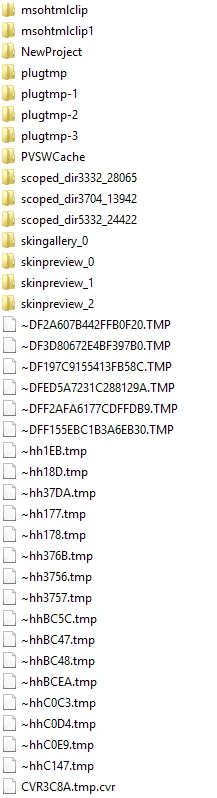
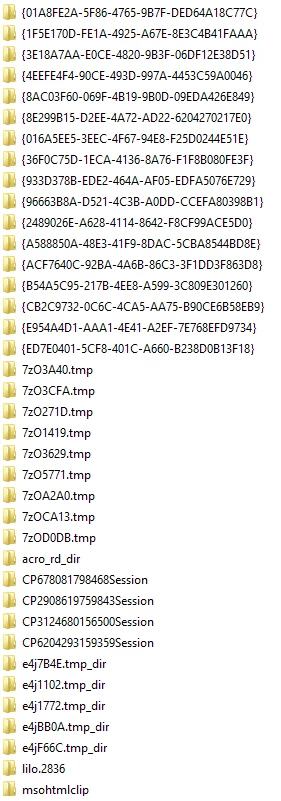
I have a publication done in Help & Manual (mh3) comprising parent and child projects. My goal is to convert the publication to Robohelp 11. I exported the master file of this publication to HTML Help, the result being a chm file. When decompiled this chm file with Key Tools, I got a multitude of folders. One of the folders contains a master hhp file, which I opened in Robohelp 11, thus creating an xpj file. (This xpj file generates Responsive output with all the cross-links intact (as per the original Help & Manual master file)). My challenge is that the xpj file is reliant upon all of the folders that were created as a result of the de-compilation process via Key Tools. Deleting any of these folders results in content being removed from the publication. I need to prune out the unnecessary folders, as - from a practical standpoint - it is impossible to work with so many folders. How can I reduce this folder structure to just one self-contained folder?

Any help would be greatly appreciated. Thanks!

Here is the folder structure:
This topic has been closed for replies.

1 reply

Captiv8r
Legend
May 2, 2015

Hi there

Likely you have far fewer actual folders than you think. I might think you could easily clobber anything with TMP in the name, as it's likely temporary and not really used.

Personally, I'd start with that, recompile and see if everything still seems to be intact. My guess is that you will be surprised that it is.

Cheers... Rick

gabrielap80392066
Participating Frequently
May 2, 2015

Hi Rick,

The hhp master file is in one of the temp files (7zO3A40.tmp), along with pictures.  Deleting the other temp files has resulted in missing content in the publication. Even deleting folders that are empty results in content being deleted from the publication. Somehow the master file seems to live parasitically off of all the folders. Is there anything I could perhaps save the xpj file as so that I may end up with just one folder (but there is no "Save as" option in Robohelp 11...)? Thanks.

Gabriela

Jeff_Coatsworth
Community Expert
Community Expert
May 4, 2015

Maybe you would like to try using the chm file to reverse engineer a RH project – check out Peter Grainge’s site (grainge.org) & Willam’s (wvanweelden.eu) for info on the subject