
Videos won't play in .chm using RH 10
Problem Solved: Camtasia default video compression setting must be changed to Windows 1
Hi,
Have 3 videos, 2 .avi and 1 .wmv.
.wmv created as a test, ie. not .avi.
All created in Camtasia.
Inserted in project using Insert > Multimedia/demo.
Videos are in the same folder as topic calling them.
Compile .chm
All works on my PC. Also works on another PC, (where RH 10 trial was installed. Trial expired).
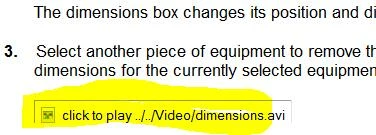
Videos will NOT play on any other PC. Only unclickable link appears.
Does having RH installed or "once upon a time" installed on a PC make a difference?
1 workaround seems to be, placing video files in same folder as compiled .chm. However, Dev. wants to avoid shipping vid. files with application.
Seems to be a pretty common topic across the internet, but haven't found a complete solution.
Any ideas?
Message was edited by: david_aker


 AdChoices