

View videos in CHM file
I have created a CHM file in RoboHelp 2015, V 12.0.2.384, in Win7 and all MP4 files hyperlinked through a text entry on HTML pages, open and play in either Windows Media Center or Player. One of my customers just converted their laptop to Win 10 and now he cannot get the MP4 files to play in either of the players. Anybody else have experience with this? A workaround? Some tips or tricks that I may not be aware of?
Here is what it looks like on the page:
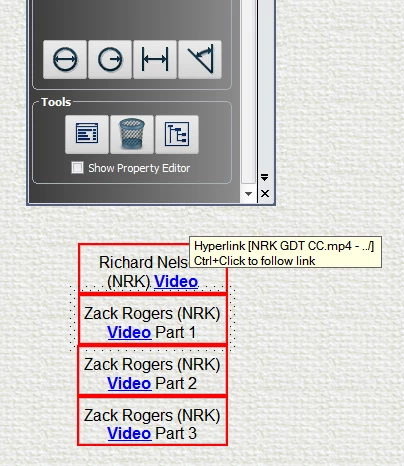
What it looks like when clicked on in Win 7

Here is a typical entry code behind the page hyperlink (maybe some one can use this code and insert their own video file for the link and see if it works in Win 10 for them):
<tr>
<td><p style="mso-bidi-font-weight: normal;
margin-top: 6pt; margin-bottom: 6pt; text-align: center;
margin-right: 0px; margin-left: 0px; font-weight: bold;
font-size: 12pt;"><b><span style="font-weight: normal;">Richard
Nelson (NRK)</span> <span style="font-weight: bold;"><a
href="../NRK GDT CC.mp4" style="font-size: 12pt;">Video</a></span></b></p></td>
</tr>
</table>
Here are the specs on the MP4 file:

My computer with a service pack 1:


 AdChoices