

Midacol
Known Participant
July 15, 2014
Question

WebHelp Display and Refresh Issues

  • July 15, 2014
  • 1 reply
  • 839 views

Hello All-

I am using RoboHelp 9  (9.0.2.271 specifically) to create a product WebHelp for my company.  I am having a problem with the display of the actual WebHelp in a browser and I am hoping someone may have a solution for me.

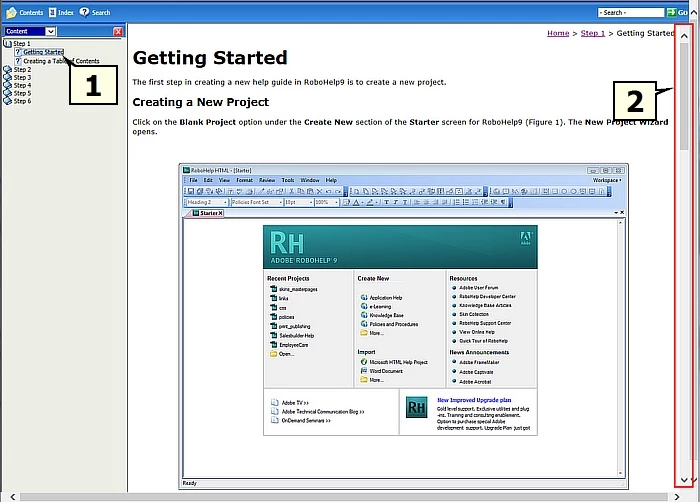
When I generate my help file in MS Explorer and it opens the index page as usual (1), it has a second vertical scroll tool (2) which I don't understand:
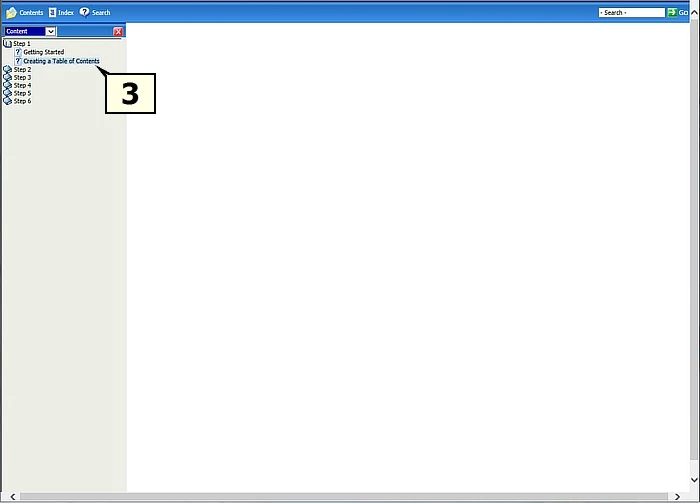
When I attempt to move to another topic in the file (3) it always opens blank no matter which topic I choose:
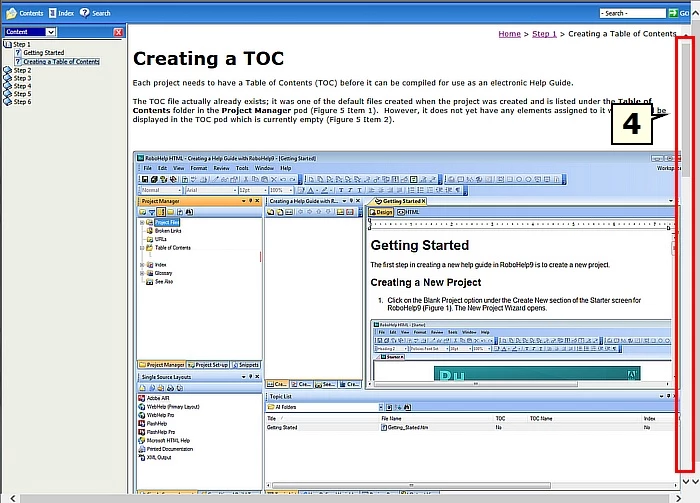
If I press F5 and refresh the help file, the topic then appears (4) but so does that mysterious second scroll tool (5). Also, if I then attempt to move on to a third topic, it will also be blank and need to be refreshed to make it appear.
I have no idea how to fix these issues. Does anyone have any advice?

Thank you for your help

-Michael


This topic has been closed for replies.

1 reply

Captiv8r
Legend
July 15, 2014

Hi Michael

Does this happen if you choose to view things immediately after you generate? Or does it only happen after you copy the content to the final destination?

My guess is that you will find it only happens after you copy the content to the final destination. And my further guess is that there is a problem with the way the help is being called by the application. (assuming, of course, that you have it linked to an application)

Cheers... Rick

Midacol
MidacolAuthor
Known Participant
July 15, 2014

Hello Rick -

Thanks for your help.

The help file has not been copied to a final destination and is still a work in progress on my company server. The screenshots above (and the only view I've had of the 'finished' document) were generated by selecting Save and Generate on the form which is opened via File > Generate > Primary Layout (WebHelp) :

Which results in a message box saying the WebHelp has been successfully generated. I then select the View Result button and that opens the help file as screenshot above.

Any ideas?

...and thank you again, Rick.

-Michael

Captiv8r
Legend
July 15, 2014

Okay, for starters, you should seriously consider changing that output folder to something other than G. That implies a network location. You likely think you are being clever by generating to what I'm assuming is the same location where folks are accessing the content. That's NEVER a good idea.

While the changes above would help you in the long run, I'm very doubtful that it's the cause of the issue you are seeing.

What I'd like to see are more screen captures of the other areas of the WebHelp Settings. Such as where the default topic are designated. Additionally, what is the full path and file name of the WebHelp start page?

Cheers... Rick