


Participant
Nov 26, 2015 3:10 PM UTC
Question

WebHelp - Index Indentation Issue

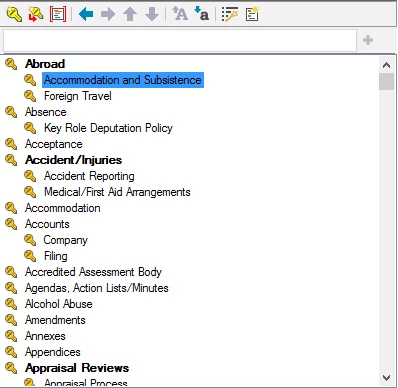
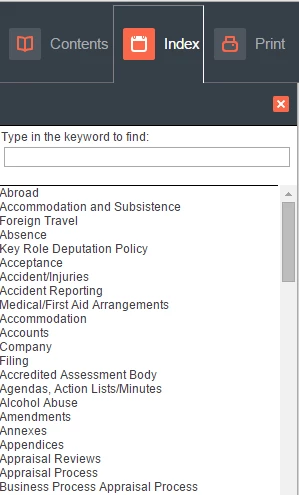
Whilst looking at the generated index from my WebHelp output I have found that the sub-keywords have not been indented to the right as was laid out in my index pod on the RoboHelp project page.

Below is a sample of the Index I originally created:
Below is the generated WebHelp Index, notice there is no indentation at all:
Is there away I can show the indentations in my generated index? Any help would be greatly appreciated. I have only very recently started using RoboHelp so my apologies if this appears to be a simple fix!

Stuart

This topic is closed to new replies. Start a new post to keep the conversation going.

8 replies

Jeff_Coatsworth
Community Expert
Community Expert
Nov 26, 2015 3:17 PM UTC

What version of RH? Is it behaving the same way if you use one of the sample projects to test with?

Translate
Participant
Nov 26, 2015 3:46 PM UTC

I'm using RoboHelp 2015. I can also confirm that the same issue is occurring when using one of the sample projects (I used EmployeeCare3).

Translate
Jeff_Coatsworth
Community Expert
Community Expert
Nov 26, 2015 3:49 PM UTC

If you change the skin you’re using on the sample, does it affect the index appearance?

Translate