


Participating Frequently
July 16, 2010
Question

Webhelp skin: add custom text in the navigation toolbar?

Hello,

I am using Robohelp 8.0.0.208 and I would like to customize a skin for a webhelp output: add a title (personal text) in the navigation panel just after the print button (see screenshot).
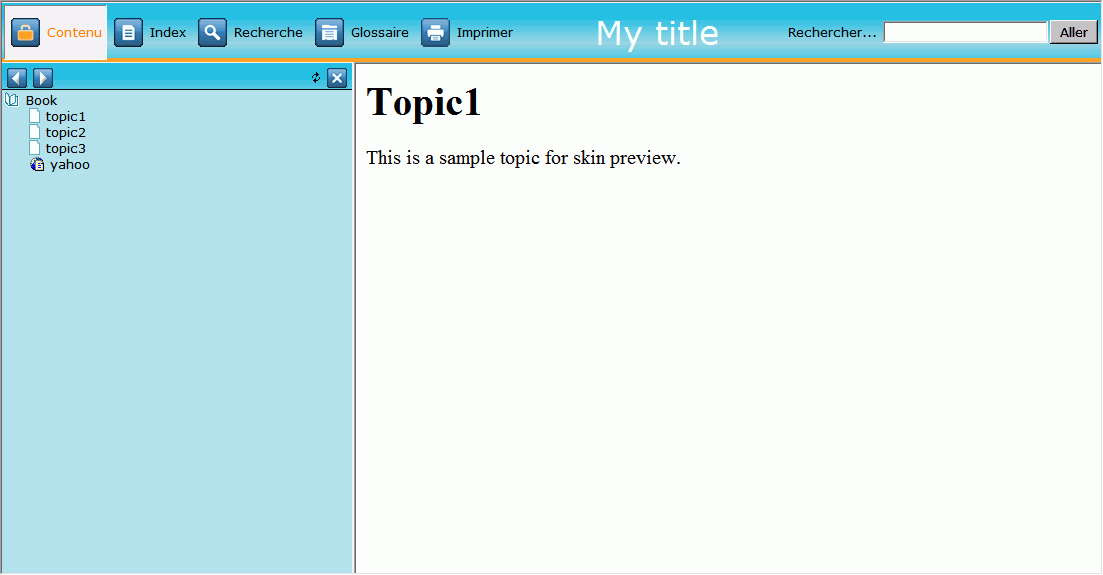
For now, the best solution I found is to add a custom button which only contains a title ( no picture and no action related to the button).  Of course this solution make the "title" button reactive which is not corresponding to I want to do (add passive text).

Is there a way to do so?

I alreday searched in the "Skinny on skins" file but without succes...

Thanks in advance for your help.

This topic is closed to new replies. Start a new post to keep the conversation going.

8 replies

Captiv8r
Legend
July 16, 2010

Hi there

Isn't it funny sometimes how the universe works? As luck would have it, I was working with this exact thing just last night for some folks participating in a RoboHelp class I'm facilitating.

Here's my first effort:

(Click the image to see a larger and more detailed view)

So now to answer the inevitable question about how I achieved this.

I was supplied an image that they wish to use for the header. I then used the WebHelp Skins editor and configured this image as the background image for the main toolbar.

Lastly I created buttons that were mostly transparent images but having verbiage positioned so it appeared in the little green banner near the bottom. This was the tricksiest bit. Lots of trial and error to get the text positioned properly.

So there you have it! Hope it helps... Rick

Helpful and Handy Links

RoboHelp Wish Form/Bug Reporting Form

Begin learning RoboHelp HTML 7 or 8 moments from now - $24.95!

Adobe Certified RoboHelp HTML Training

SorcererStone Blog

RoboHelp eBooks

Translate
Participating Frequently
July 16, 2010

Hello and thank you for your help. It nearly solved our issue.

We put the "title" in the background picture but now we have a problem with the "About button". As we put our own logo in that button, we now have an overlay problem.

Any idea?

Translate