


Participant
April 12, 2022
Question

WebHelp topic formats incorrectly when opened from Search

  • April 12, 2022
  • 2 replies
  • 81 views

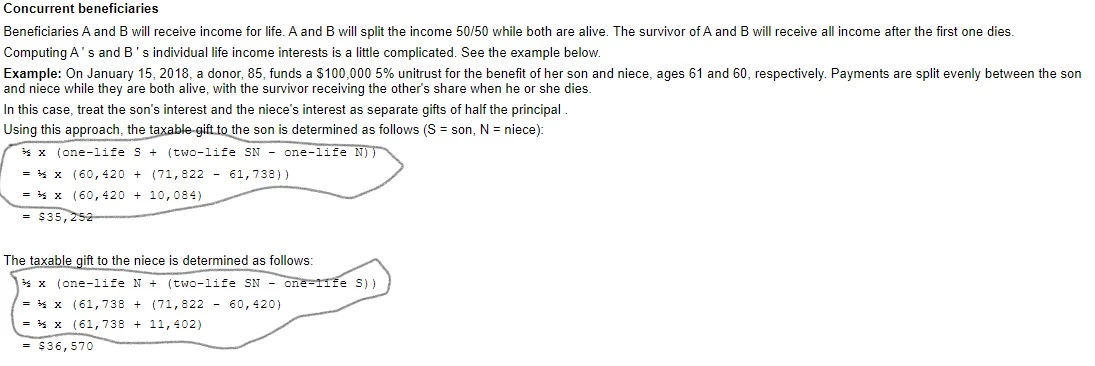
When I open some topics in the WebHelp I created using RH 2020, they are formatted correctly when opened from the Contents or Index tab, but are formatted incorrectly in places when opened from the Search tab. For example, text that should not be bolded is bolded when I open the topic from the Search tab. In the below screenshot of a topic opened from the Index, the circled equations are formatted correctly.
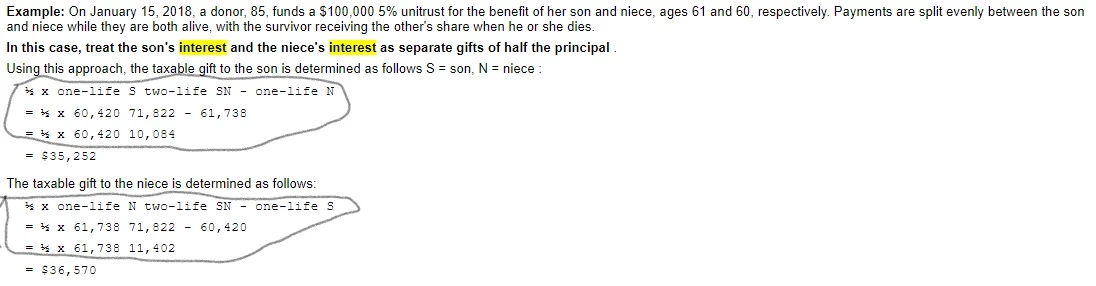
Here's the same topic opened using Search. It's a little hard to see in this image, but the parentheses and plus signs are missing:
Any ideas on what's going on and what, if anything, I can do to fix it?

    This topic has been closed for replies.

    2 replies

    Community Expert
    April 13, 2022

    The bolding could be to do with the search highlighting. If you click the Remove Highlight button does the bolding go away? If it does, it would suggest there is styling somewhere that sets the code for the highlighting to bold (it applies a span tag around a selection of text near the search word). You could use the browser developer tools to figure out where it is coming from.


    The missing symbols looks like a bug, I think. If you can post a sample of the html from the RH editor (the formula, and a paragraph above and below the formula) I could try it out to see if I see the same thing. 

    Jeff_Coatsworth
    Community Expert
    Community Expert
    April 12, 2022

    There's really no WebHelp created in RH2020, it's just responsive HTML5 made un-responsive. I'd first ensure that you're all patched up (Patch 7 as of April 2022) and regenerate if not. Next I'd check if the effect is happening using another Preset theme - also check if it's happening in the sample project too. That may give you some leads on where the issue is happening.