
What would cause a deleted conditional build tag to continue to show up in the Project Manager?
I'm working in Robohelp 2017. I deleted a conditional build tag called DM_Rich_Client from the project, but the project manager still shows topics flagged with the tag. In the first image, you can see the tag's blue line over the topics, and when I hover over any of those topics, I get a condition tooltip showing DM_Rich_Client as the tag.
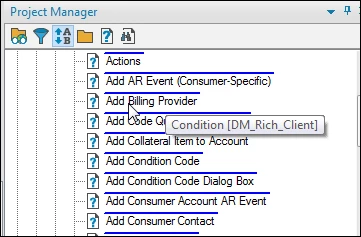
DM_Rich_Client isn't available in the CBT pod, and it's not available in the CBT list when I right-click a blue-lined topic and use the menus to try to remove the tag from the topic.
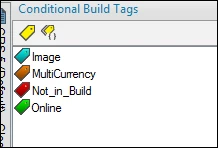
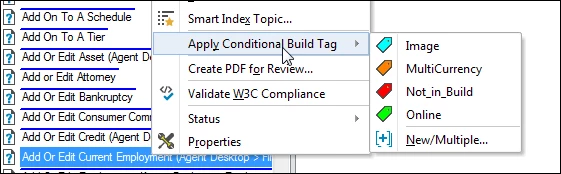
I checked the topic properties and the tag doesn't show in the Topic-level Tags list.

The DM_Rich_Client tag was used to flag the topics for the biggest help we generate from the project, so it would have been applies to approximately 2600 topics at the topic level. As far as I can tell, the Project Manager still shows the tag on all of those topics.
I deleted a number of tags at the same time I deleted DM_Rich_Client, but it's the tag that left a ghost in the Project Manager.
Anyone else ever encounter this? Any ideas what would cause this, or how to get rid of the tag completely?
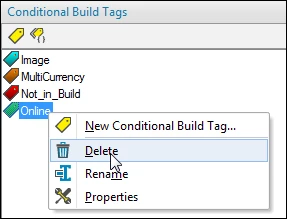
FYI: I deleted the tag through the CBT pod by right-clicking the tag and selecting Delete from the menu.


 AdChoices