


Participating Frequently
November 1, 2021
Question

When viewing output in reduced window, logo image is stretched & some skin elements lose formatting

  • November 1, 2021
  • 3 replies
  • 89 views

Hi, 

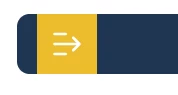
I'm using a customised version of the studio frameless skin and the logo image ratio/menu bar appears correctly when viewing the output in a maximised window (I've tried both Edge & Chrome), but when reducing the window even just to half my display, the logo is stretched vertically & the old studio colour scheme sneaks back into the left hand toolbar as per the examples attached. I'm pretty sure that yellow stems from the original Studio formatting, since it should apprear dark blue & I've never used yellow in my colour scheme. Is there anything I can do to resolve either issue? Thanks. 


    This topic has been closed for replies.

    3 replies

    Peter Grainge
    Community Expert
    Community Expert
    November 1, 2021

    Don't send the skin, I have worked out where the problem is. In the skin editor look at the top of the page. There is an icon for desktop and an icon for mobile. I am guessing you have only properly customised desktop.

    ________________________________________________________
    See www.grainge.org for free Authoring and RoboHelp Information

    Use the menu (bottom right) to mark the Best Answer or Highlight particularly useful replies. Found the answer elsewhere? Share it here.
    Participating Frequently
    November 1, 2021

    Ah sorry I just sent it, but yep you're absolutely right! Thanks for your help that's an easy fix for me now 🙂

    Peter Grainge
    Community Expert
    Community Expert
    November 1, 2021

    Export the skin and send it to me. See the Contact page on my site. Attach the skin file to the email and include a link to this.


    I will take a look but things like this can take a lot of time. No promises.

    ________________________________________________________
    See www.grainge.org for free Authoring and RoboHelp Information

    Use the menu (bottom right) to mark the Best Answer or Highlight particularly useful replies. Found the answer elsewhere? Share it here.
    Peter Grainge
    Community Expert
    Community Expert
    November 1, 2021

    The first image looks like you have customised the background to blue but not changed the icon. You have to locate that. The second image looks like you have customised button backgrounds but not the general background.


    You can check by creating a second copy of Studio and seeing the colours there.

    ________________________________________________________
    See www.grainge.org for free Authoring and RoboHelp Information

    Use the menu (bottom right) to mark the Best Answer or Highlight particularly useful replies. Found the answer elsewhere? Share it here.
    Participating Frequently
    November 1, 2021

    Hi Peter, 

    Thanks for getting back to me so quickly...I checked the icon and it has no background (see attached), so surely it should take the cutomised blue background? I tried changing the background of the icon in Robohelp but no dice I'm afraid. Similarly, the tab list for the left hand panel has been set to blue but that comes up yellow as well. 

    Again, this yellow background only appears when the output is viewed in a Chrome/Edge window that is not maximised. When the window is maximised, everything including the logo appears correctly. 


    Participating Frequently
    November 1, 2021

    Here's an example of it working correctly in full screen
