


Inspiring
July 19, 2022
Question

Why does list style change font? (RH 2020.8.34)

  • July 19, 2022
  • 4 replies
  • 134 views

Hi, Everyone.

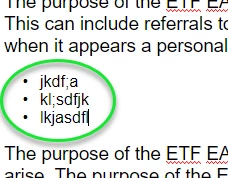
  • When I create a bullet list by applying disc style, my font gets changed (Screenshot-1).
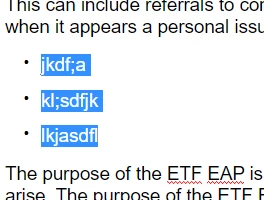
  • To change the font back, I've been applying "p" style. That gives me my Normal font. But that inserts an extra space between each bullet list item b/c I've configured "p" to add a space after each paragraph (Screenshot-2). 
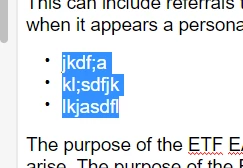
  • But I don't want the extra space in my lists. So, yesterday, you helped me create a new paragraph style called NoBottomMargin. I apply NoBottomMargin to eliminate the extra space between list items (Screenshot-3).

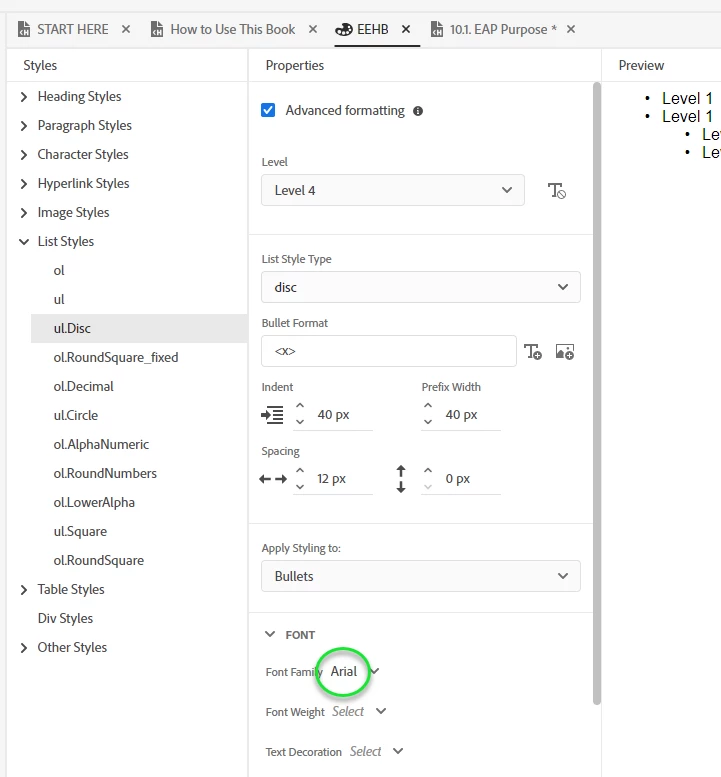
My question now is, Why does applying disc style change my font, in the first place? I've specified the font I want for "disc" to be the same as "p" in my style sheet (Screenshot-4). But applying the disc gives me a different font from what I've configured.


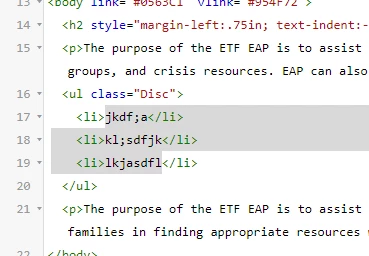
I've included a screenshot of the HTML if that's helpful to you (Screenshot-5).  


Thank you!


SCREENSHOT-1:


SCREENSHOT-2:


SCREENSHOT-3:


SCREENSHOT-4:
 

SCREENSHOT-5:


    This topic has been closed for replies.

    4 replies

    Inspiring
    July 19, 2022

    You're right!!!!!  Eagle Eye, Peter!!


    So, now I've specified the size of the font:


    And it works perfectly:


    Man, have I learned a lot in a brief span. Thank you so, so much, Peter!


    Peter Grainge
    Community Expert
    Community Expert
    July 19, 2022

    Looks like Arial but smaller.

    ________________________________________________________

    My site www.grainge.org includes many free Authoring and RoboHelp resources that may be of help.


    Use the menu (bottom right) to mark the Best Answer or Highlight particularly useful replies. Found the answer elsewhere? Share it here.
    Inspiring
    July 19, 2022

    Thanks, Peter, good questions. 

    • Yes, the font is to Arial for Levels 1 through 4.
    • Good catch re. "Apply Styling to:"   I've now selected "Content" for Levels 1 through 4 (Screenshot-A). (The two choices in that drop-down are "Bullets" and "Content.")
    • But disc style is still changing the font when applied (Screenshot-B).


    What else can I try?


    Thank you!


    SCREENSHOT-A


    SCREENSHOT-B


    Peter Grainge
    Community Expert
    Community Expert
    July 19, 2022

    Your image shows Level 4. Are the other levels set to what you want.


    Also you have Bullets selected. Try with Paragraph. Settings applied to Bullets do not apply to Paragraphs.

    ________________________________________________________

    My site www.grainge.org includes many free Authoring and RoboHelp resources that may be of help.


    Use the menu (bottom right) to mark the Best Answer or Highlight particularly useful replies. Found the answer elsewhere? Share it here.