


Inspiring
October 23, 2024
Question

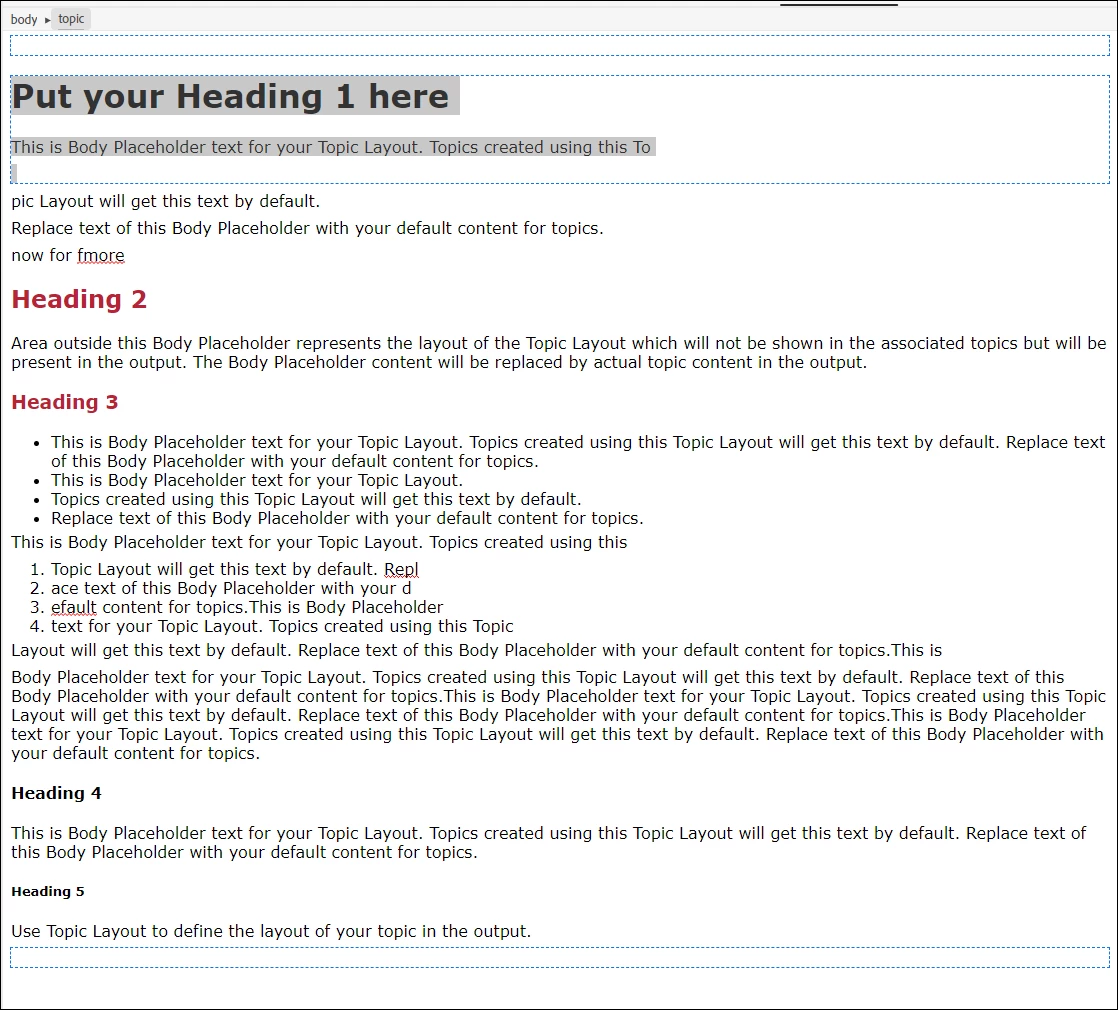
Why is my Topic Layout displaying like this

  • October 23, 2024
  • 2 replies
  • 192 views

2022.4.179


I'm new to Topic Layouts. But before I set one up I noticed that there were three discrete areas surrounded by blue dotted lines:

  • header
  • body
  • footer

I set one up but I can't figure out why the body area is only around the first Heading 1 and a bit of following text. Shouldn't it be around the entire body of the topic and end just above the footer area?
 

Take care


    This topic has been closed for replies.

    2 replies

    Peter Grainge
    Community Expert
    Community Expert
    October 24, 2024

    In short, it's a layout for your topics, not a topic itself.


    The header/footer will appear above/below any topic to which you attach the layout. If you want it attached to all topics, then select the layout in the preset instead.


    • When you create a topic, you can select a layout in General Properties. If you select it there, then any body content will be in the topic. The last layout applied will be attached to any new topics but in the dialog setting up the topic, you can change that to any other layout or to the default (no layout).
    • If you apply a layout later, the body content will not be included. Body content is a one-off option.


    Once a topic has been created, the logic changes.

    • Any changes to the header/footer will apply when the topic is viewed in Preview or an output is generated.
    • Any changes to the body of the layout will not reflect in linked topics. 

    ________________________________________________________

    My site www.grainge.org includes many free Authoring and RoboHelp resources that may be of help.


    Use menu (bottom right) to mark as Best Answer or to Highlight particularly useful replies. Found the answer elsewhere? Share it here.
    Jeff_Coatsworth
    Community Expert
    Community Expert
    October 23, 2024